Micronova S.r.l. - Via A. Niedda, 3 - 35010 Vigonza (PD) - +39 049 8931563 - +39 049 8931346
date 09/06/2017
page 11 of 15
BootLoader
Micronova
ENG
USE
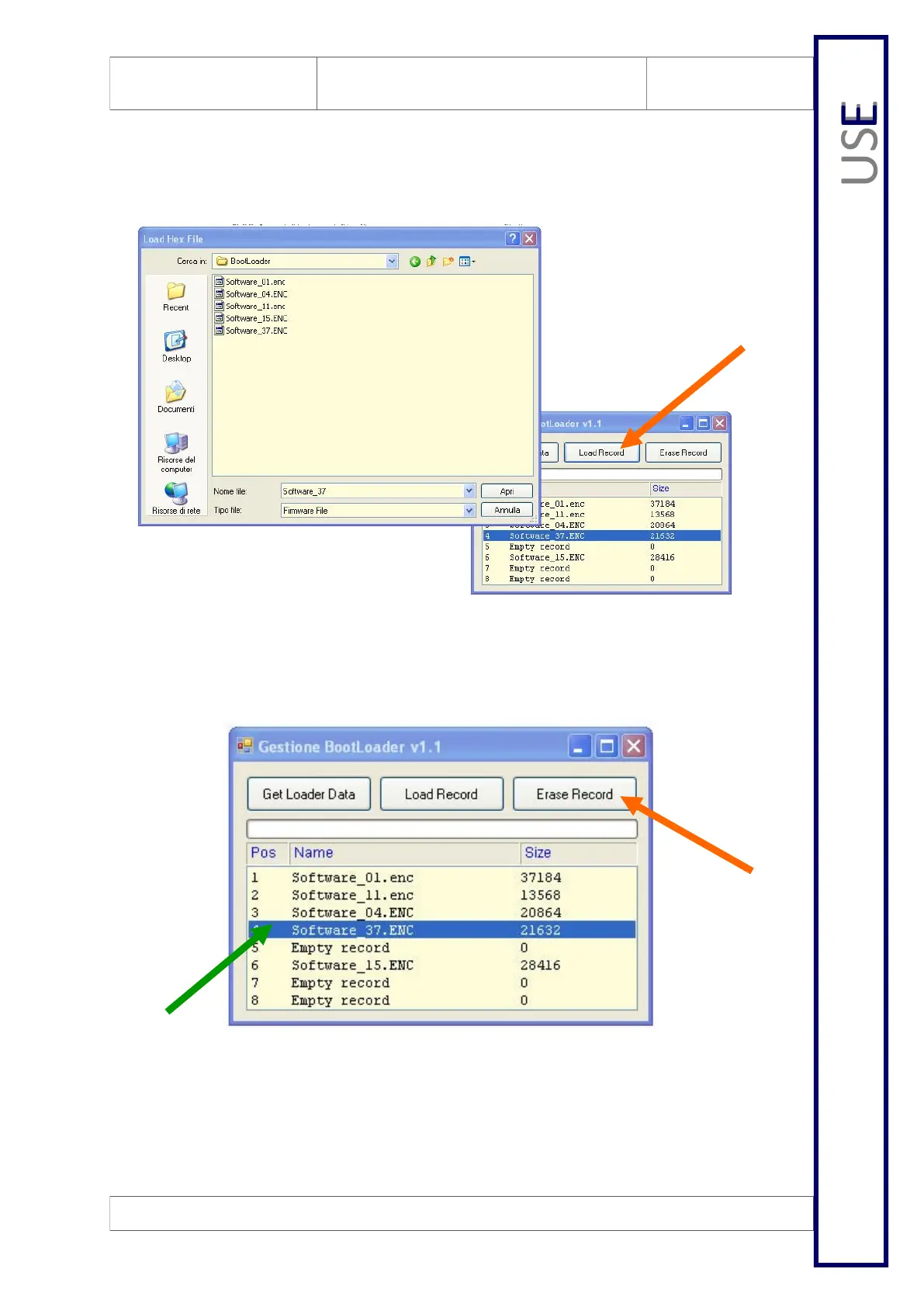
5.4 Uploading a new file
To upload a new file, all you have to do is select the “Load Record” button, then find
the file to insert in the Boot Loader, in the selection window.
5.5 Deleting a file
You can delete any one of the registers by highlighting the corresponding line and
then selecting the “Erase record” button.


 To Next Page