Game Types
There are seven multiplayer game types. Each game type has a number of built-in
variants that create different rules for a game. The Slayer game type has a regular
variation called “Slayer,” “Team Slayer,” “Rockets,” and so forth. You also can create a
custom variant for a game type to create your own rules for a game.
Slayer: Kill the most opponents.
Capture the Flag: Score the most points by capturing the other team’s flag and
bringing it back to your team’s base.
Assault: Score the most points by carrying, arming, and dropping your team’s
bomb in the other team’s base.
King of the Hill: Control the hill for the longest time.
Oddball: Find the ball and hold on to it for the longest time.
Juggernaut: Only the Juggernaut can win—and if you are the Juggernaut,
everyone is out to get you.
Territories: Earn the most time by finding and controlling territories on
the map.
Maps
A map is a self-contained game level designed specifically for multiplayer games.
Most maps are based on variations of specific campaign levels in
Halo 2. Maps
come in different sizes and have different types of buildings, scenery, etc. Large
maps work well when you have a lot of people. Some maps have objects with
which you can interact. Press
X
to interact with an object. You can use any game
type with any map.
Voice Proximity
When playing System Link and Xbox Live games, you can hear other players’
voices. In
Halo 2, the louder the players’ voices, the closer they are to you on
a map. When they’re softer, they’re farther away. Use this to help determine
another player’s proximity. Be careful though—nearby enemies can hear you
talking as well.
If you have an Xbox Communicator, you can use voice to direct your team. You
can tap the White button to engage your radio and talk to your team, no matter
where they are on a map. The radio will remain open until you stop talking.
Multiplayer HUD
The multiplayer HUD adds the Multiplayer Scoreboard, which shows the score of
the leading player or team above your score. If you are the leader, the score of the
second-place team or player is shown underneath. It is located on the lower-right
side of the the screen. Hold down the BACK button to see more extensive scores.
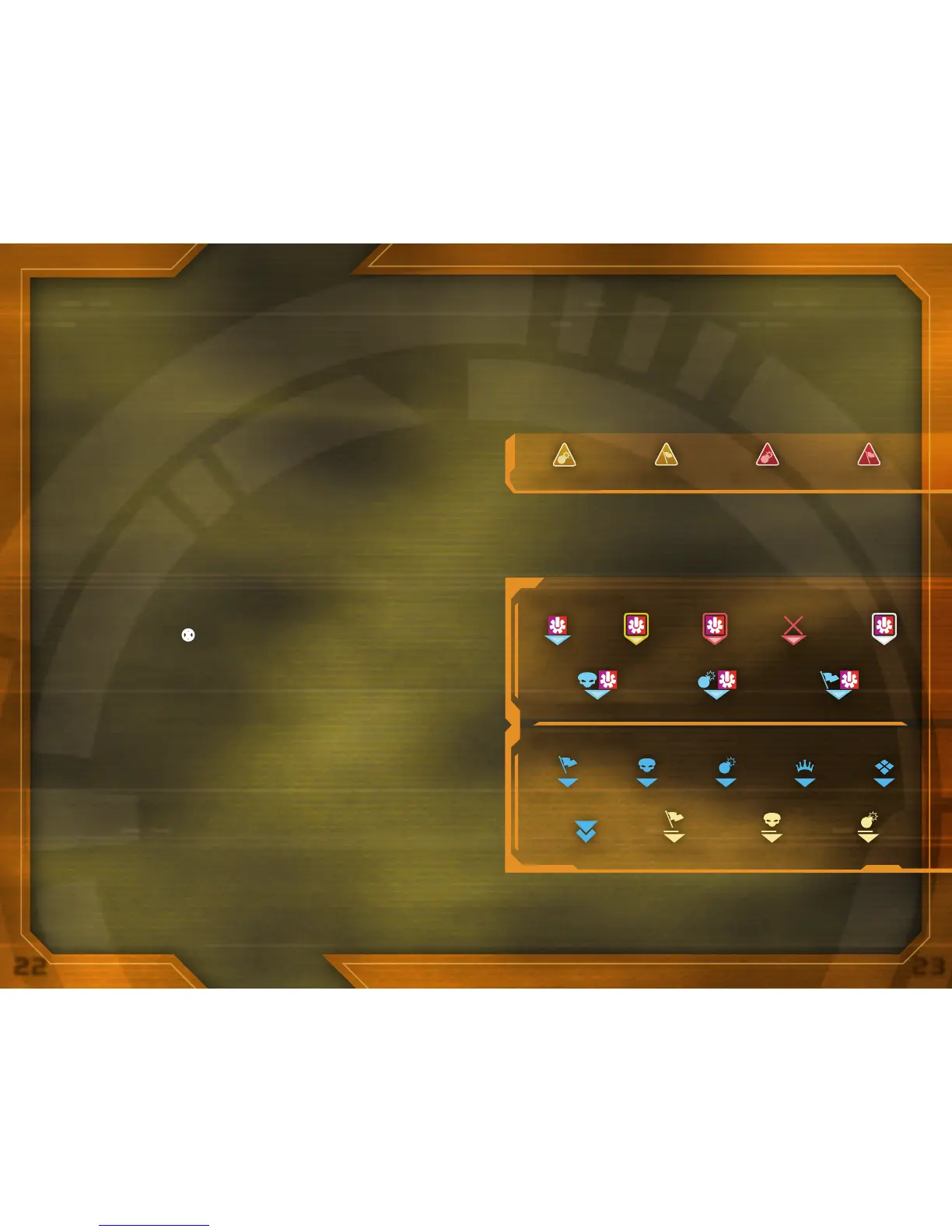
Multiplayer Warning Indicators
There are several additional warning indicators that show up below your reticle in
multiplayer games—these are valuable.
Waypoints
Waypoints are HUD elements used to indicate status on objects in your field
of view. Pay attention to the waypoints in team games and in objective-based
games like CTF and Assault.
Capture the Flag
Friend Firing
Has FlagHas BombHas Oddball
Taking Fire Killed Talking
Territory
King of the HillAssaultOddball
Dropped Flag Dropped Oddball Dropped BombObjective
Bomb Dropped Enemy has FlagEnemy has BombFlag Dropped
Objective Waypoints
Friends Waypoints



 To Next Page