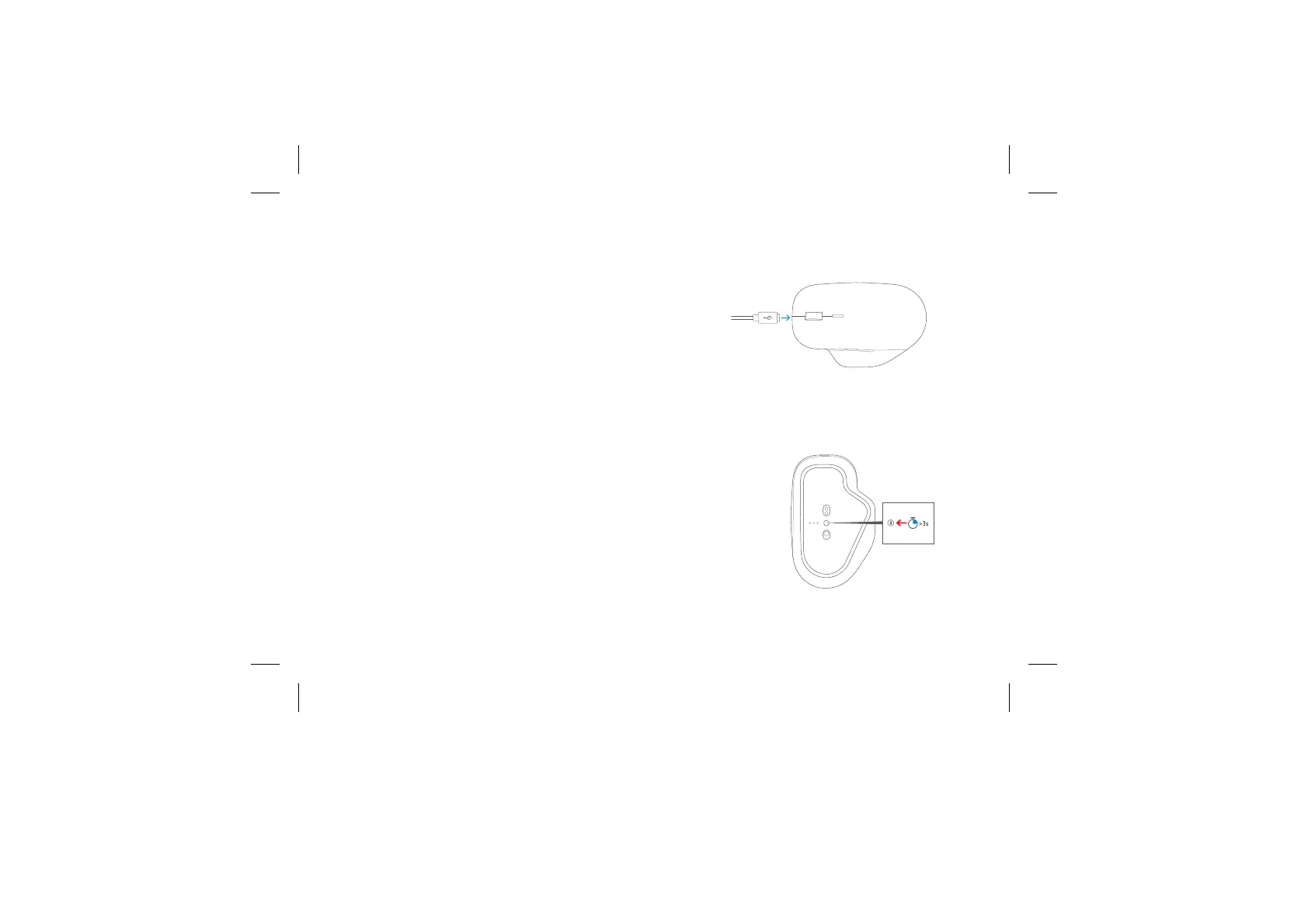
Connect with a cable
Plug cable into the mouse and then plug the USB end of the cable
into your PC
Connect wirelessly
1. Unplug the USB cable from the mouse and your PC.
2. On the bottom of the mouse, slide the power switch on.
3. Press and hold the pairing button for 3 seconds. The light will blink
when it’s ready to pair.
4. On your PC, select the Start button, then select Settings >Devices >
Bluetooth & other devices > Add Bluetooth or other device >
Bluetooth and follow the steps on the screen.
5. You can connect to up to three devices at the same time. To swap
between them (without Smart Switching), quickly press the
pairing button.



 To Next Page