Restore the factory settings
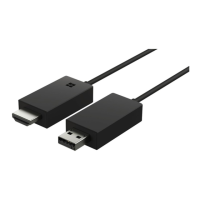
If you want to clear all the previous connections to other devices and restore the factory
settings, reset your adapter. You can also try resetting if there’s a problem with connecting
the adapter to a device.
Make sure your adapter is connected to a TV and a power supply.
1. Wait until the Start mirroring screen is visible on the TV screen.
2. With the end of a paperclip or similar tool, press the reset button in the reset pinhole for 5
seconds.
When the Start mirroring screen is visible again, you’re ready to connect the adapter to a
phone.
© 2014 Microsoft Mobile. All rights reserved.
8



 To Next Page