invuesecurity.com
3
Microsoft Surface Book Installation
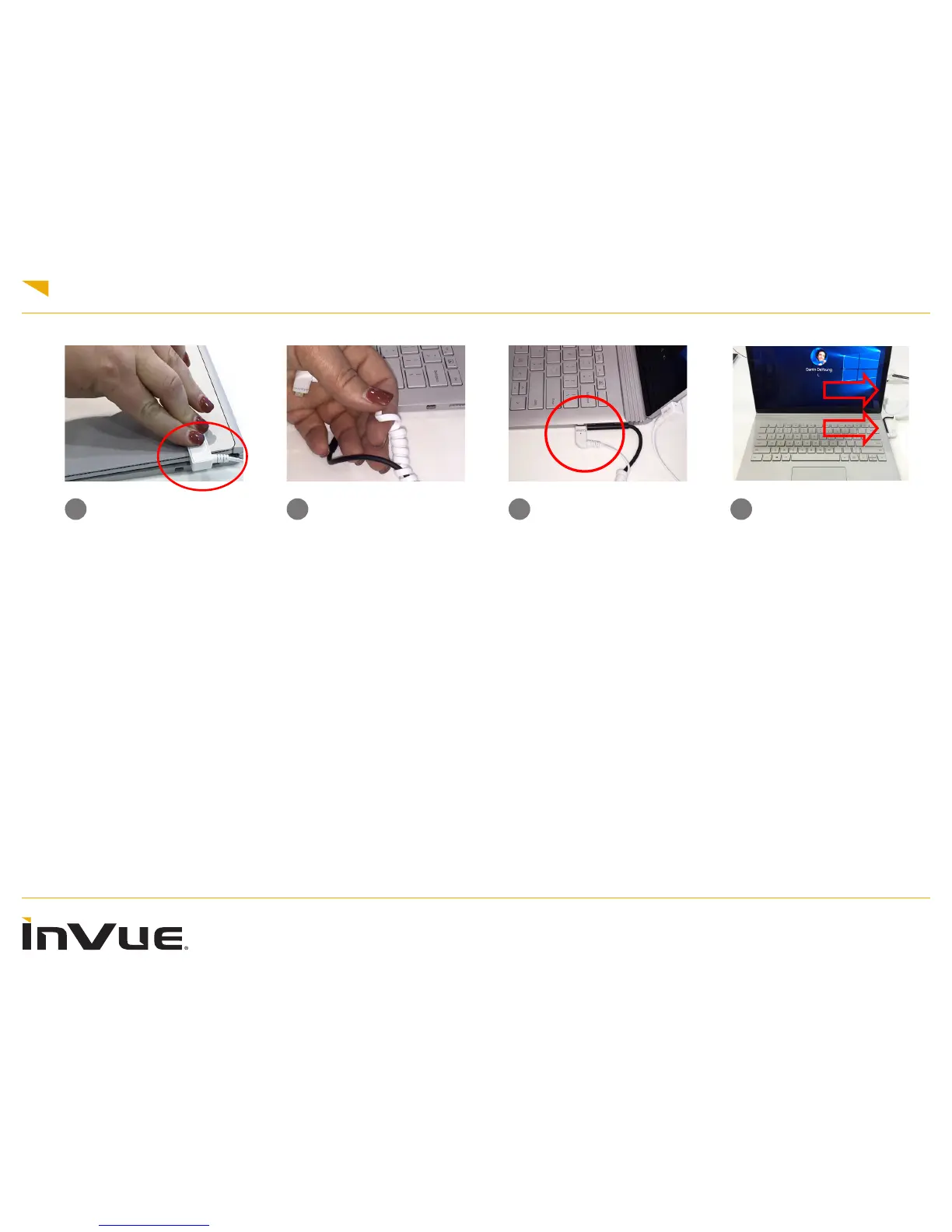
1 2 3 4
Close the Surface Book.
Remove the lm from the
adhesive on the screen
sensor and place rmly on
the screen as shown above.
The sensor should line up in
between the Mini Display Port
sensor and power port
Final device install should
looks as above.
Plug the sensor and power
cord into the Surface Book
when completed.
Wrap the Mini Display Sen-
sor cable (MDP) around the
power cable starting with the
coiled portion farthest from
the MDP sensor. Wrapping
from the back of the cable
forward will allow you to wrap
more quickly and easily











 To Next Page