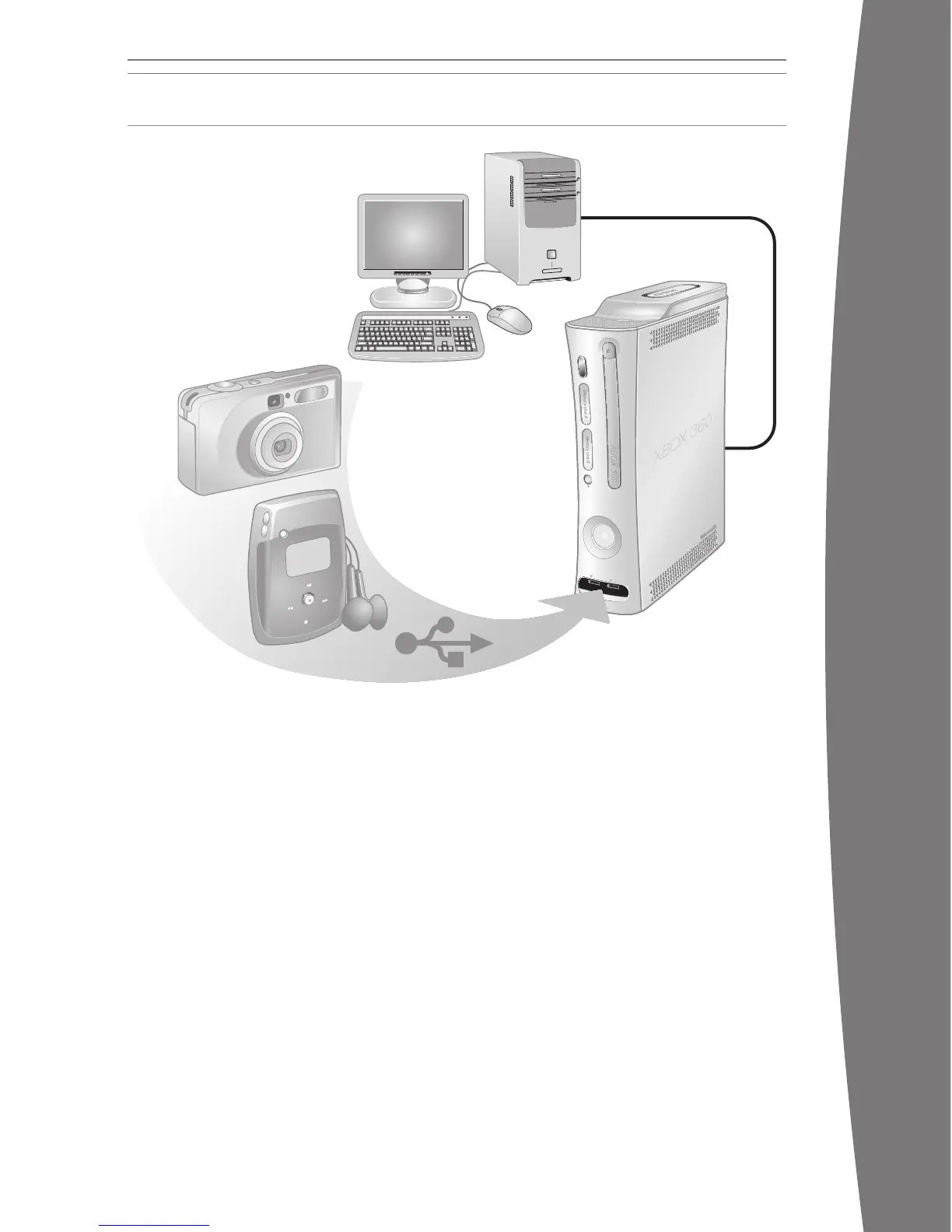
SHARE MEDIA FROM AN AUDIO PLAYER OR CAMERA
Use your Xbox 360 console to play music,
view pictures, and access media les from
othe
r devices. You can connect USB devices
such as music players and digital cameras to
the Xbox 360 USB ports. You can also connect
your console to a Windows–based PC or a
Windows Media Center–based PC.
For a list of third-party devices supported by
Xbox 360, go to www.xbox.com/media.
Stream Music to Your Console
To stream music from a personal audio player
to your Xbox 360 console:
1 Connect a USB cable (not provided)
between the device and your console.
2 Congure the device to play through the
USB port.
3 Select Media, Music, Portable Device.
4 Select the music or playlist you want to
listen to.
nOTE
Recordings and programs may be protected
by copyright. Microsoft does not authorize,
support, or condone the use of its products for
unauthorized copying. You may not copy,
reproduce, distribute, publicly perform, or
modify recordings unless authorized by the
copyright owner or allowed by law.
View Your Pictures
You can create slideshows and view pictures
stored on your digital camera.
To connect your digital camera:
1 Set up your digital camera for viewing
pictures. See your camera instructions for
details about how to view pictures.
2 With your console turned on, use a USB
cable to connect your camera to a USB port
on the console.
3 The console will detect your digital camera.
Follow the on-screen instructions to access
your pictures.
WATCH MOVIES
Your Xbox 360 console plays DVD movies. To
enhance your DVD movie playback experience,
consider using the Xbox 360 Universal Media
Remote (sold separately).
To play DVD movies:
1 Press the eject button to open the disc tray.
2 Place the DVD movie on the disc tray with
the label facing up (to the right if the
console is vertical).
3 Press the eject button to close the disc
tray. The DVD movie will begin playing.
4 Press any controller button other than the
Xbox Guide button to show the DVD on-
screen controls. Use your controller to
control movie playback.
The Xbox 360 console can only play region 1
DVDs that have this logo:
PLAY CDs
The Xbox 360 console can play audio CDs that
have this logo:
To play audio CDs:
1 Press the eject button to open the disc tray.
2 Place the audio CD on the disc tray with
the label facing up (to the right if the
console is vertical).
3 Press the eject button to close the disc
tray. The CD will begin playing.
X130405002MNL.indb 19 8/10/2007 6:28:50 PM














 To Next Page