Need help?
Do you have a question about the Microsoft Xbox 360 Controller and is the answer not in the manual?
Warns about seizures from flashing lights in video games and advises seeking medical help for symptoms.
Discusses discomfort from controller use and advises medical consultation for persistent pain or symptoms.
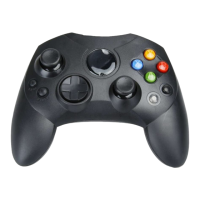
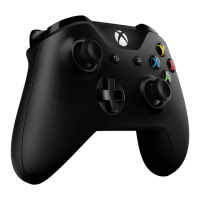
Details the Xbox Guide Button, Ring of Light, and their functions, noting limited use with Windows.
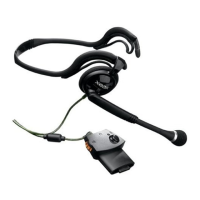
Describes the expansion port for headsets and warns about potential hearing loss from high volumes.
Explains the inline release cord's safety function to prevent console detachment and proper reconnection.
Step-by-step guide to installing the Xbox 360 Controller for Windows software from the included CD.
Instructions for connecting the controller to a Windows PC via USB and verifying its functionality.
Guidance on controller use within games and verifying compatibility, recommending consultation of game manuals.
Details on connecting the controller to an Xbox 360 console and turning the console on.
Provides contact details for support and a strict warning against attempting unauthorized repairs.
Details FCC Part 15 compliance for US users regarding radio frequency energy and interference.
States compliance with Canada's ICES-003 for Industry Canada, outlining conditions for operation.
Lists Microsoft Corp. as the trade name and responsible party, with contact telephone number.
Covers copyright information, usage restrictions, and trademark ownership by Microsoft Corporation.
 General
| Analog Sticks | 2 |
|---|---|
| Vibration Feedback | Yes |
| Brand | Microsoft |
| Model | Xbox 360 Controller |
| Connectivity Type | Wired, Wireless |
| Buttons Count | 11 |
| Trigger Buttons | LT, RT |
| Battery (Wireless) | 2 AA batteries |
| Connectivity | Wired, Wireless |
| Compatibility | Xbox 360, PC |
| Power Source | 2 AA batteries (Wireless), USB (Wired) |
| Buttons | A, B, X, Y, LB, RB, Start, Back |
| Input | USB (Wired), Wireless |
| Headset Jack | Yes |
| Weight (Wireless) | 265 g (9.3 oz) |


 To Next Page