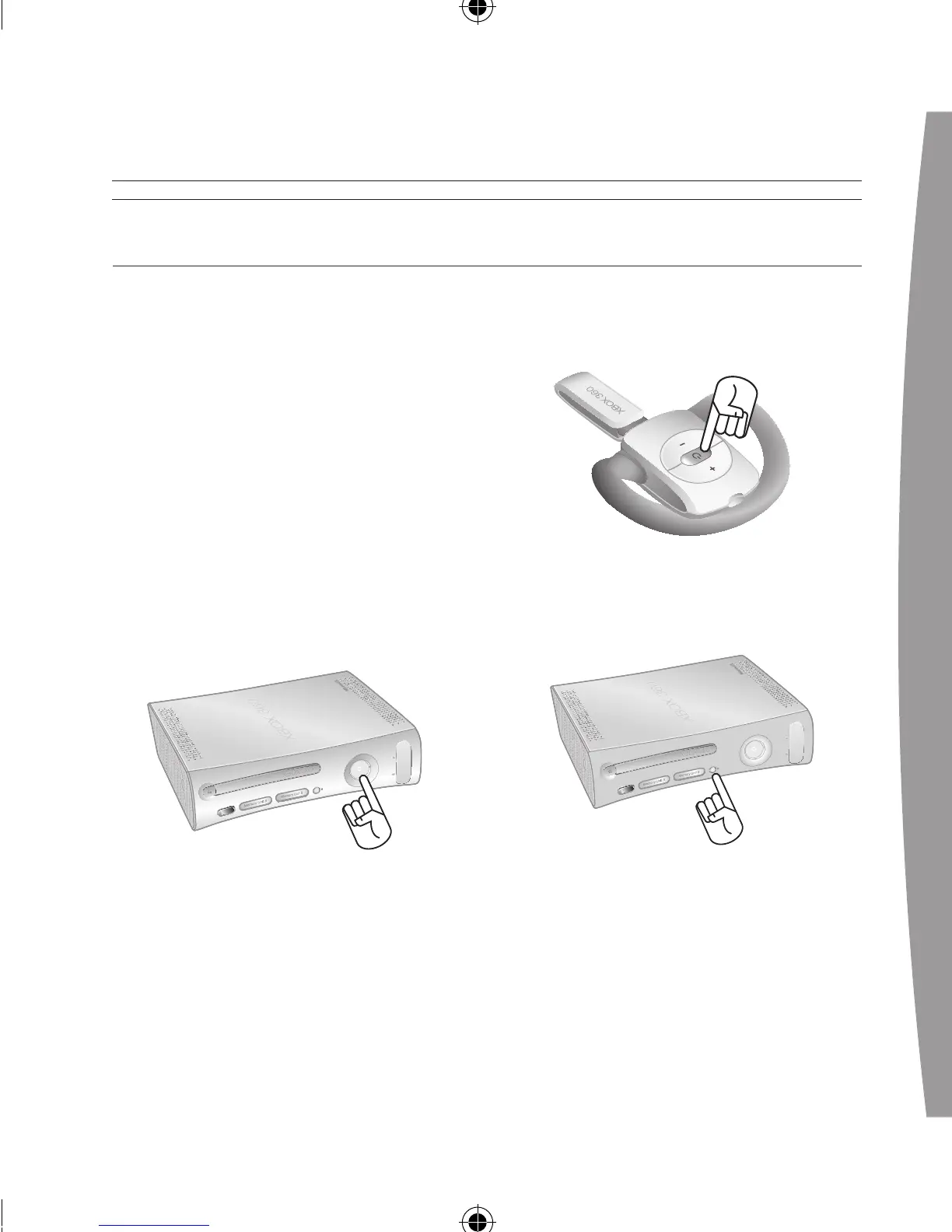
Connect the headset to your console
by rst pressing the connect button
on the console and then pressing
and holding the connect button on
the headset for one or more
seconds. You have a 20-second
window in which to establish
the connection.
To connect your wireless headset to
your console:
1 If your console is not on, press the
power button to turn on
the console.
2 If your headset is not on, press the
headset’s power button to turn on
the headset.
3 Press and release the connect
button on the console.
4 Press and hold the connect button
on the headset for one or more
s
econds. The headset will
automatically be assigned to the
COnneCT YOUR heADseT


 To Next Page