Plain Heat Press Manual
- 3 -
III. Operating Process
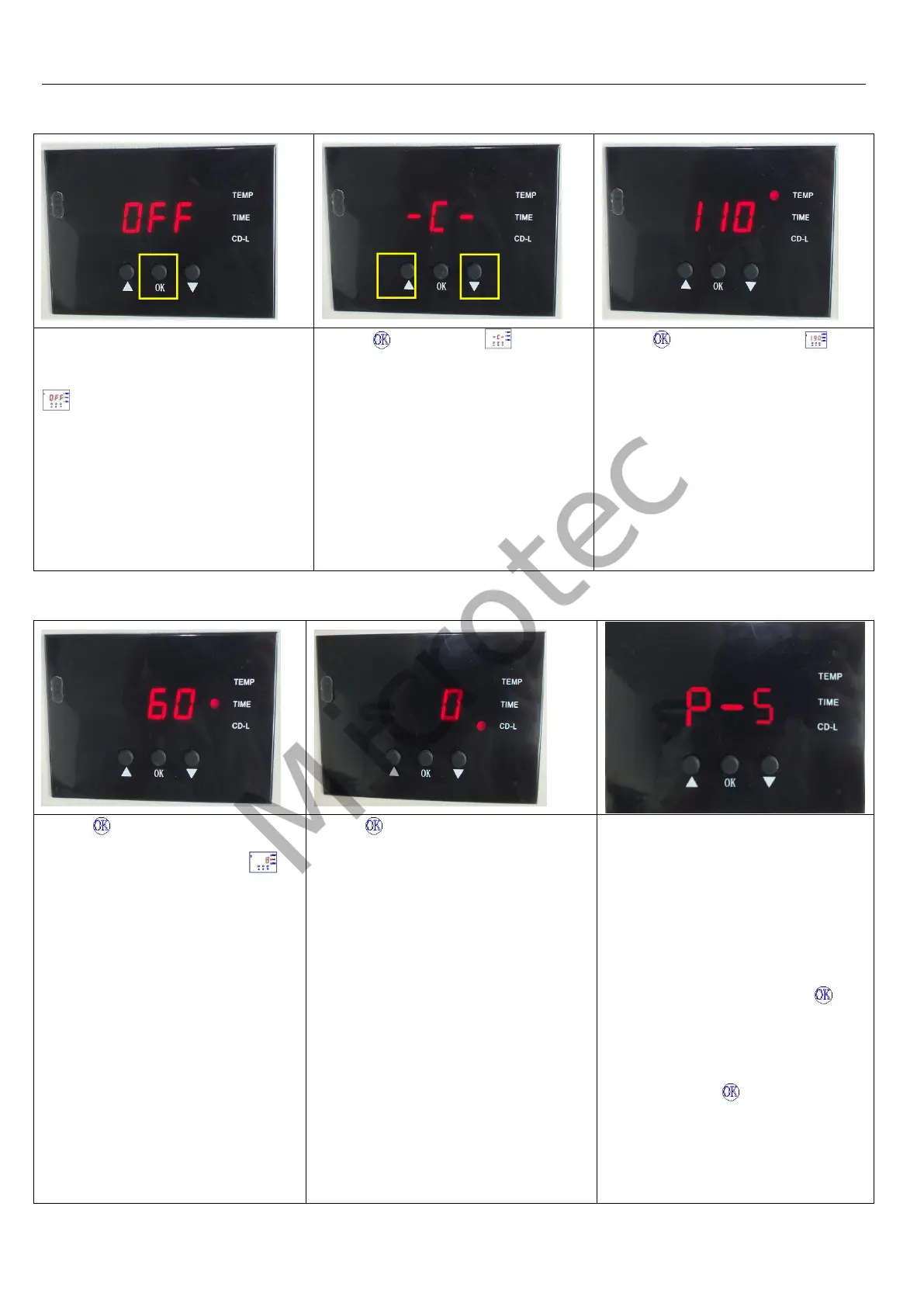
Turn on power switch, temperature
light is ON. The digital display shows
.
Press button, the light is
on (C denotes Celsius). Press
arrows “△” or “▽” to select “℃” or
“℉” (F denotes Fahrenheit)
according to your habits.
Press button, the temp light
is ON. Press Up “△” or Down “▽”
button to set temperature according
to different transfer material.
(Normally 180℃~200℃)
Note: Temperature will be shown on
the controller only after it reached to
100℃, it’s normal that there is no
temperature shows right after the
setting.
Press button after the
temperature setting and the
time light is ON. Press Up “△” or
Down “▽” button to set time
according to different transfer
material.
Press button after time setting;
the display shows the temperature
starts to rise. “CD-L” shows the time
counting down during your transfer.
If there is a difference between the
actual temperature and temperature
shows on the controller, you can
use P5 mode to calibrate the
difference.
For example, when actual heat
platen temperature is 180 °C but the
display shows 200°C, press
button for 5 seconds to enter the P5
mode. When enter P5 mode,
press UP button “△”to set to 20,
and then press button again
for 5 seconds return to operation
mode. In the contrast, when actual
heat platen temperature is 200 °C
but the display shows 180°C, press


 To Next Page