Need help?
Do you have a question about the Microtech CoreBook Lite and is the answer not in the manual?
Details limitations on Microtech's liability for product issues and damages.
Provides essential safety guidelines for using the power adapter and battery.
Offers advice on handling and maintaining the lithium polymer battery pack.
Warns about using correct power adapters, outlets, and charging frequency.
Advises on avoiding physical damage, magnetic fields, and environmental exposure.
Stresses using qualified personnel for repairs and cautions against misuse.
Guides on inserting memory cards and compatibility considerations.
Explains the correct procedure for safely removing a memory card.
Covers powering on, off, rebooting, and locking the device screen.
Details how to connect to Wi-Fi and Bluetooth devices.
Guides on changing the system's display language.
Explains how to use the Start Menu and its features.
Information about the supported SSD slot.
Describes the DC power input port.
Information about the supported MicroSD card slot.
Explains the function of the MiniHDMI port for multimedia.
Details the 3.5mm audio output for headphones.
Information on the device's camera capabilities.
Describes the built-in microphone functionality.
Notes the speaker quality for sound output.
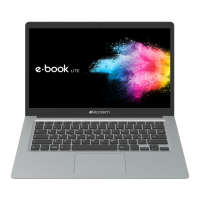
Provides physical dimensions and case material information.
Details the display size, resolution, and aspect ratio.
Lists the processor model and graphics capabilities.
Specifies RAM, storage capacity, and type.
Lists the supported operating systems.
Describes the keyboard and touchpad.
Lists all input/output ports and wireless connectivity.
Provides information on the battery type and capacity.
Details the front camera resolution.
Lists the product's certifications (CE, RoHS).
Warns against improper disposal of batteries due to explosion hazard.
Advises on proper disposal of electronic waste, not in municipal bins.
Cautions against disposing of the product in fire or short-circuiting it.
Provides the website for detailed information and support.
Guides users to register for technical support and repairs.

 To Next Page
 General