Page 41
Wire Map for Both Ends of the Link
The Injector plays an integral part in determining the wire map for a given link. With the
Scanner and the Injector connected at opposite ends of a link or cable, the wire map can be
determined. When running
Find Cable Faults
or
Autotest
, the Scanner and the Injector
communicate to determine how the link is wired. With the wire map on display, press
Splits (F1)
to
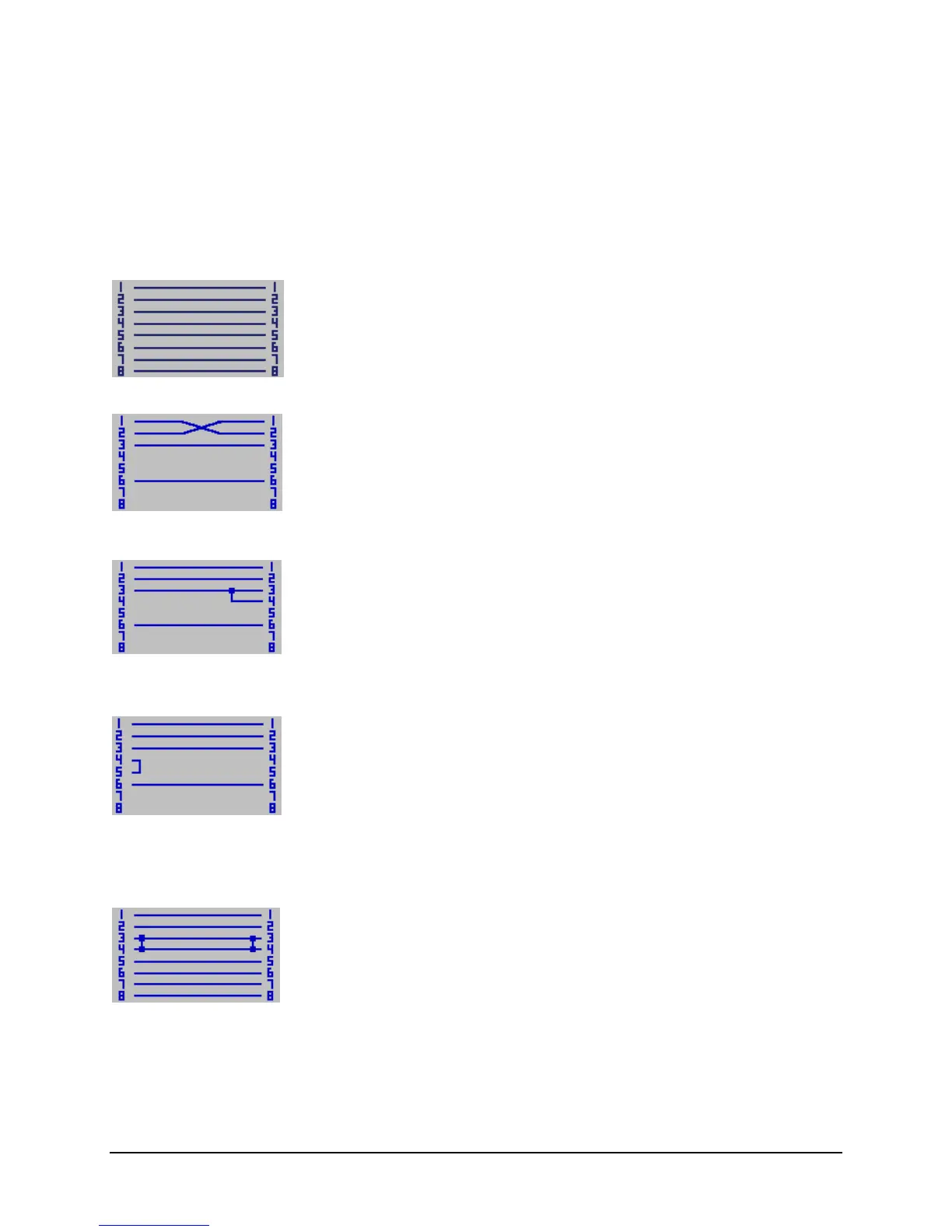
display the wire splits screen. The Scanner/Injector combination identifies the following wiring
configurations:
Straight Through Wiring
Straight through wiring (the expected case) is displayed as shown:
Cross Wiring
Cross wiring is displayed as shown:
Short at the Injector End
A short at the Injector end is displayed as:
Short at the Scanner End
A short at the Scanner end is displayed as:
Note: The Injector is not required in order to detect a short at the Scanner end of the link.
Short on the Link
A short in the link (where wires can be seen at both ends) is displayed as:



 To Next Page