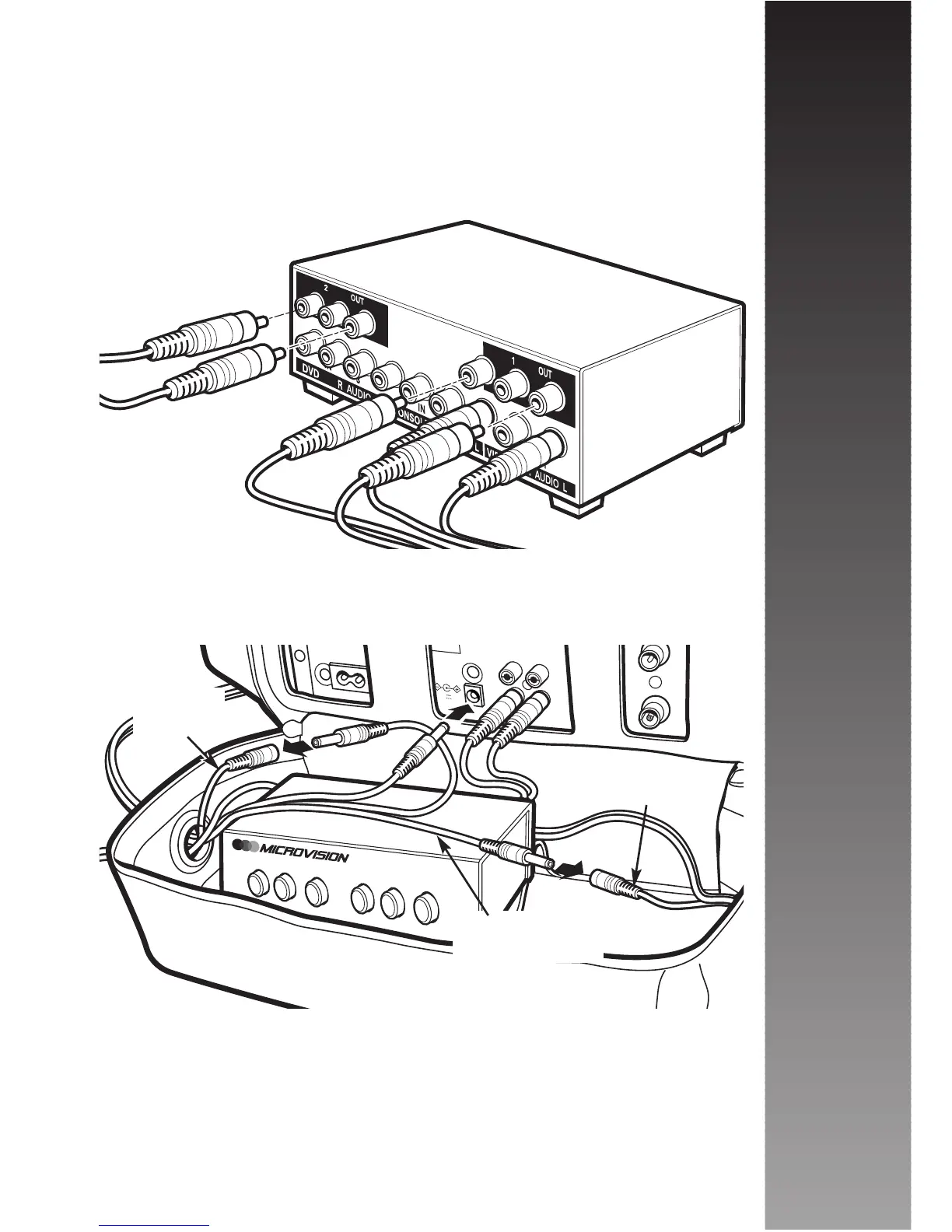
You can now connect the Audio/Video looms for each
monitor to the Output sockets, numbered 1 and 2 on the
rear of the Audio/Video Selector again matching White to
White and Yellow to Yellow. When connected place
selector unit in the base of the rucksack.
Then attach the 12V power cable from the same looms
to the 12V 3 way power cable supplied with your MV1 In
Car Cinema system
Please note: Do not plug the 12V 3 way power cable
into your vehicles cigarette lighter socket before
ensuring that all connections are complete.
Installation
8



 To Next Page