Installation
Please begin by unpacking the contents of your MV1-A
and checking that all the necessary components are
included as specified on the ’Contents’ list on page 4.
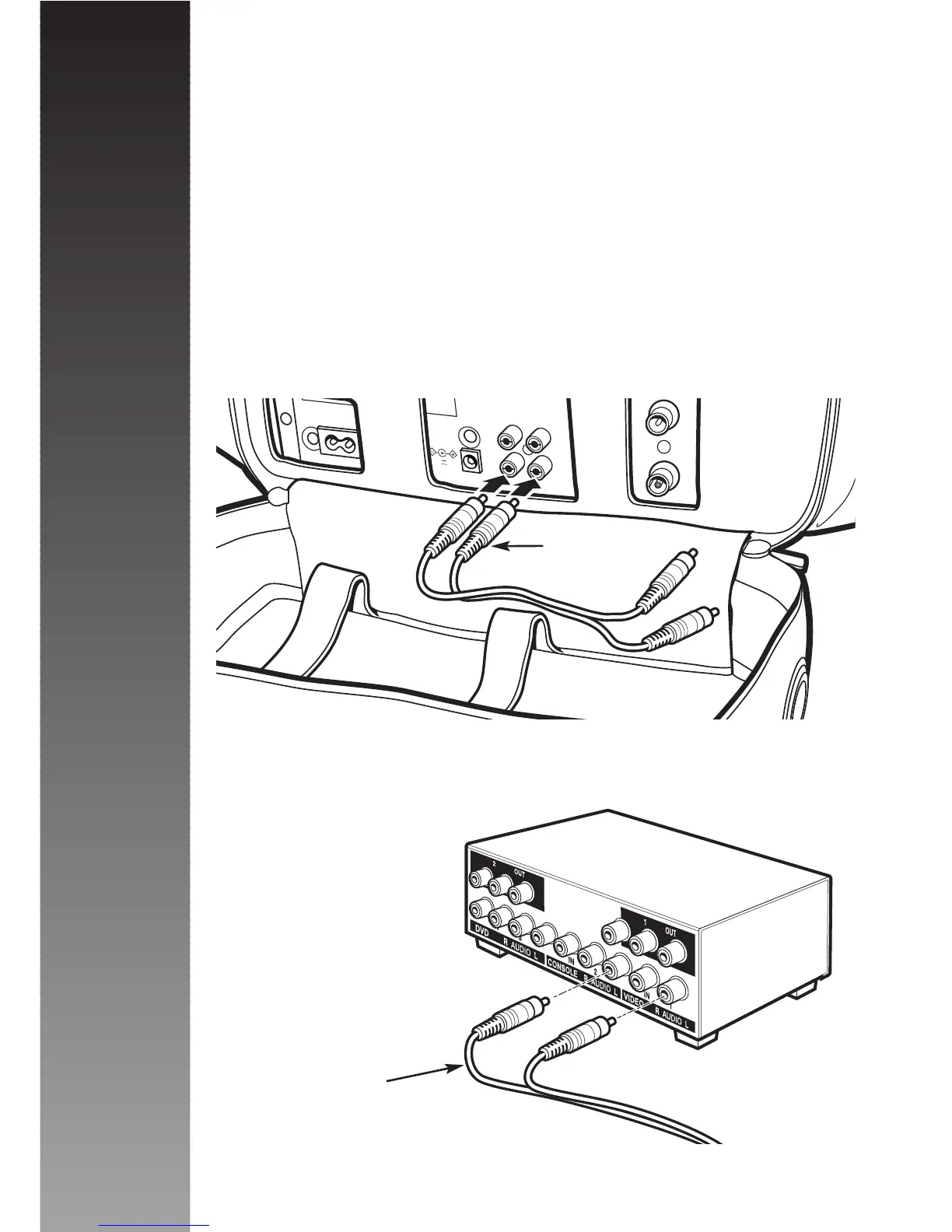
You will then need to connect the MVAV-S Audio/Video
Selector. Unzip the base of the Microvision rucksack to
reveal the back of the Video Cassette Player and
connect the RCA loom provided to the Audio/Video Out
sockets of the Video, matching Yellow to Yellow and
White to White.
Then connect the other end of the RCA cable to the
Video In sockets on the rear of the MVAV-S unit, again
matching colour to colour.
(Please note that as
the Video Cassette
Player supplied with
the MV1 is mono,
the Red Audio
input socket can
be ignored).
Installation
7



 To Next Page