EasyManua.ls Logo

Middle Atlantic Products UPS-2200R-IP - User Manual

Default Icon
30 pages
Print Icon
To Next Page IconTo Next Page
Loading...
I-00319 Rev N
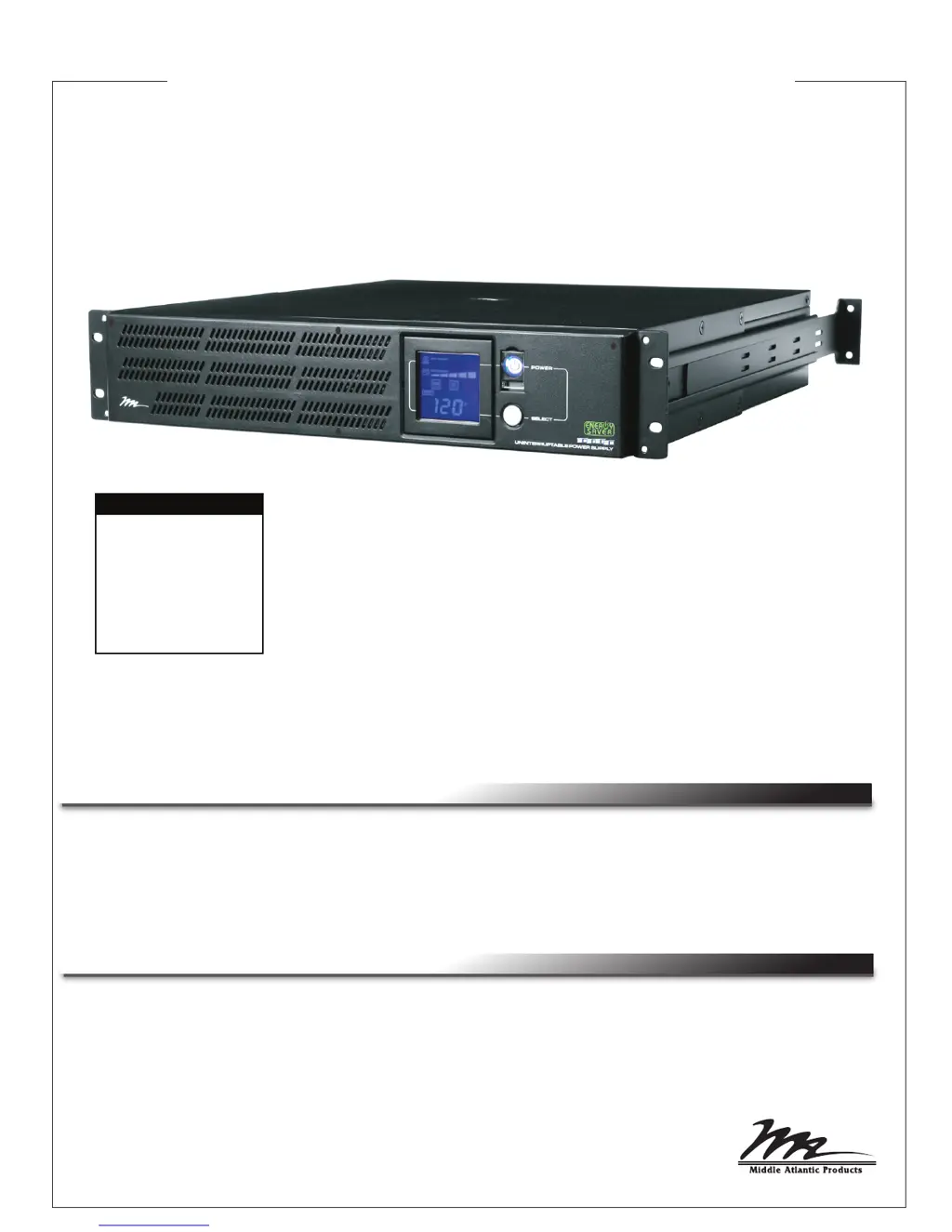
Rackmounted Uninteruptible Power Supply
USER MANUAL
Please read this manual before removing the UPS from the shipping carton and before making any
connections to and operating your UPS.
THANK YOU
IMPORTANT
Thank you for purchasing the 1000R or 2200R Series Rackmounted UPS. The UPS provides battery
backup during power outages, automatic voltage regulation during periods of inconsistent utility power
and surge protection.
1000R and 2200R Series
• UPS-1000R
• UPS-1000R-IP
• UPS-1000R-8IP
• UPS-2200R
• UPS-2200R-IP
• UPS-2200R-8IP
MODEL NUMBERS

Questions and Answers

  • C
    Chad AndersonAug 9, 2025
    What to do if Middle Atlantic Products Power Supply outlets do not provide power?
    • R
      Randy AllenAug 10, 2025
      If the outlets on your Middle Atlantic Products Power Supply aren't providing power, several issues could be the cause. First, a circuit breaker might have tripped due to an overload. To resolve this, turn off the UPS, unplug a piece of equipment, wait 10 seconds, reset the circuit breaker, and then turn the UPS back on. Second, the batteries might be discharged; in this case, recharge the unit for at least 4 hours. Also, if non-critical outlets have turned off automatically due to an overload, push the bottom Reset button to turn them back on. If the unit was damaged by a surge or spike, contact Middle Atlantic Products at 1-800-266-7225.
  • H
    Heather WardAug 17, 2025
    Why Middle Atlantic Products UPS-2200R-IP Power Supply UPS will not turn on?
    • S
      Stephanie AllenAug 17, 2025
      If your Middle Atlantic Products Power Supply UPS won't turn on, there are several potential reasons. The on/off switch is designed to prevent damage from rapid cycling, so turn the UPS off, wait 10 seconds, and then try turning it on again. Ensure the UPS is connected to a 110/120V outlet. If the battery is degraded or there is a mechanical problem, contact Middle Atlantic Products at 1-800-266-7225.
  • D
    Denise JamesAug 25, 2025
    Why Middle Atlantic Products Power Supply UPS does not perform the expected runtime?
    • H
      Henry FreemanAug 26, 2025
      If your Middle Atlantic Products Power Supply UPS isn't providing the expected runtime, the battery may not be fully charged. Recharge it by leaving the UPS plugged in. If the battery is degraded, contact Middle Atlantic Products about replacement batteries at 1-800-266-7225.
  • E
    Elizabeth MooreAug 31, 2025
    How to fix inactive Middle Atlantic Power Manager software for Power Supply?
    • D
      Desiree PorterAug 31, 2025
      If the Middle Atlantic Power Manager software is inactive, first check that the serial or USB cable is correctly connected to both the UPS and the computer, ensuring it's plugged into the correct port and that you're using the cable that came with the UPS. If the unit is not providing battery power, shut down your computer, turn the UPS off, wait 10 seconds, and then turn it back on to reset the unit. Make sure that you use the cable included with the unit for the software.

Summary

Important Safety Instructions

Unpacking and Parts List

Installation and Mounting

Front Panel Descriptions

Rear Panel Descriptions - Bank Outlets

Rear Panel Descriptions - Individual Outlets

Setting Up UPS-IPCARD

Operation

Functions Setup Mode

Battery Replacement

Troubleshooting

Troubleshooting Network Interface Card

Technical Specifications

Estimated Runtime

Middle Atlantic Products UPS-2200R-IP Specifications

General IconGeneral
Output Voltage120V
Input Voltage120V
Number of Outlets8
Output Power Capacity1980W
Output Frequency50/60Hz
Input Frequency50/60Hz
Battery TypeSealed Lead Acid
Communication PortsUSB, RS-232
Form FactorRack-mountable
Power Capacity2200 VA

Related product manuals