24
Information Enquiry – How to enter
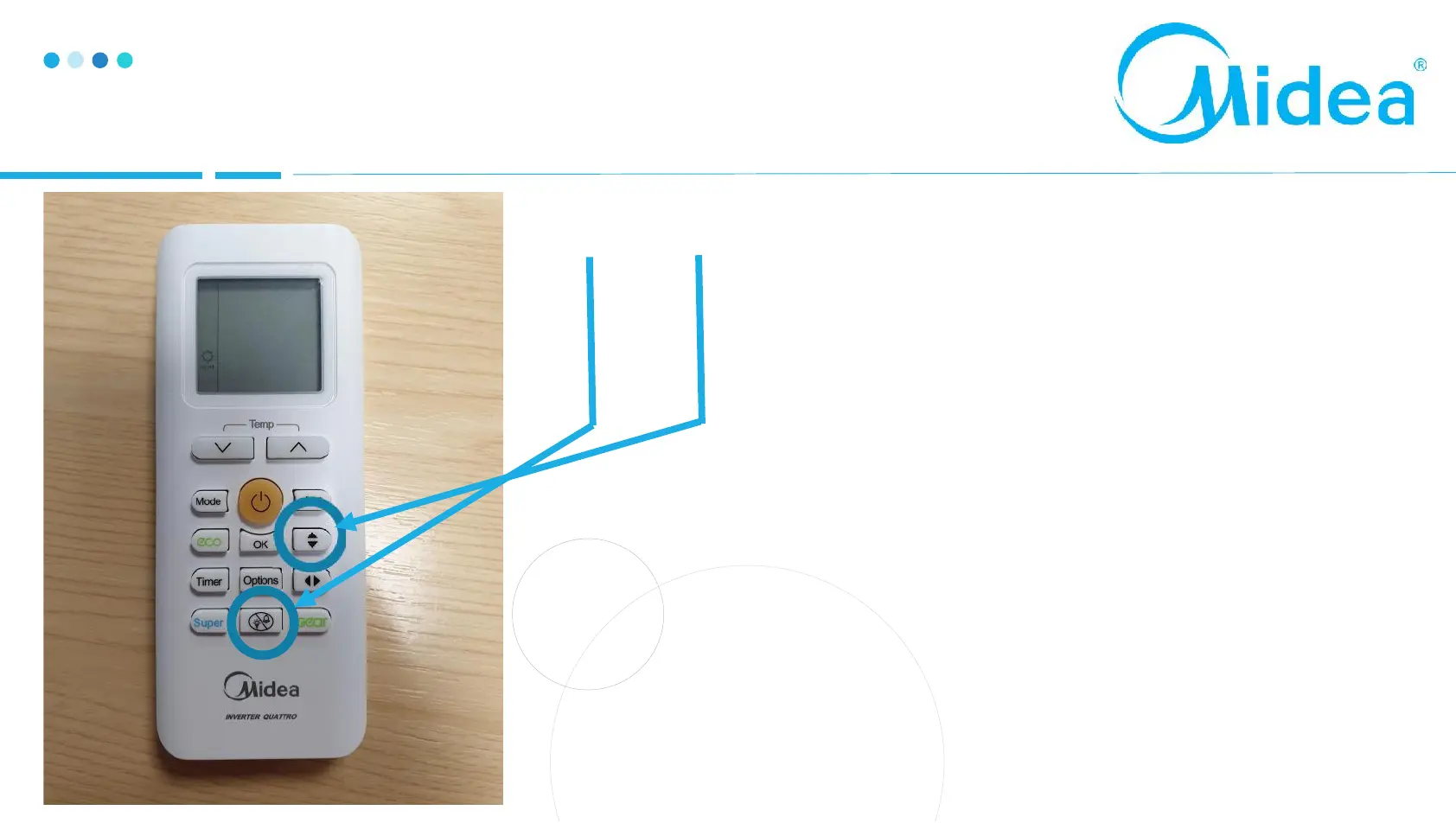
LED BUTTON
SWING
Switch the unit on, press the LED button 3
times in quick succession, now press the
swing button 3 times (even when the display
is off)
After 3 seconds the unit will enter Info
Enquiry mode
We can access the system running
parameters using this method


 To Next Page