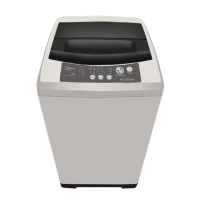
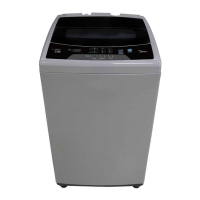
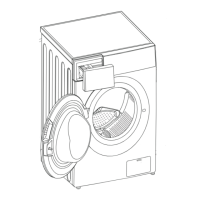
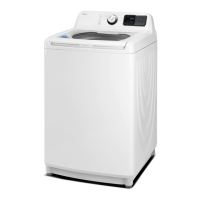
This document is a user's manual for a Midea Top Load Washing Machine, designed to guide users through its proper operation and maintenance.
Function Description
The Midea Top Load Washing Machine is designed for washing clothes with various fabric types and soil levels. It operates by filling with water, agitating clothes with detergent, rinsing, and spinning to remove excess water. The machine offers a range of programs and customizable settings to suit different laundry needs.
Usage Features
The washing machine features a user-friendly control panel with buttons for various settings and programs.
Installation and Preparation:
Before first use, the machine requires proper installation, including ensuring it is in a stable position by adjusting the foot knobs, installing the water inlet hose (available in single or double screw thread types), and positioning the drain hose correctly. The drain hose should be fully inserted into the washing machine drain outlet and secured with a clamp, with its length not exceeding 3 meters and installed height not exceeding 15cm to prevent drainage issues. Users are instructed to connect the machine to a power source and open the water tap. Before loading laundry, it's crucial to remove coins, keys, and other hard objects from pockets and fasten zippers to prevent damage to both clothes and the tub. Detergent should be added to its designated case.
Control Panel and Settings:
The control panel includes buttons for:
- Water Level: To select the water level based on the quantity of clothes. Indicator lights (steady or flashing) correspond to different levels.
- Delay: To set a delay time (1-24 hours) before the washing process starts. This is useful for scheduling washes.
- Wash, Rinse, Spin: These buttons allow users to select specific washing time, number of rinses, and spinning time, offering customization beyond preset programs.
- Program: To select from various wash programs such as Normal, Delicates, Jeans, Mini wash, Intensive, Bulky, Quick, and Drum dry. Each program has an indicator light (steady or flashing) to show its selection.
- ON/OFF: To turn the unit on and off.
- Start/Pause: To start a selected wash cycle, pause an ongoing cycle, or resume a paused cycle. This button also activates the One Touch function.
Wash Programs:
The machine offers a variety of programs tailored for different needs:
- Normal: For clothes with cotton fabric and daily wear.
- Delicates: Gentle wash and slow spin for light fabrics like silk.
- Jeans: For thick clothes and heavy stains.
- Mini wash: Ideal for small loads with low water levels.
- Intensive: For heavily-soiled clothes.
- Bulky: Strong washing ability for large laundry pieces.
- Quick: Short washing time for lightly-stained clothes.
- Drum dry: Dries laundry without heating, achieving a room-dried result.
Special Features:
- Delay Function: Postpones the wash start by 1-24 hours. Long-pressing the Delay button increases the time by 1 hour.
- Child Lock: Activated by simultaneously pressing "Wash" and "Rinse" buttons after a program starts, locking all control panel buttons. The same action unlocks it.
- Spin Only: Allows for a spin cycle only by pressing the Power button, selecting spin time, and then Start/Pause.
- Wash Only: Similar to Spin Only, but users select wash time instead of spin time, ensuring the spin indicator light is off.
- Wash and Rinse: Users can select desired rinse and wash settings before pressing Start/Pause.
- Tub Clean: A function to remove dirt from the drum's surfaces. Activated by pressing Spin & Program buttons simultaneously in standby mode, followed by Start/Pause.
- Water Cycle (Rinse Hold): After rinsing, water is not drained, allowing for another set of clothes to be rinsed with the same water. A spin cycle can be initiated afterwards.
- Program Pause and Resumption: The program can be paused and resumed by pressing the Start/Pause button.
- Automatic Power Shut Off: If the Start/Pause button is not pressed within 10 minutes of turning the machine on, it will automatically power off. After an operation stops, the machine will alarm and then power off.
- One Touch Function: The machine automatically weighs laundry, selects appropriate settings (water level, wash time, rinse mode, spin time), and starts operation, eliminating the need for manual selection.
- Automatic Balance: If laundry is unevenly distributed during spinning, the machine attempts to adjust the imbalance. If strong vibration is detected, the program will automatically try to balance the load. If imbalance persists after two attempts, an alarm sounds, requiring manual adjustment of clothes.
- Fuzzy Logic Function: Automatically detects laundry amount and selects the corresponding water level. This function is deactivated if water is already in the tub or if a user manually selects a water level.
- Power Failure Memory Function: In case of a power failure, the machine stores the operation state and resumes from where it left off once power is restored.
- Alarm Function (Top Lid Open): If the top lid is opened during washing or spinning, an E3 alarm activates, and operation stops. Closing the lid deactivates the alarm and resumes operation. The same applies when the Delay function is active.
Operation Flow (Quick Start):
- Install the washing machine.
- Load the laundry.
- Put detergent into its case.
- Close the top lid.
- Put down the drain hose.
- Turn on water supply.
- Plug into power supply.
- Select the desired program.
- Press the Start/Pause button.
End of Program:
The machine will alarm 6 times and automatically power off. Users should turn off the water tap and unplug the machine for safety.
Maintenance Features
Regular maintenance ensures the longevity and efficient operation of the washing machine.
General Cleaning:
- Wipe off water and dirt from the machine's surface with a gentle cloth after use. Avoid using detergent, propellant, or other chemicals that could damage plastic accessories.
Cleaning the Water Inlet:
- Over time, the water inlet mesh bag can become blocked with dirt. To clean, turn on the power and water faucet, let the washer run for 5 seconds to flush water through the inlet hose, then clean the mesh bag.
Cleaning the Filter (Lint Filter):
- The lint filter should be cleaned periodically.
- Take out the lint filter.
- Open the filter (for Magic Cleaning Filter) or reverse the mesh bag (for normal filter) and wash it clean with water.
- Restore and put back the filter.
Cleaning the Lint Filter in the Drain Pump (for machines with drain filter):
- This filter should be cleaned every 10 uses to prevent drainage problems.
- Drain water from the pump into a container.
- Loosen the pump cover counter-clockwise.
- Take out the lint filter.
- Clean the filter.
- Restore it and align the convex part to the pump hole.
- Tighten the pump cover.
Troubleshooting:
The manual provides solutions for common malfunctions indicated by error codes on the display:
- E1 (Abnormal water filling): Check if the faucet is open.
- E2 (Incomplete water draining): Check the water level sensor and drain pump.
- E3 (Top lid not closed before spinning or opened while tub is spinning): Close the top lid.
- E4 (Alarm for washing stay at one side): Manually and evenly distribute clothes in the tub.
For other issues, users are advised to contact Customer Care, as only authorized service technicians are allowed to open or dismantle the machine.


 To Next Page
 General