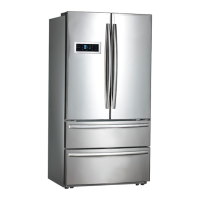
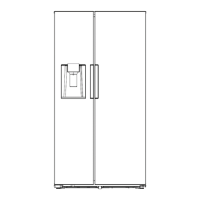
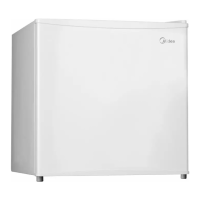
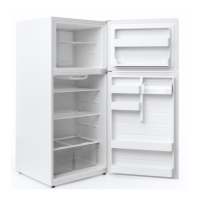
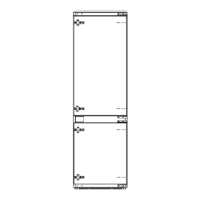
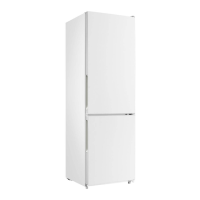
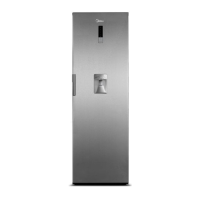
This document is a user manual for Midea refrigerators, specifically models HC-689WEN and HC-689WENSS. It provides comprehensive information on safety, proper usage, structure, functions, maintenance, and troubleshooting.
Safety Warnings
The manual begins with crucial safety warnings, categorized into general warnings, electricity-related warnings, warnings for use, placement warnings, energy warnings, and disposal warnings.
General Warnings:
The appliance is intended for household and similar applications, including staff kitchen areas, farmhouses, hotels, motels, bed and breakfast environments, and catering. Children should be supervised to prevent them from playing with the appliance. If the supply cord is damaged, it must be replaced by the manufacturer or a qualified service agent to avoid hazards. Explosive substances or aerosol cans with flammable propellants should not be stored in the appliance. The appliance must be unplugged before user maintenance.
Risk of Fire / Flammable Materials:
The manual highlights the risk of fire due to flammable materials used in the refrigerator. Ventilation openings must be kept clear of obstruction. Mechanical devices or other means to accelerate defrosting, other than those recommended by the manufacturer, should not be used. The refrigerant circuit must not be damaged. Electrical appliances should not be used inside the food storage compartments unless they are of the type recommended by the manufacturer. The refrigerator must be abandoned according to local regulations due to the use of flammable blowing gas and refrigerant. Extension cords or ungrounded adapters are not recommended.
Child Entrapment Danger:
Before disposing of an old refrigerator, users are advised to remove the doors and leave shelves in place to prevent children from climbing inside. The refrigerator must be disconnected from the electrical supply before installing accessories. The refrigerant and cyclopentane foaming material are flammable, so when scraping the refrigerator, it should be kept away from fire sources and recovered by a specialized company to prevent environmental damage.
Meaning of Safety Warning Symbols:
The manual explains three types of safety symbols:
- Prohibition symbol (!): Indicates that non-compliance may result in product damage or endanger personal safety.
- Warning symbol (A): Requires strict observance of instructions to prevent product damage or personal injury.
- Note symbol (A): Requires special caution, as insufficient caution may result in slight or moderate injury or product damage.
Electricity-Related Warnings:
Users are instructed not to pull the power cord when unplugging; instead, firmly grasp the plug. The power cord should not be damaged or used if worn. A dedicated power socket must be used, and it should not be shared with other appliances. The power plug should be firmly contacted with the socket to prevent fires. The grounding electrode of the power socket must be reliably grounded. In case of gas leakage, turn off the gas valve and open doors and windows; do not unplug the refrigerator or other electrical appliances as sparks may cause a fire. Electrical appliances should not be used on top of the appliance unless recommended by the manufacturer.
Warnings for Using:
Users should not arbitrarily disassemble or reconstruct the refrigerator or damage the refrigerant circuit; maintenance must be performed by a specialist. A damaged power cord must be replaced by the manufacturer or qualified professionals. Gaps between doors and the body are small, so users should be careful not to squeeze fingers. Close the door gently to avoid falling articles. Do not pick foods or containers with wet hands in the freezing chamber, especially metal containers, to avoid frostbite. Children should not be allowed to get into or climb the refrigerator to prevent suffocation or falling injury. Heavy objects should not be placed on top of the refrigerator to prevent them from falling when the door is opened. Unplug the refrigerator during power failure or cleaning. Do not reconnect the freezer to power supply within five minutes to prevent compressor damage from successive starts.
Warnings for Placement:
Flammable, explosive, volatile, and highly corrosive items should not be placed in the refrigerator to prevent damage or fire. Flammable items should not be placed near the refrigerator. The refrigerator is intended for household food storage and should not be used for other purposes like storing blood, drugs, or biological products.
Warnings for Energy:
- Refrigerating appliances may not operate consistently below their designed temperature range, potentially causing defrosting or warming in the frozen food compartment.
- Effervescent drinks should not be stored in food freezer compartments or low-temperature compartments, and water ices should not be consumed too cold.
- Storage times recommended by food manufacturers for all types of food, especially quick-frozen food, should not be exceeded.
- Precautions are necessary to prevent an undue rise in frozen food temperature during defrosting, such as wrapping food in newspaper.
- A rise in frozen food temperature during manual defrosting or maintenance can shorten storage life.
- Keys for doors or lids with locks should be kept out of reach of children and not near the refrigerating appliance to prevent children from being locked inside.
Warnings for Disposal:
The refrigerant and cyclopentane foaming material are flammable. When disposing of the refrigerator, it should be kept away from fire sources and recovered by a specialized company. When scraping the refrigerator, disassemble the doors, remove gaskets and shelves, and place them properly to prevent child entrapment. The product should be disposed of responsibly to promote sustainable reuse of material resources, following EU guidelines for environmental safe recycling.
Proper Use of the Refrigerator
Placement:
- Before use, remove all packing materials, including bottom cushions, foam pads, and tapes. Tear off the protective film from doors and the body.
- Keep away from heat and direct sunlight. Do not place the freezer in moist or watery places to prevent rust or reduced insulation.
- Place the refrigerator in a well-ventilated indoor area on a flat, sturdy ground. Adjust leveling wheels if unstable.
- Ensure the top space of the refrigerator is greater than 30cm, and it is placed against a wall with a free distance of more than 10cm for easy door opening/closing and heat dissipation.
Leveling Feet:
- Precautions: Ensure the refrigerator is disconnected from power before adjusting leveling feet to prevent personal injury.
- Schematic Diagram: (Image shows front leveling feet, L and H indicating left and right/height adjustment).
- Adjusting Procedures:
- Turn feet clockwise to raise the refrigerator.
- Turn feet counterclockwise to lower the refrigerator.
- Adjust both right and left feet to achieve a horizontal level.
Leveling Door:
- Precautions: Ensure the refrigerator is disconnected from power before adjusting the door to prevent personal injury.
- Schematic Diagram: (Image shows a wrench, adjusting nut, fixed shaft, and leveling feet. "Not level" indicates a misaligned door).
- Adjusting Procedures:
- When the fridge door is low: Open the door, use a wrench to loosen the locking nut, then rotate the adjusting nut anti-clockwise to raise the door. Once aligned, tighten the locking nut by rotating it anti-clockwise.
- When the fridge door is high: Open the door, use a wrench to rotate the adjusting nut clockwise to lower the door. Once aligned, tighten the locking nut by rotating it anti-clockwise.
Changing the Light:
Any replacement or maintenance of the LED lamps must be performed by the manufacturer, its service agent, or a similarly qualified person.
Starting:
- Before initial start, keep the refrigerator still for half an hour before connecting to power.
- Before putting any fresh or frozen foods, the refrigerator should run for 2-3 hours, or over 4 hours in summer with high ambient temperatures.
- Ensure enough space for convenient opening of doors and drawers.
Energy Saving Tips:
- Locate the appliance in the coolest area of the room, away from heat-producing appliances, heating ducts, and direct sunlight.
- Allow hot foods to cool to room temperature before placing them in the appliance. Overloading forces the compressor to run longer, and slow-freezing foods may lose quality or spoil.
- Wrap foods properly and wipe containers dry before placing them to reduce frost buildup.
- Do not line storage bins with aluminum foil, wax paper, or paper toweling, as liners interfere with cold air circulation and reduce efficiency.
- Organize and label food to minimize door openings and search times. Remove multiple items at once and close the door as soon as possible.
Structure and Functions
Key Components:
The manual provides a diagram illustrating the key components of both the freezing chamber and refrigerating chamber.
Freezing Chamber:
- LED lighting
- Glass shelf
- Door tray
- Drawer
Refrigerating Chamber:
- LED lighting
- Door tray
- Glass shelf
- Fruits and vegetables box
(Note: The actual configuration may vary depending on the physical product or distributor.)
Refrigerating Chamber Function:
- Suitable for storing various fruits, vegetables, beverages, and other short-term consumed foods.
- Cooked foods should be cooled to room temperature before being placed in the chamber.
- Foods are recommended to be sealed before storage.
- Glass shelves can be adjusted for flexible storage space.
Freezing Chamber Function:
- Keeps food fresh for a long time and is mainly used for storing frozen foods and making ice.
- Suitable for storing meat, fish, rice balls, and other foods not consumed in the short term.
- Meat chunks are preferably divided into small pieces for easy access. Food should be consumed within its shelf life.
- The temperature should be set to "quick-freeze" for rapid freezing.
- Note: Storing too much food after initial power connection may adversely affect freezing. Foods should not block the air outlet.
Functions
The control panel features a display and buttons for various settings.
Display:
- Freezer compartment temperature
- Refrigerating compartment temperature
- Vacation icon
- Quick Freezing icon
- Quick Refrigerating icon
- Lock/unlock icon
Buttons:
- A: Freezer compartment temperature adjustment
- B: Refrigerating compartment temperature adjustment
- C: Mode function/setting
- D: Lock/unlock controls
Operation:
-
Lock/Unlock:
- In the unlocked state, press and hold the "LOCK/UNLOCK" button for 3 seconds to enter the locked state.
- In the locked state, press and hold the "LOCK/UNLOCK" button for 3 seconds to enter the unlocked state.
- All functions must be operated in the unlocking status.
-
Vacation Mode (☑):
- Press the "MODE" button to enter vacation mode. The vacation icon lights up, and vacation mode starts after locking.
-
Quick Refrigerating Mode (❄):
- Press the "MODE" button to enter quick cooling mode. The quick refrigerating icon lights up, and quick refrigerating mode starts after locking.
-
Quick Freezing Mode (❄❄):
- Press the "MODE" button to enter quick freezing mode. The quick freezing icon lights up, and quick freezing mode starts after locking.
-
Temperature Setting of Refrigerating Chamber (8):
- Press the "REF.TEMP." button. The cold storage region will flash.
- Press "REF.TEMP." again to set the temperature (2°C to 8°C), with each press changing by 1°C.
- The digital tube will flash for 5 seconds after adjustment, and the new setting will take effect after locking.
-
Temperature Setting of Freezing Chamber (-88):
- Press the "FRZ.TEMP." button. The quick freezing region will flash.
- Press "FRZ.TEMP." again to set the temperature (-16°C to -24°C), with each press changing by 1°C.
- The digital tube will flash for 5 seconds after adjustment, and the new setting will take effect after locking.
-
Storage Upon Power Failure:
- In case of power failure, the current working state is locked and maintained until re-electrification.
-
Opening Warning and Alarm Control:
- When refrigerator doors are open, opening music plays. If a door is not closed within two minutes, the buzzer will sound once per minute until the door is closed. Press any button to stop the buzzer alarm.
-
Fault Indication:
- The display shows warnings for corresponding faults. Although the refrigerator may still have cold storage function, users should contact a maintenance specialist for optimized operation.
- E1: Temperature sensor failure of refrigerating chamber.
- E2: Temperature sensor failure of freezing chamber.
- E5: Freezing defrost sensor detection circuit error.
- E6: Communication error.
- E7: Ambient temperature sensor error.
Maintenance and Care of the Appliance
Overall Cleaning:
- Timely clean dust behind the refrigerator and on the ground to improve cooling effect and energy saving.
- Regularly clean the interior to avoid odor. Use soft towels or sponges dipped in water and non-corrosive neutral detergents.
- Finally, clean the freezer with clean water and a dry cloth. Open the door for natural drying before turning on power.
- Do not use hard brushes, steel balls, wire brushes, abrasives (like toothpastes), organic solvents (like alcohol, acetone, banana oil), boiling water, acid, or alkaline items, as they may damage the fridge surface and interior.
- Do not rinse with water to avoid affecting electrical insulation properties.
- Always unplug the refrigerator for defrost and cleaning.
Cleaning of Door Tray:
- To remove a door tray, squeeze it with both hands in the direction of the arrow (upward) and push it up.
- After washing, adjust its installing height as required.
Cleaning of Glass Shelf:
- To remove a glass shelf, raise it upward from the innermost part of the refrigerator liner where it contacts the backstop.
- Adjust or clean the shelves as required.
Defrosting:
- The refrigerator uses an air-cooling principle and has automatic defrosting.
- Frost formed due to seasonal or temperature changes can be manually removed by disconnecting power or wiping with a dry towel.
Out of Operation:
- Power failure: Foods can be kept for several hours, even in summer. Reduce door openings and do not put fresh food in during power failure.
- Long-time nonuse: Unplug and clean the appliance. Leave doors open to prevent odor.
- Moving: Before moving, remove all objects, fix glass partitions, vegetable holder, and freezing chamber drawers with tape. Tighten leveling feet. Close and fix doors with tape. Do not lay the appliance upside down or horizontally, or vibrate it. The inclination during movement should not exceed 45°.
- Important: The appliance should run continuously once started. Interrupting operation may impair its service life.
Trouble Shooting
The manual provides a troubleshooting guide for common issues. If these solutions don't work, contact the after-sales department.
Failed Operation:
- Check if the appliance is connected to power or if the plug is in good contact.
- Check if the voltage is too low.
- Check for power failure or tripped circuits.
Odor:
- Ensure odorous foods are tightly wrapped.
- Check for rotten food.
- Clean the inside of the refrigerator.
Long-Time Operation of the Compressor:
- Normal in summer when ambient temperature is high.
- Avoid putting too much food in the appliance at once.
- Food should be cooled before being put in.
- Avoid frequent door openings.
Light Fails to Get Lit:
- Check if the refrigerator is connected to power.
- Check if the illuminating light is damaged.
- Have the light replaced by a specialist.
Doors Cannot Be Properly Closed:
- Check if the door is stuck by food packages.
- Check for too much food inside.
- Check if the refrigerator is tilted.
Loud Noise:
- Check if the floor is level and if the refrigerator is placed stably.
- Check if accessories are placed at proper locations.
Door Seal Fails to Be Tight:
- Remove foreign matters on the door seal.
- Heat the door seal and then cool it for restoration (e.g., with an electrical dryer or hot towel).
Water Pan Overflows:
- Too much food in the chamber or food with high water content can cause heavy defrosting.
- Doors not closed properly can lead to frosting due to air entry and increased water from defrosting.
Hot Housing:
- Heat dissipation of the built-in condenser via the housing is normal.
- Housing may become hot due to high ambient temperature, too much food, or compressor shutdown.
- Provide sound ventilation.
Surface Condensation:
- Condensation on the exterior surface and door seals is normal when ambient humidity is too high. Wipe with a clean towel.
Abnormal Noise:
- Buzz: Compressor may produce buzzes during operation, especially upon start or stop. This is normal.
- Creak: Refrigerant flowing inside the appliance may produce creaking sounds. This is normal.
Parameters
Technical Parameters:
The manual includes a section for technical parameters, which would typically list specifications such as dimensions, weight, power consumption, capacity, refrigerant type, and noise level. However, the specific values are not provided in the OCR output for this section.

 Need help?
 General

 To Next Page