Service Manual_2017-V1
32
9. Function and operation
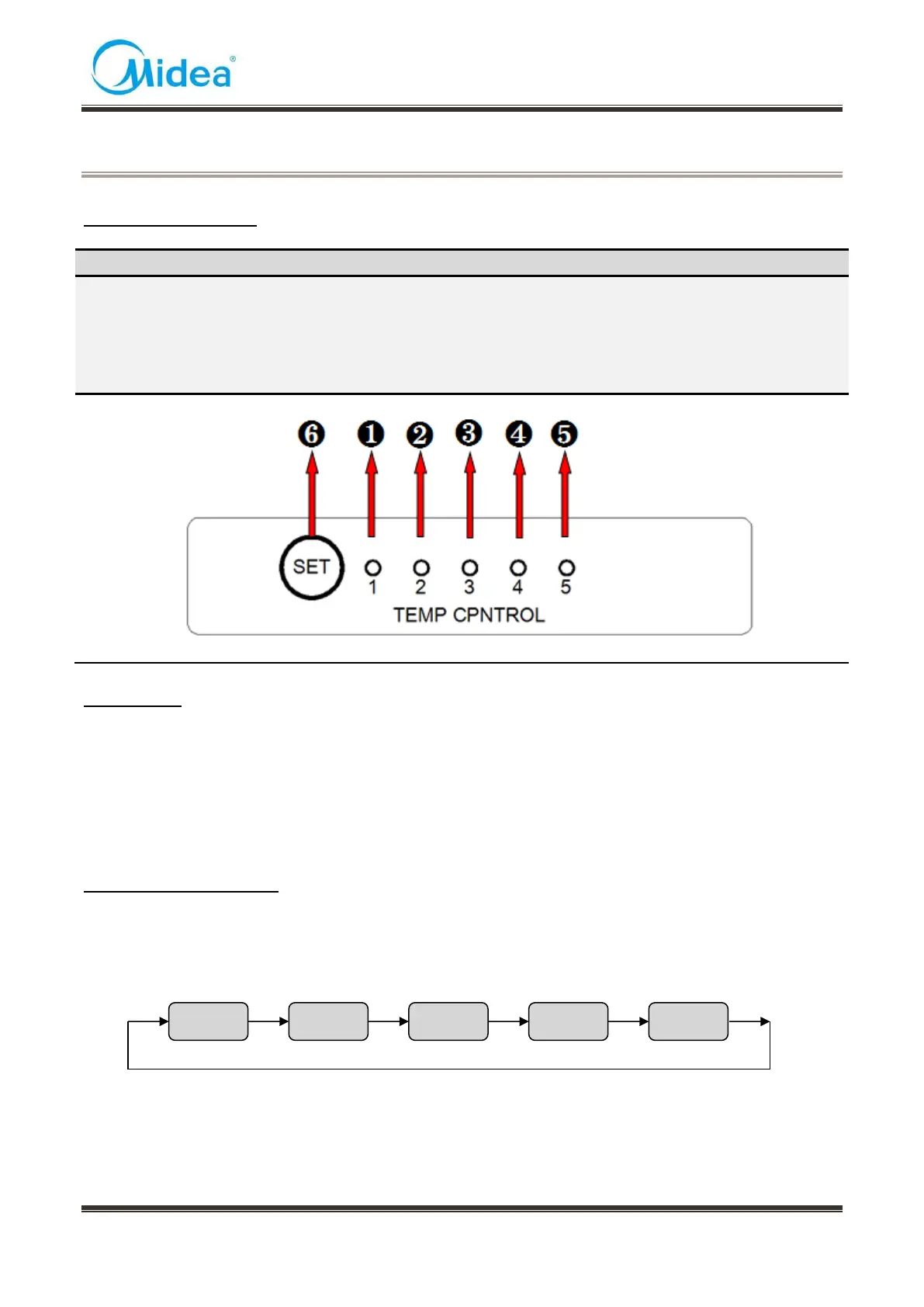
9.1 Operation panel
❶ One gear
❷ Two gear
❸ Three gear
❹ Four gear
❺ Five gear
9.2 Display
At the first time of power-on, the display screen (including button light) will be bright for 3 seconds
and then according to the middle gear to show operation
Normal operation display:
1)When failure occurs, the corresponding LED light group will display fault code (circular display);
2)If no failure occurs, the current operation gear will be displayed.
9.3 Setting of the gear
Press the gear setting button ‘SET’ once, the gear will be changed once; 5 seconds after setting
the gear, the refrigerator will be running in accordance with the set value.
The gear can be set to: (Setting the gear from one to five the set temperature will be lower to higher
and it can be set circularly)



 To Next Page