2019/10/22 16:44 11/76 MIDIbox SEQ V4 Beginner's Guide
MIDIbox - http://wiki.midibox.org/
2.1.3 Track Event and Track Instrument
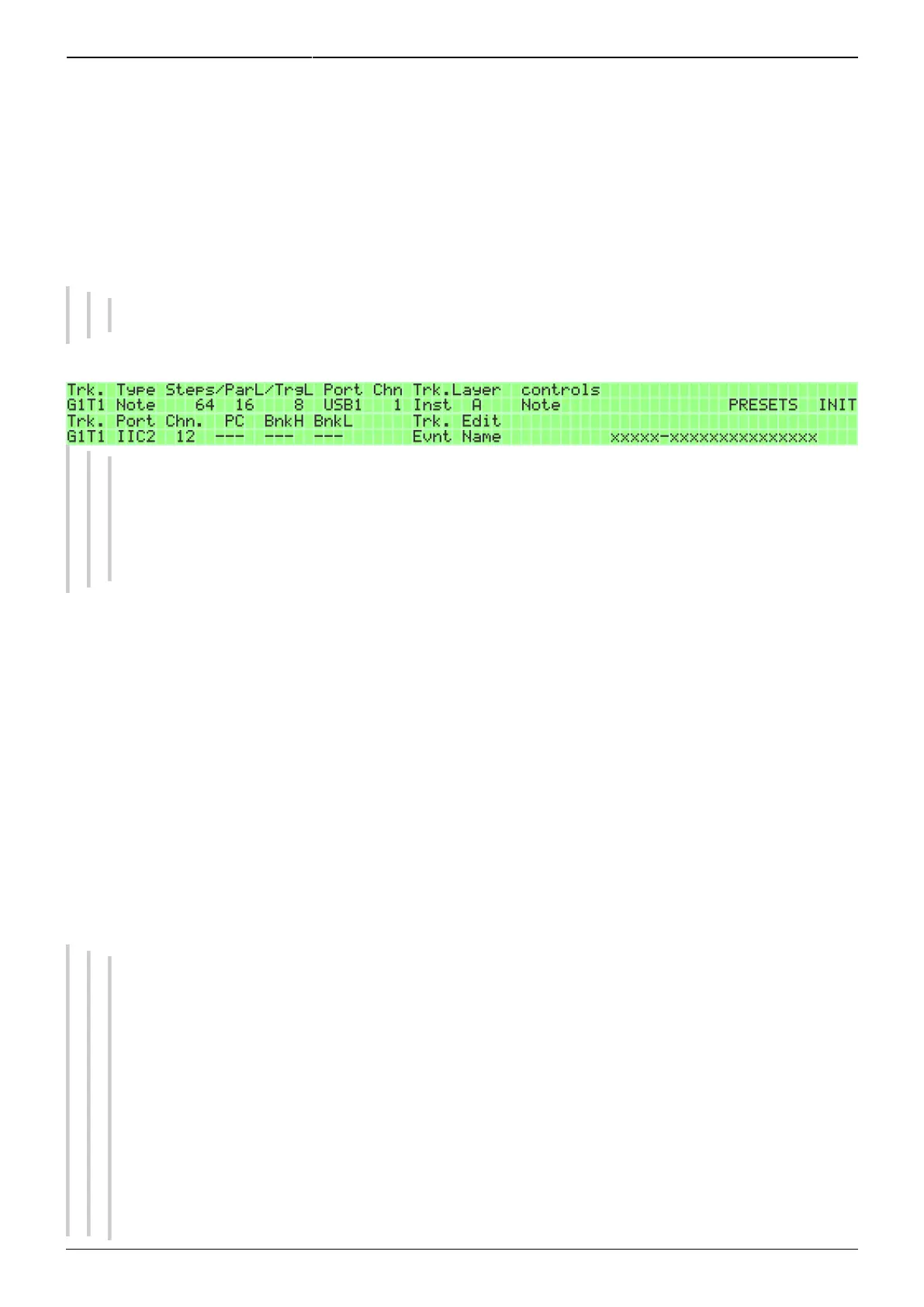
While on the EVENT page, you can switch between two pages by pressing GPB8: Track Event, which is
the default when entering the EVENT page, and Track Instrument. On the Track Instrument page, the
port and channel settings will be the same as on the Track Event page (and will be automatically
copied between the pages), but in addition you can set a Program Change command and name for
the track so that you remember better which synth and what kind of line the track is playing, for
example.
Top: Track EVENT page, bottom: Track Instrument page.
When you've reached a point where you have many songs saved on the sequencer, it would
be awkward to dial in the right synth patches by hand on every synth whenever you change
to another session, so it's super handy that you can use this page to set program change
messages to switch to those patches automatically, when you press PLAY and start the
sequencer. Note that not all synthesizers will be able to change patches “in zero time”.
The Program Change command is saved with the track when you save a pattern, so when you chain
patterns into a song, the Program Change command can be used to change the patch on the
synthesizer that is listening to that track at the same time as the pattern is changed. Note that
smooth live functioning of this feature depends on how quickly your synths can load new patches. If
this is causing problems, Program Change commands can be sent also on a parameter layer
dedicated for this purpose, allowing you to time them more flexibly, so that your equipment has time
to react (see section 3.2.10. for details). Note, however, that sending Program change messages
simultaneously from the Track Instrument page and the Program Change parameter layer may lead to
conflicting commands!
If you press GPB9 on the Track Instrument page, you go to the Edit Name page. Naming the track has
two components. The first component of the name is a category like lead, bass, pad, FX, drums, keys,
your-synth-name, or whatever you can fit into 5 letters. The second component is a more detailed
name for the actual sound/patch/whatever that is played on that track.
For example, the tracks could be named with the categories Lead (tracks 1–4), Keys (tracks
5–8), Bass (9–12) and Drums (13–16). As to the second component, they could be named
them after the synths that are played by that channel, including the MIDI channel that track is
sending on, and let the Program Change messages take care of the patch change (many
synths show the patch names on their diplays). Punching in the letters works the same way as
writing an SMS on a mobile phone.
One of the tracks could be called “Lead – Synth So-and-so ch6”, and this information would be
visible when you're on the EDIT page (left LCD, top row). It is handy to have the MIDI channel
there too, because the track numbers don't necessary match the MIDI channels they are
sending on (it depends on your setup). It's not necessary to name the tracks at all, though. If
you don't, you will just see “[Port] [MIDI channel]” as the name, and “NoCat” as the category.



 To Next Page