2019/10/22 16:44 5/76 MIDIbox SEQ V4 Beginner's Guide
MIDIbox - http://wiki.midibox.org/
A pattern is a collection of musical and other data on four tracks. Each group always has one active
pattern in it. Because there are four groups, you will always have four simultaneous active patterns.
(Whether or not all the active patterns have any practical data in them is another matter.) Groups and
patterns overlap in the sense that a pattern in Group 1 will always be made up of tracks 1–4, a
pattern in Group 4 will always be made up of tracks 13–16, etc. But the group is just an organisational
concept, a receptacle, and the pattern is the content that fills it. The same pattern can be played in
any of the groups.
Patterns are stored in four banks (1–4). In a default session, Group 1 plays patterns from Bank 1,
Group 2 from Bank 2, etc., but in principle there's nothing stopping you from playing a pattern from
any bank in any group you like. Patterns always have a numerical names, which indicate the bank
they are stored in, and the location within that bank. For example, pattern 3:B2 is stored in the 3rd
bank, 10th slot. Every bank has 64 slots, and the slots are named with a combination of a letter (A–H)
and a number (1–8). Thus, A8 is the 8th slot, B1 is the 9th, and H8 is the 64th.
Patterns can be chained to form songs. Songs are several patterns played one after the other. A
maximum of four patterns can play in parallel (one in each group). It is not possible to put individual
tracks one after the other; a pattern is made up of four tracks, and that is the smallest unit that can
be chained.
A totality of tracks, patterns, songs and settings (and a few other things like groove patterns and
mixer maps) is called a session. One session can have a maximum of 256 different patterns (64 per
bank) and 64 different songs (i.e. different sequences of the patterns in the session).
It makes sense to organise your groups (and hence the four tracks they contain) around a
principle. For example, Group 1 could be for lead sounds, Group 2 for keys and pads, Group 3
for bass, and Group 4 for drums. Or, Groups1–3 could be dedicate to different synthesizers,
and Group 4 from drums and percussion.
2. Basic settings
2.1. Track EVENT
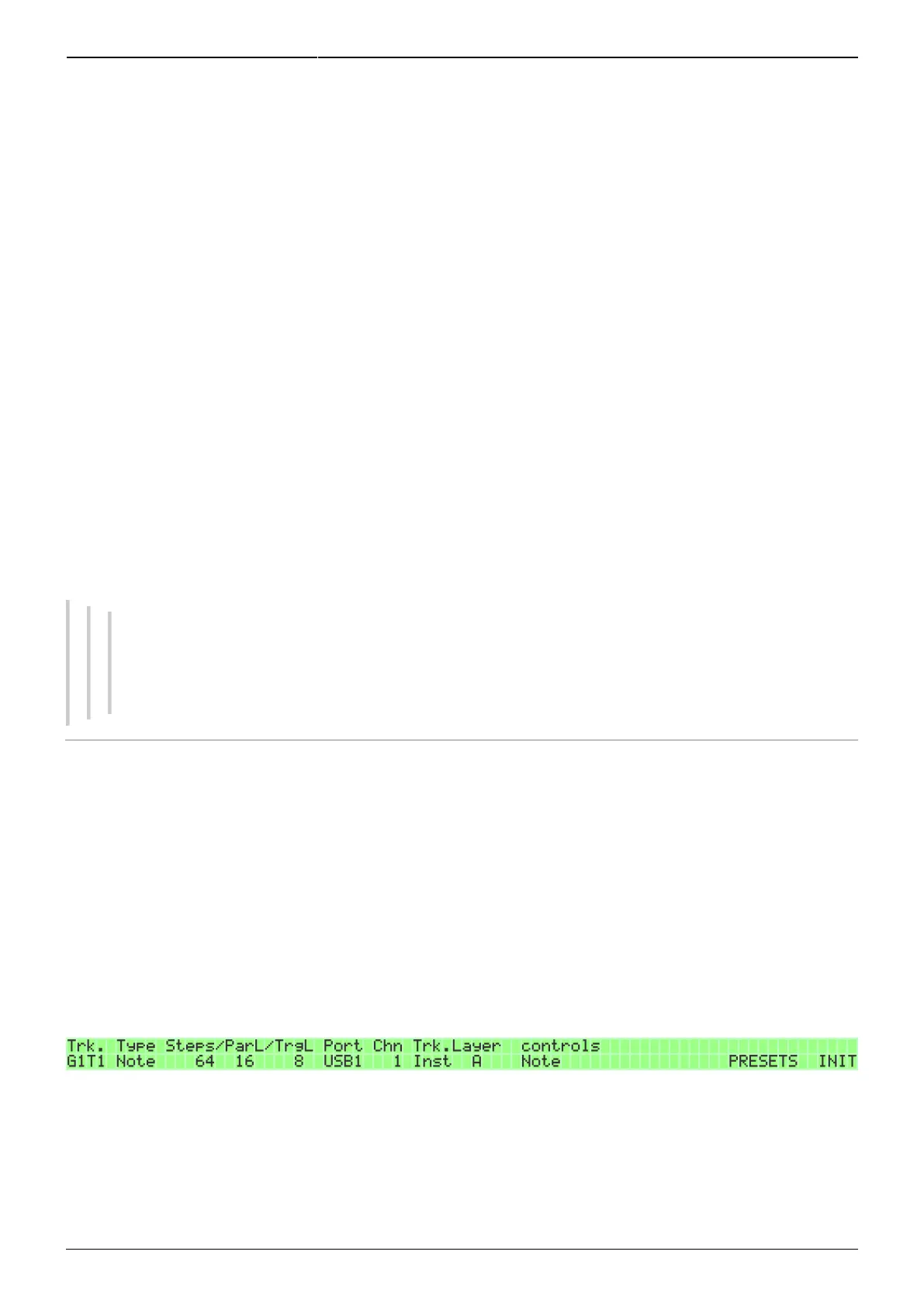
The track EVENT page is the central page for track settings. In a new session, each track will have
some default settings, but it's likely that you will have to change them to match your setup. Changing
the track's Type settings on the EVENT page requires you to initialise the track for the changes to
take effect. The sequencer will tell you when this is needed by displaying a message in the right LCD.
A track is initialised by pressing GPB16 ('INIT') on the EVENT page for a few seconds.
Initialising the track erases all data in the track's parameter and trigger layers and replaces them with
default initialisation values for the chosen track type. Initialisation won't affect Port, MIDI channel, and
Program Change commands (on the Track Instrument page, GPB8), but all other settings such as
length, divider value, name etc. are reset to default values.
By default, initialisation switches the gates 'on' for each 4th step. In the options menu (UTILITY Opt.



 To Next Page