2019/10/22 16:44 59/76 MIDIbox SEQ V4 Beginner's Guide
MIDIbox - http://wiki.midibox.org/
pulses are divided as evenly as possible over the loop length, whether it's longer or shorter than the
set track length, you can effect rhythm patterns with loops longer than the track that are not possible
is the loop is shorter than, or equally long as, the track.
Note that when you change Len, Pulses or Offset settings, the ERG will immediately write the loop
repeatedly over the whole track, not just over the set length of it, overwriting anything that was there
previously.
On the left LCD, you can change the drum instrument layer to be edited by ERG with GPK4. Also the
note that the instrument layer is playing can be changed. With GPK6–7 you can change the Normal
(VelN) and Accent (VelA) velocities. (The mentioned settings are the same as on the EVENT page, and
the values will be copied between pages.) The velocity values for each pulse can be randomised with
GPK8. Turning GPK8 will simultaneously set the likelihood of a pulse getting an accent, as well as
effect the randomisation.
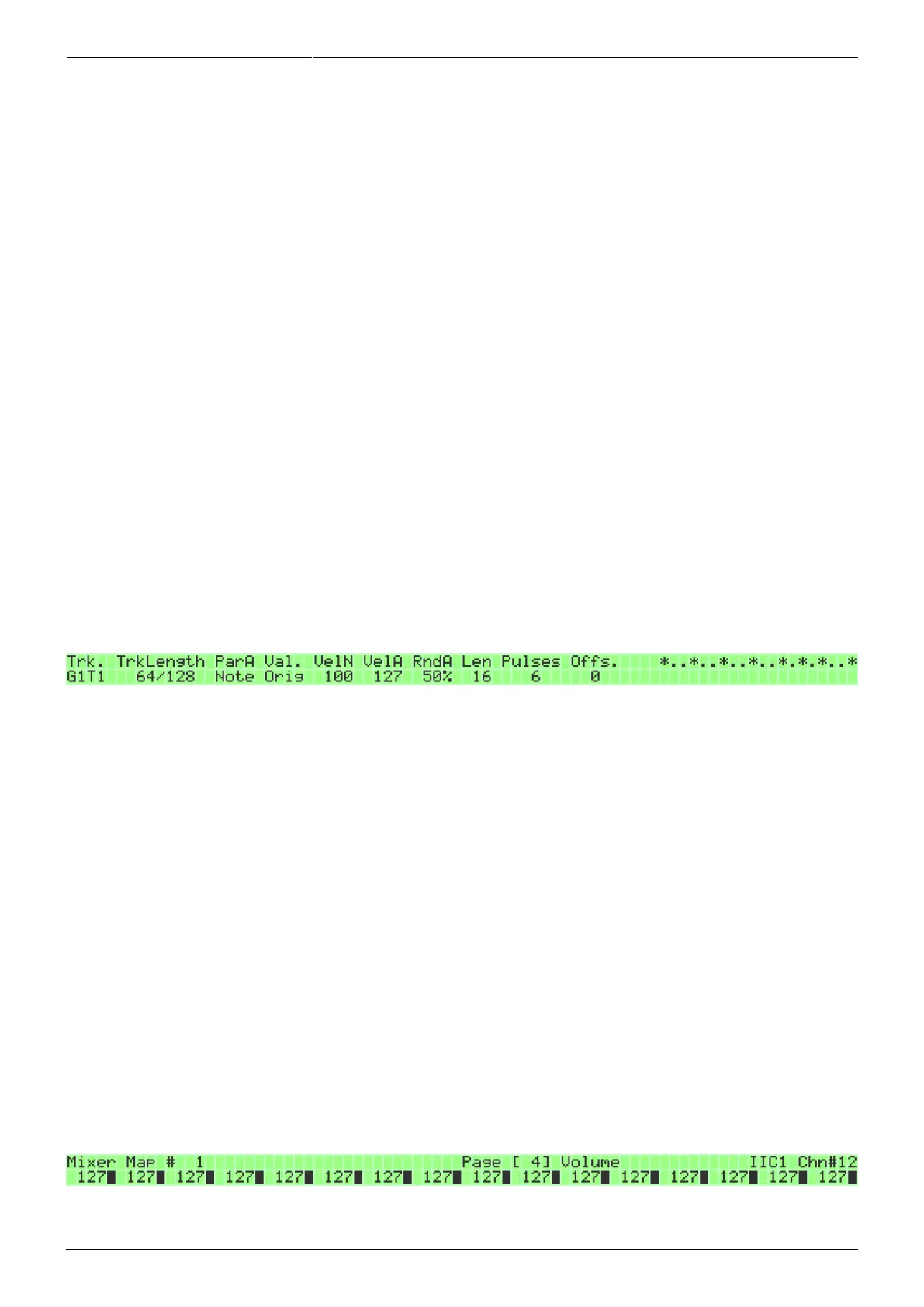
6.4.2. Euclidean rhythm generator for Note type tracks
It is possible to use the ERG with a Note type track as well. However, even with the Note type tracks,
the ERG is still essentially a rhythm creating aid. The ERG will leave the Note layer values untouched,
but will switch the gates 'on' and 'off' based on the loop length, pulse and offset settings you make.
For track length, normal/accent velocity settings and their randomisation (VelN, VelA and RndA), loop
length, pulses and offset settings, see section 6.4.1. for the details.
The main difference to Drum type tracks is that you can change the Note type track's parameter layer
values. The exception is that the the first parameter layer contents cannot be edited (the entry says
'Orig'), whether it is a note layer or something else. Also it is important to note that changing the
content of a parameter layer on the ERG page affects all the pulsed steps. Thus, changing the velocity
value will change the velocity values of all those steps which are “pulsed”, i.e. where the ERG has set
the gate 'on'.
One useful way to use the ERG with Note type tracks is creating a rhythmic pattern on the ERG, then
leaving the page and changing the notes to something more tonal than what the ERG is capable of.
6.5. Mixer maps
The mixer maps on the MIXER page (MENU + MIXER) allow you to send Program Change and Control
Change messages to your MIDI equipment. Each session has a maximum of 127 mixer maps, which
can be named and customised, and each mixer map has 12 pages, one page for each kind of setting.
The pages can be changed with the datawheel, or the up and down buttons on the frontpanel.
Each mixer map page has 16 different slots for customised commands that can be sent



 To Next Page