Last update: 2018/04/30 18:00 mididocs:seq:beginners_guide:start http://wiki.midibox.org/doku.php?id=mididocs:seq:beginners_guide:start
http://wiki.midibox.org/ Printed on 2019/10/22 16:44
can be adjusted with GPK3 and GPK4, or alternatively with Tap Tempo by pressing GPB16 five times in
a row. Alternatively, pressing & holding MENU and pressing PLAY five time can be used for the same
purpose. In both cases, the fifth press will also start the sequencer. Toggling on FAST (left side,
bottom row on the frontpanel) you can change how the GP knobs for adjusting BPM behave. An LED
on the front panel, above the datawheel, will flash every quarter note.
2.3.2. Divider
You can make each of your tracks run faster or slower compared to the others by changing the
divider/timebase value. If you want all of your tracks to run faster or slower, it makes better sense to
just change the tempo (MENU + BPM), but if you need only a few individual tracks to run faster or
slower than the rest, then changing the divider/timebase value for those tracks is a good idea.
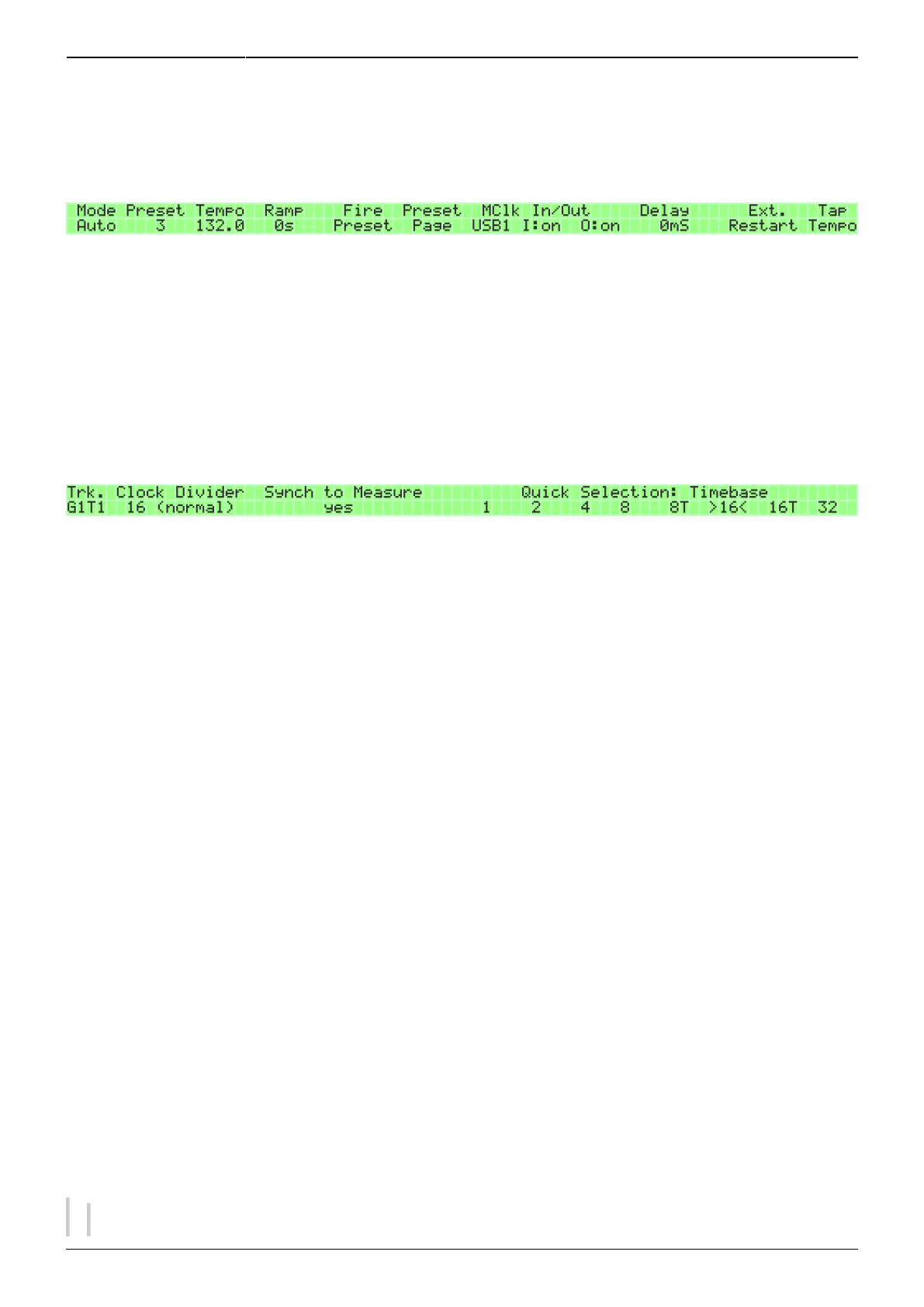
The DIVIDER page offers two ways to change the divider value: either by changing it directly with
GPK2 (and GPK3 for normal/triplet), or by quick-selecting a common timebase value with a GP button.
The former allows for great precision, but the latter makes more human sense and is probably the
more useful option for most situations.
Normally you would use timebase 16 (divider value 16), which in simple terms means that when
you're on the EDIT page, every step on the two displays (8 steps per display = 16 steps altogether)
represents a 16th note, allowing for four note (or other) events per quarter note. If, on the DIVIDER
page, you select timebase 8 (divider value 32), each of the 16 steps on the EDIT page now represents
an 8th note, allowing for two note events per quarter note (the BPM led above the datawheel always
shows the length of the quarter note). Timewise, the track lasts twice as many seconds as before, but
what is gained in duration is lost in resolution (possible events per quarter note). In the same vein,
quick-selecting timebase 4 (divider value 64) means that each step represents a quarter note, and so
on.
The divider value can be set to normal or triplet (in the quick select menu triplet is denoted with a T).
Triplet option can be used to effect “triplet timing” for that track, but in that case you might want to
have the track set to “sync to measure”. (See section 5.4.) Of course, you can realise triplet timing
with the “normal” divider setting as well and without “sync to measure”, provided that the resolution
of the track is enough to allow the adequate placement of notes.
If you change the timebase value while the sequencer is running, you risk the track becoming out of
sync with the others unless you're right on the beat. This is even more true of changing the divider
value directly with GPK2, as by default the tracks won't sync automatically when you've reached the
right divider value. For ways to fix this asynchrony, apart from simply stopping the sequencer and
then pressing PLAY again, see section 5.4. on Measure.
It is probably a good idea to limit divider/timebase changes to a small number of tracks, otherwise
you won't remember which ones were playing a custom timebase (and which custom one).



 To Next Page