2019/10/22 16:44 53/76 MIDIbox SEQ V4 Beginner's Guide
MIDIbox - http://wiki.midibox.org/
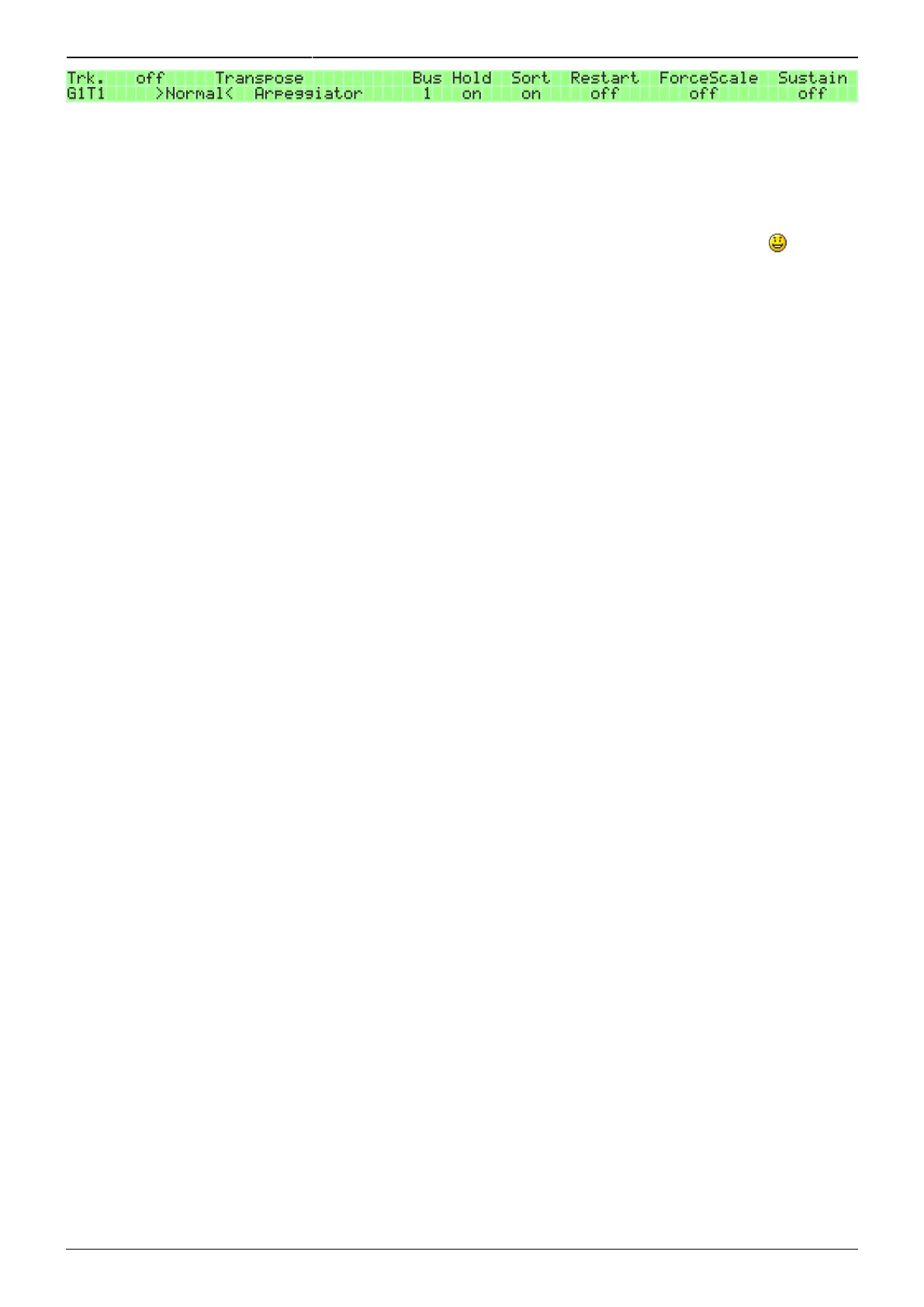
If the track mode is Transpose or Arpeggiator, and Hold is set to 'on', the sequencer will hold the last
note(s) received on a 'T&A' bus from a MIDI controller (see section 4.1.1. for details). In other words,
Hold will have no effect if the controlling data is coming in from a track. If Hold is set to 'off' and no
keys are held on the MIDI controller, the track will play nothing. (However, if the Sustain setting is
'on', it will hold the previously played note(s) until something else is played.) Hold works in Transpose
and Arpeggiator modes, but has no effect if track mode is 'Normal' (or 'off', for that matter
If the track mode is Arpeggiator, and Sort is set to 'on', it will sort the played notes into an ascending
order. The setting works only in Arpeggiator mode, and it makes sense to have this option on for
Arpeggiator mode, so that the Arpeggiator track notation stays more understandable. If Sort is set to
'off' in Arpeggiator mode, the Arpeggiator will play the notes in the reverse order to how they were
played.
The 'Note' setting pertains to the Transposer mode. If the setting is 'First', the transposer will use the
first note of the controlling chord, and if it's 'Last', it will use the last note of the controlling chord.
While a single note is enough for the transposer, you might want to use the same controlling track to
control both the transpose of a track and the arpeggiating of another track, and for the latter you
need a chord.
If Sustain is set 'on', it will sustain the latest note or chord played on the track until another one is
played or the sequencer is stopped. This is useful for tracks that play long notes or chords, so that
you don't have to set each note's length individually. Sustain will have effect only on tracks that are
sending to a physical output port (set on the EVENT page). In other words, it will have no effect on
tracks sending on a bus.
If Restart is 'on', it will restart the track every time something new is played on it. This is mostly useful
for tracks controlled with a MIDI controller over a T&A bus (see section 4.1.1.). In principle it works for
normal tracks too, but the effect gained is better implemented with adjusting track LENGTH.
On Force To Scale, see section 6.2. for details.
6.1.2. Setting up sending and receiving tracks
In order to enable one track's control over another track via a bus, both the sending (controlling) track
and the receiving (controlled) track need to be set up.
Except for the sent data, the sending track is set up in the same way, whether it's controlling the
transpose or arpeggiator pattern of another track. To set up the sending track, press MENU + EVENT.
On the EVENT page, the Port option (BPK6) controls which port the track is sending its data out on.
Bus1–4 are among the selectable ports. The function of each of the four buses is set on the Jam
page's MIDI settings. There are two options: 'Jam' and 'T&A' (Transpose & Arpeggiator). In order to
use a track to control another track's transpose or arpeggiator, it has to be sending over a bus that's
set to 'T&A'. (For details, see section 4.1.1.)
If, on the sending track's EVENT page, you choose one of the buses as the port, the track will now be
sending its data to that bus instead of a physical port (such as OUT1).



 To Next Page