4.4.1 PITCH Pulley
Modulate the effect of pitch bend: Slide up by touching then pitch rises ;
slide down then pitch downs; if you loosen then pitch returns to median.
4.4.2 MODULATION Pulley
Modulate the effect of trill: Slide up by touching then trill increases; slide
down then trill decreases.
4.4.3 Octave
Range: (X6:-2~+2,X8:-1~+1);Modulating directly by press button
“OCTAVE”, and press two buttons at the same time to default to be octave.
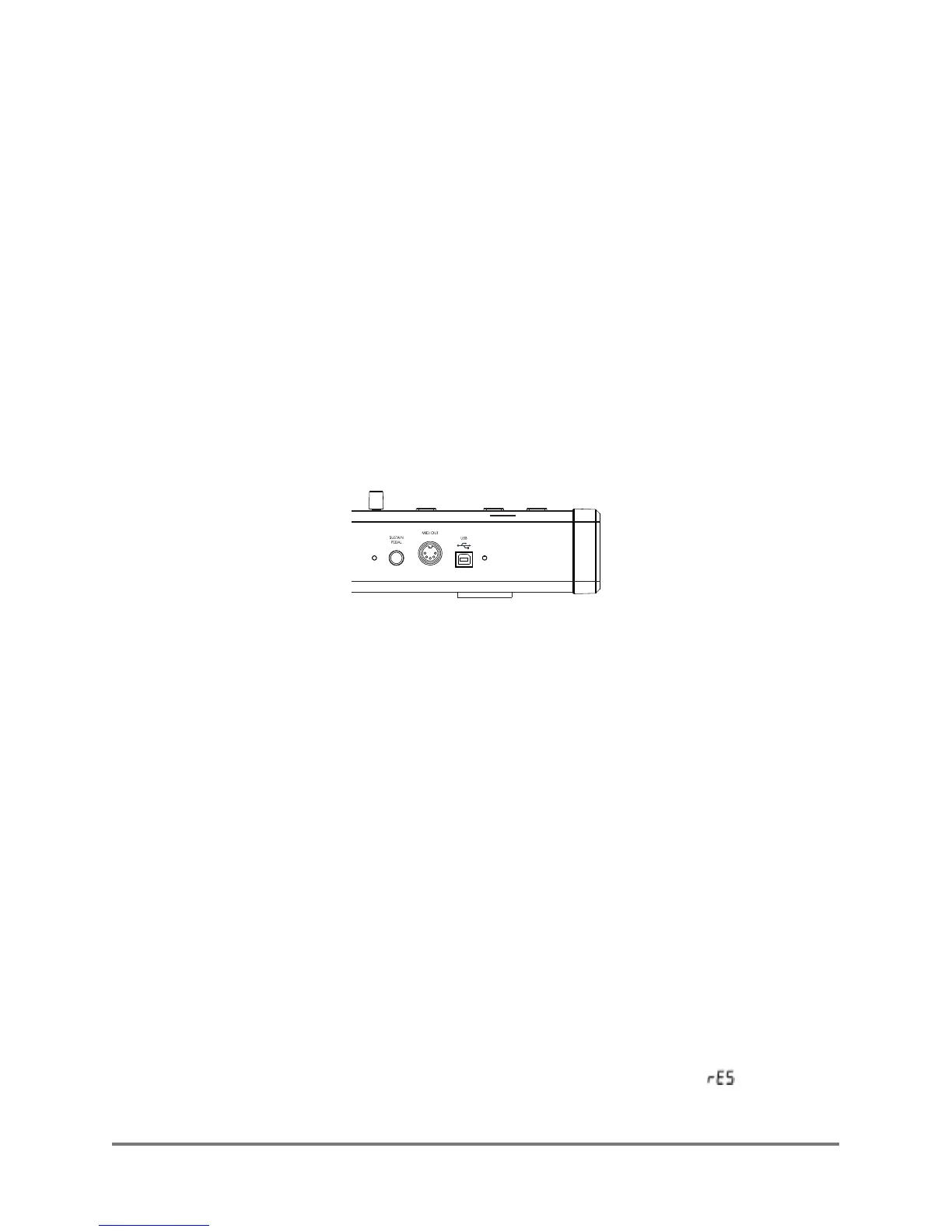
5. Connector of rear panel introduction:
5.1 SUSTAIN PEDAL pedal interface:
For interface switching in sustain pedal.
5.3 USB interface:
For X series MIDI Keyboard and computer combining with other devices, to
make it convenient for information transmission and power supply.
5.2 MIDI OUT interface:
sending MIDI information to other devices.
1.Unplug power supply, the keyboard will be off.
2.Press the two buttons of OCTAVE at the same time.
3.Then connected with USB, the start up LCD of device shows “ ”, and
loosenthe button after three seconds, it will be back to factor y reset.
6.Factor y reset:
XSeries--UserManual
06


 To Next Page