
 To Next Page
D
Dan HarrisJul 30, 2025
What to do if my Midland Two-Way Radio has no power?
- TThomas ColeJul 30, 2025
If your Midland Two-Way Radio has no power, check the battery installation and replace the batteries.

What to do if my Midland Two-Way Radio has no power?
If your Midland Two-Way Radio has no power, check the battery installation and replace the batteries.
What to do if my Midland Two-Way Radio cannot receive messages?
If your Midland Two-Way Radio cannot receive messages: * Confirm that the radios have the same channel and Privacy Code settings. * Ensure that you are within range of the other transceivers. Note that buildings and other structures may interfere with your communication.
Why is the display dim on my Midland Two-Way Radio?
If the display on your Midland Two-Way Radio is dim, try recharging or replacing the batteries.
What to do if my Midland Two-Way Radio is not responding?
If your Midland Two-Way Radio is not responding to button presses: 1. Make sure the key lock is not active. 2. Try turning the radio off and then on to reset it. 3. Ensure the accessory microphone is set properly.
Explains the necessity of an FCC license for GMRS operation and associated rules.
Information on compliance with national/international RF energy exposure guidelines.
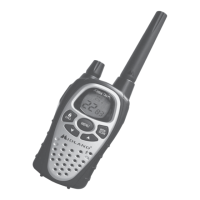
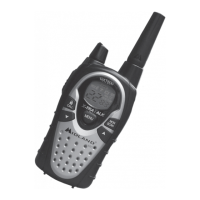
Details on various icons displayed on the LCD screen, such as battery, TX, RX, and lock.
Explanation of essential controls like PTT, CALL/LOCK, MENU, and volume knob.
Step-by-step guide for attaching and removing the belt clip from the radio.
Explanation of the LOW BATTERY icon and its meaning regarding battery charge.
Instructions on how to power the radio on/off and adjust the volume level.
Procedures for communicating, including pressing the PTT button and speaking clearly.
Factors affecting transmission range and tips for maximizing it.
How to use the MONITOR function to check channel activity without transmitting.
How to scan channels for transmissions and exit scan mode.
How to select different call tones for transmissions.
How to lock and unlock the radio's keypad to prevent accidental changes.
How the display illumination activates and can be controlled during operation.
How to select GMRS/FRS channels using the menu and navigation buttons.
How to select privacy codes for secure communication on selected channels.
How to adjust the transmit power level for different models and channels.
How to configure the eVOX feature for hands-free voice-activated transmission.
How to turn the VIBRATE ALERT feature on and off for notifications.
How to enable or disable the Roger Beep end-of-transmission tone.
How to enable or disable silent operation, disabling beeps and tones.
How to use the WX receiver for weather alerts on specific models.
Details on the AVP-1 Over the Ear Mic Headsets with PTT.
Details on the AVP-3 Dual Desk Charger, battery packs, and adapters.
 General
| Brand | Midland |
|---|---|
| Model | GXT300 Series |
| Category | Two-Way Radio |
| Language | English |