EasyManua.ls Logo

Midland GXT600 Series - User Manual

Midland GXT600 Series
21 pages
Print Icon
To Next Page IconTo Next Page
Loading...
GXT600/650 Series
GMRS/FRS Radio
X-TRA TALK
®
OWNER'S MANUAL
www.midlandradio.com

Questions and Answers

Summary

IMPORTANT NOTICE, FCC LICENSE REQUIRED FOR GMRS OPERATION

Exposure To Radio Frequency Energy

Guidelines for radio frequency energy exposure and compliance.

LCD DISPLAY

CONTROLS

Identification and function of all buttons and controls on the radio.

BATTERY INSTALLATION

INSTALLING THE BELT CLIP

Procedure for attaching and removing the belt clip.

CHARGING THE OPTIONAL BATTERY PACK

BATTERY LEVEL INDICATOR

How to read the battery meter and low battery warnings.

OPERATING YOUR RADIO

POWER ON;OFF AND VOLUME

How to turn the radio on/off and adjust the volume level.

TRANSMITTING AND RECEIVING A CALL

Procedure for sending and receiving voice communications.

ABOUT RANGE

Factors affecting radio transmission range and how to maximize it.

MONITOR FUNCTION

How to check channel activity and adjust volume without transmitting.

SCAN FUNCTION

Procedure for scanning all channels for activity.

CALL TONE OPERATION

How to send a call tone to alert other users.

KEYPAD LOCK

How to lock and unlock the radio's keypad.

DISPLAY ILLUMINATION

How to activate the display's backlight.

CHANNEL SELECTION

How to select GMRS/FRS channels.

SETTING PRIVACY CODES

How to configure CTCSS and DCS privacy codes.

TRANSMIT (TX) POWER LEVEL SELECTION

How to choose between High, Medium, and Low transmit power.

eVOX (Hands-free Transmission)

How to enable and adjust voice-activated transmission sensitivity.

SILENT OPERATION

How to disable beeps and tones for quiet operation.

ROGER BEEP (end of transmission) TONE

How to enable or disable the end-of-transmission beep.

CALL TONE SETTINGS

How to select from available call tones.

VIBRATE ALERT

How to enable or disable the vibration alert feature.

WEATHER (WX) BAND RECEIVER

How to turn on the weather band receiver.

WEATHER (WX) ALERT

How to receive weather alert notifications.

EXTERNAL SPEAKER;MICROPHONE JACK

How to connect external audio accessories.

TROUBLESHOOTING GUIDE

USE AND CARE

Instructions for maintaining the radio and proper usage.

SPECIFICATIONS

LIMITED WARRANTY

ACCESSORIES

AVP-1 Headsets

Details and price for the AVP-1 headset accessory.

AVP-4 Charging System

Details and price for the AVP-4 charging system accessory.

ACCESSORIES ORDER FORM

Overview

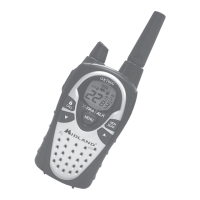
The Midland GXT600/650 Series is a GMRS/FRS (General Mobile Radio Service/Family Radio Service) two-way radio designed for reliable and trouble-free performance. It operates on GMRS frequencies, which require an FCC license for channels 1-7 and 15-22. The radio is designed to comply with national and international standards for radio frequency electromagnetic energy exposure.

Function Description:

The GXT600/650 Series radios are designed for two-way voice communication over short to medium distances. They offer a range of features to enhance communication and user experience, including hands-free operation, privacy codes, and weather alerts.

Important Technical Specifications:

  • Channels: 22 GMRS/FRS Channels + 121 Privacy Codes (38 CTCSS / 83 DCS), 10 Weather (WX) Band Channels.
  • Operating Frequency: UHF 462.5500 ~ 467.7125 MHz.
  • Power Source: 4 AA Alkaline batteries or 6.0V Rechargeable Ni-MH battery pack (optional).
  • Privacy Codes: 121 available (38 CTCSS, 83 DCS).
  • Transmit Power Levels: 3 settings (High, Medium, Low) for channels 1-7 and 15-22. FRS channels (8-14) are fixed to Low power per FCC regulations.

Usage Features:

  • Power On/Off and Volume: Controlled by a knob. Turning clockwise powers on and increases volume; counter-clockwise decreases volume and powers off. Upon power-on, the radio beeps, displays "self-test" for 1 second, and shows the last selected channel.
  • Transmitting and Receiving: Hold the PTT (Push-To-Talk) button and speak into the microphone (2-3 inches away) to transmit. Release PTT to receive. The TX icon appears during transmission, and the RX icon appears during reception.
  • Range Optimization: For maximum range, use fresh/fully charged batteries, operate on GMRS channels (FRS channels are low power), and set the radio to Hi power. Optimal conditions include over water, open rural areas without obstructions, and flat areas with line of sight.
  • Monitor Function: Press and hold the MONITOR button for 1 second to hear noise and adjust volume when no signal is received. Useful for checking channel activity before transmitting. Press and hold again to exit.
  • Scan Function: Quickly press the SCAN button to scan all 22 channels for activity. The radio stops on an active channel for 5 seconds. Pressing PTT during a scan stops it on the active channel. Quickly press SCAN again to resume.
  • Call Tone: Press the CALL button to send a call tone. The TX icon appears, and a tone is heard for confirmation. The GXT600 has 5 selectable call tones, while the GXT650 has 5 "Animal Sound" call tones.
  • Keypad Lock: Press and hold the LOCK button for 4 seconds to prevent accidental setting changes. The KEY LOCK icon appears. PTT and CALL buttons remain active. Repeat to unlock.
  • Display Illumination: Activates for approximately 7 seconds during power-on or when the MENU button is pressed.
  • Channel Selection: Press MENU once, then use UP/DOWN buttons to select one of the 22 GMRS/FRS channels. Confirm with PTT or MENU.
  • Setting Privacy Codes: Press MENU twice, then use UP/DOWN to select "Off/CTCSS/DCS". Press MENU again, then use UP/DOWN to select a specific CTCSS (1-38) or DCS (1-83) code. The Privacy Code icon indicates the mode. Confirm with PTT or MENU. Note: "oF" disables the privacy feature. All radios in a group must have the same channel and privacy code.
  • eVOX (Hands-free Transmission): Has 3 level settings (oF/1/2/3). Press MENU five times, then use UP/DOWN to select a level. "3" is most sensitive. Confirm with PTT or MENU. To turn off, select "oF".
  • Silent Operation: Disables all "beeps" and "tones". Press MENU until "bP" icon appears, then use UP/DOWN to select "on" or "oF". Confirm with PTT or MENU.
  • Roger Beep Tone: A beep confirms the end of transmission. Press MENU until "rb" icon appears, then use UP/DOWN to select "on" or "oF". Confirm with PTT or MENU.
  • Vibrate Alert: Press MENU nine times until the VIBRATE-ALERT icon blinks. Use UP/DOWN to select "on" or "oF". Confirm with PTT or MENU. The icon remains on when active.
  • Weather (WX) Band Receiver: Press and hold MENU for 3 seconds to activate. The WX CHANNEL and WX BAND icons appear. Press MENU, then use UP/DOWN to select one of 10 WX BAND channels. Confirm with PTT or MENU. To turn off, press and hold MENU for 3 seconds or press PTT.
  • Weather (WX) Alert: Press MENU twice while in WX Band. "AL" appears, and "oF" blinks. Use UP/DOWN to select "on". Confirm with PTT or MENU. The radio returns to WX BAND, and the WX BAND icon blinks. If a WX ALERT is received in GMRS/FRS mode, the radio beeps for 10 seconds, displays "AL" and "In", then automatically switches to WX BAND. Pressing any button during the alert in GMRS/FRS mode also switches to WX BAND.
  • External Speaker/Microphone Jack: Allows connection of optional speaker/microphone or headset for hands-free operation.

Maintenance Features:

  • Battery Installation: Remove the belt clip and battery cover. Insert 4 AA batteries, observing polarity. Replace cover and belt clip.
  • Charging (Optional NiMH Battery Pack): Place rechargeable battery packs in radios, connect AC adapter to wall outlet and desktop charger jack. Place units in charger slot. Red LED indicates charging. Charge for at least 12 hours for a full charge. Initial charge time is 24 hours. Remove radios from charger when charge time expires.
  • Battery Level Indicator: A meter shows battery power. "Lo bt" flashes when low, indicating batteries need replacement or recharging.
  • Cleaning: Use a soft damp cloth. Do not use alcohol or cleaning solutions.
  • Water Exposure: Do not immerse in water. Dry with a lint-free cloth if wet.
  • Storage: Turn off the radio and remove batteries for long-term storage.
  • Troubleshooting: A guide is provided for common issues like no power, inability to receive messages, unresponsive buttons, dim display, and charger malfunction. Midland Radio Corp. recommends calling customer service for assistance before returning the unit.

Midland GXT600 Series Specifications

General IconGeneral
BrandMidland
ModelGXT600 Series
CategoryTwo-Way Radio
LanguageEnglish

Related product manuals