EasyManua.ls Logo

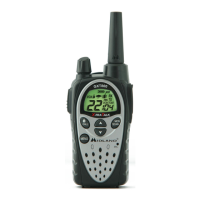
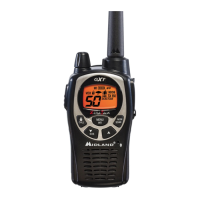
Midland GXT2000 - User Manual

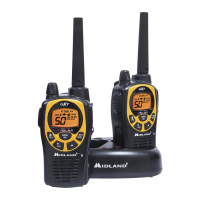
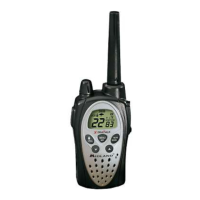
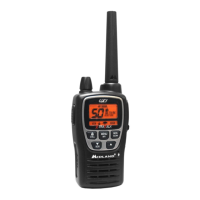
Midland GXT2000
24 pages
Print Icon
To Next Page IconTo Next Page
Loading...

Questions and Answers

  • D
    Danny HartAug 11, 2025
    What to do if my Midland Portable Radio cannot receive messages?
    • M
      Marc DuncanAug 12, 2025
      If your Midland Portable Radio is not receiving messages, first confirm that all radios are set to the same channel. Also, ensure you are within range of the other transceivers. Keep in mind that buildings and other structures can interfere with communication.
  • A
    Amber ThorntonAug 18, 2025
    Why is the display dim on my Midland Portable Radio?
    • T
      Thomas ChoiAug 18, 2025
      If your Midland Portable Radio display is dim, try recharging or replacing the batteries.
  • J
    Jonathan DayAug 25, 2025
    How to fix a Midland Portable Radio with no power?
    • L
      Logan HermanAug 25, 2025
      If your Midland Portable Radio has no power, check the battery installation and/or replace the batteries.
  • L
    leewendyAug 30, 2025
    What to do if the charger is not functioning on Midland Portable Radio?
    • J
      Jeffrey SmallAug 30, 2025
      If your Midland Portable Radio charger isn't functioning, the contacts on the back of the radio may require cleaning. Ensure the outlet where the charger is plugged in is functioning properly. Also, check that the battery pack is installed in the radio properly.
  • D
    David HudsonSep 5, 2025
    What to do if my Midland Portable Radio is not responding to button presses?
    • B
      Brittany WilliamsSep 5, 2025
      If your Midland Portable Radio is not responding to button presses, ensure that the key lock is not activated. If the issue persists, try resetting the radio by turning it off and then on again.

Midland GXT2000 Specifications

General IconGeneral
BrandMidland
ModelGXT2000
CategoryTwo-Way Radio
LanguageEnglish

Related product manuals