EasyManua.ls Logo

Midland GXT5000 - User Manual

Midland GXT5000
24 pages
Print Icon
To Next Page IconTo Next Page
Loading...
Model GXT5000 Series
Page 1 www.midlandradio.com
TABLE OF CONTENTS 1
Introduction 2
Important Notice, FCC Licensing 3
LCD Display 4
Controls 4
Battery Installation 5
Installing the Belt Clip 5
Charging the Battery Pack 6
Low Battery Level Indicator 6
Operating Your Radio 7 - 13
External Speaker/Microphone Jack 13
Troubleshooting Guide 14
Use and Care 14
Specifications and Frequency Charts 15 - 16
Warranty Information 17
MIDLAND Family Products 18
Accessories 19 - 21
Accessories Order Form 23
Question and Answer IconNeed help?

Do you have a question about the Midland GXT5000 and is the answer not in the manual?

Overview

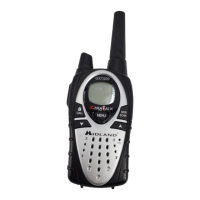
The Midland GXT5000 Series is a 2-way radio designed for GMRS (General Mobile Radio Service) operation, offering a compact yet powerful communication solution. It is skillfully constructed with high-quality electronic components and features solid-state circuitry mounted on a rugged printed circuit board, ensuring reliable and trouble-free performance.

Function Description:

The GXT5000 Series radio allows for two-way voice communication over 22 GMRS/FRS channels. It supports 121 Privacy Codes (38 CTCSS / 83 DCS) to minimize interference and enhance communication privacy. Key features include VOX (Voice Operated eXchange) for hands-free transmission with 5 sensitivity levels (oF/1~5), a selectable Call Alert function to notify other users, and Dual Watch to monitor two channels simultaneously. The radio also incorporates a Time-Out Timer to limit continuous transmissions, an Out-of-Range Alert to indicate when radios are beyond usable range, and a Monitor Function to check channel activity. For enhanced user experience, it includes a Roger Beep Tone to signal the end of a transmission, Silent Operation to disable all beeps and tones, and a Keypad Lock to prevent accidental setting changes. The Channel Scan Function allows the radio to rapidly scan all 22 channels for activity, stopping on active channels. For emergencies, an SOS Siren function can be activated to send a loud siren sound. The radio offers Power HI/LO Settings for transmission, Auto Squelch to suppress weak signals, and features Speaker/Microphone Jacks for external accessories. A Battery Meter and Battery Low Indicator keep users informed of power levels.

Important Technical Specifications:

  • Channels: 22 (15 GMRS and 7 FRS channels)
  • Frequency Generation: PLL synthesizer
  • Frequency Range: 462.5500 to 467.7125 MHz
  • Antenna Type: "Rubber ducky" in rubber
  • Rated Power Supply: 4.5 to 7.2 Vdc
  • Operating Temperature: -30°C to +60°C
  • Size (HxLxD with antenna): 113 x 54 x 35 mm
  • Weight (without battery): 180 g
  • Output Power (ERP): 0.5 W
  • Type of Circuit: FM
  • Suppression of Spurious Signals: Compliant with TIA/EIA-603-B
  • Sensitivity at 12dB SINAD: Above 0.25 uV
  • Audio Output Power (10% THD): 1 W
  • Spurious Signals Rejection: 50 dB
  • Medium Frequencies: First 21.4 MHz, Second 450 kHz
  • External Microphone Connection: 2.5mm stereo jack
  • External Speaker Connection: 3.5mm mono jack
  • Waterproof Standard: IP67 (Ingress of water in harmful quantity shall not be possible when the enclosure is immersed in water up to 1 m of submersion for 30 minutes).

Usage Features:

  • Power On/Off and Volume: Controlled by a knob; clockwise to turn on and increase volume, counter-clockwise to decrease volume and turn off.
  • Channel Selection: Accessed via the MENU button, allowing selection of 22 GMRS/FRS channels.
  • Privacy Codes: 121 codes (38 CTCSS / 83 DCS) can be set per channel for private communication.
  • Transmitting and Receiving: Press and hold the PTT button to transmit, release to receive. The TX/RX LED Indicator shows RED during transmission, GREEN for correct reception, and ORANGE for correct channel but wrong privacy code.
  • Range Optimization: Optimal range is achieved over water, in open rural areas, or flat areas with clear line of sight. Using fresh/fully charged batteries and setting the radio to Hi power on GMRS channels (1-7, 15-22) maximizes range. FRS channels (8-14) are restricted to Low power by FCC regulations.
  • SOS Siren: Activated by pressing and holding the SOS SIREN button for 2 seconds.
  • Monitor Function: Press and hold the MONITOR button for 3 seconds to hear noise and adjust volume, or to check channel activity.
  • Call Alert: Press the CALL button to send a call alert tone.
  • Transmit Power Level: Toggle between HI and LO power on channels 1-7 and 15-22 using the TRANSMIT POWER HI/LO button. Automatically switches to LO power when battery is low.
  • Scan: Quickly press the SCAN/LOCK button to enter scan mode, which rapidly scans all 22 channels and stops on active ones.
  • Keypad Lock: Press and hold the SCAN/LOCK button for 2 seconds to lock/unlock the keypad, preventing accidental changes. PTT, SOS, MONITOR, and CALL buttons remain active.
  • Display Illumination: Activates for approximately 5 seconds on power-on or when MENU, TRANSMIT POWER HI/LO, and SCAN/LOCK buttons are pressed.
  • Silent Operation: Accessed through the MENU, disables all beeps and tones.
  • Time Out Timer: Limits continuous transmission time (15, 30, 45, 60, or 90 seconds).
  • Out-of-Range Alert: Indicates if two GXT5000 radios are within usable range. Transmits an alert code every 3 minutes and beeps/blinks the ANTENNA icon if no confirmation is received.
  • Dual Watch Function: Allows monitoring of the current channel and a second selected channel for activity.

Maintenance Features:

  • Battery Installation/Removal: The 2200mAh Li-ion battery pack is installed by inserting the bottom part and pushing it into place until the lock tab clicks. Removal involves pressing the lock tab downward and pulling the pack away.
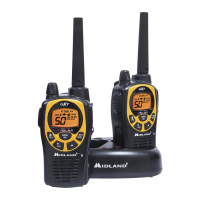
  • Charging: The radio can be recharged using the Desktop Charger, which accommodates both the radio and a separate battery pack. An LED indicator shows RED during charging and GREEN when fully charged. New battery packs require 3-4 full charge/recharge cycles for maximum efficiency.
  • Cleaning: Use a soft damp cloth to clean the radio. Avoid alcohol or cleaning solutions. Dry with a lint-free cloth if wet.
  • Storage: For long-term storage, turn off the radio and remove the batteries.
  • Troubleshooting: A guide is provided for common issues like no power, inability to receive messages, unresponsive buttons, dim display, and charger malfunction. Users are advised to contact service technicians for problems requiring service.
  • External Accessories: The radio supports optional external speaker/microphone or headset accessories. The accessory jack cover must be removed, which will compromise the radio's waterproof integrity.

Midland GXT5000 Specifications

General IconGeneral
BrandMidland
ModelGXT5000
CategoryTwo-Way Radio
LanguageEnglish

Related product manuals