EasyManua.ls Logo

Midland R1 MESH - Switch off

Midland R1 MESH
8 pages
Print Icon
To Next Page IconTo Next Page
To Previous Page IconTo Previous Page
Loading...
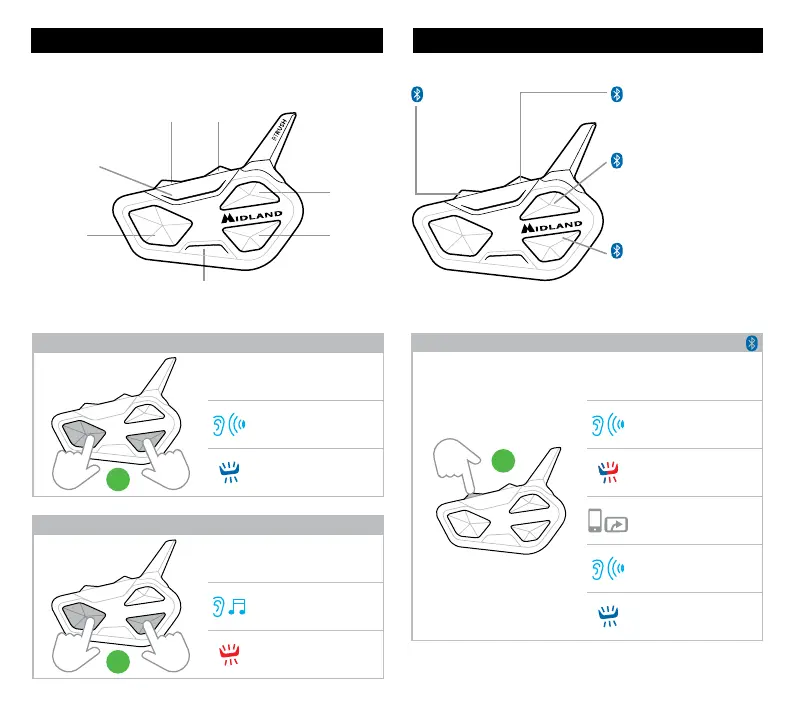
ON/OFF
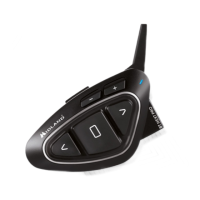
KEY DESCRIPTION
Vol +
Vol -
Bluetooth
Led
Mesh Led
Control
button
Up
button
Down
button
SWITCH ON
3”
Press for 3 seconds
Beep
Flashes
SWITCH OFF
3”
Press together for 3 sec.
Notification jingle
Flashes
KEY DESCRIPTION
Main pairing:
Phone,
TFT, GPS
(Mono/Stereo)
Secondary pairing:
GPS, 2nd phone
(Mono)
Secondary intercom pairing:
Midland/OBI/other brand
Manual activation intercom
MAIN intercom pairing:
Midland/OBI/other brand
Manual and voice (Vox)
activation intercom
PAIRINGS
PHONE, GPS, TFT PAIRING
5”
Press for 5 seconds
Beep
Flashes
Select R1 Mesh on
PHONE, GPS or TFT
Beep
Confirm (1 sec.)
Note: to pair a 2nd device in mono audio, repeat this procedure using Vol -.

Related product manuals