Troubleshooting
Preva
83
No X-ray
Produced
and No
Audible
Exposure
Indicators
Two different audible exposure indicators are employed within the Preva system. One
indicator is embedded in the Operator Panel and will initiate when any exposure
switch is pressed. The second audible indicator initiates when the Logic Board begins
the exposure sequence. During normal operation, first the Operator Panel indicator
will sound followed shortly thereafter by the Logic Board indicator. It is important to
recognize the sequence for troubleshooting purposes.
1. If the Operator Panel indicator does not sound, inspect the condition of any
remote exposure switches. Substitution is the preferred method to test these
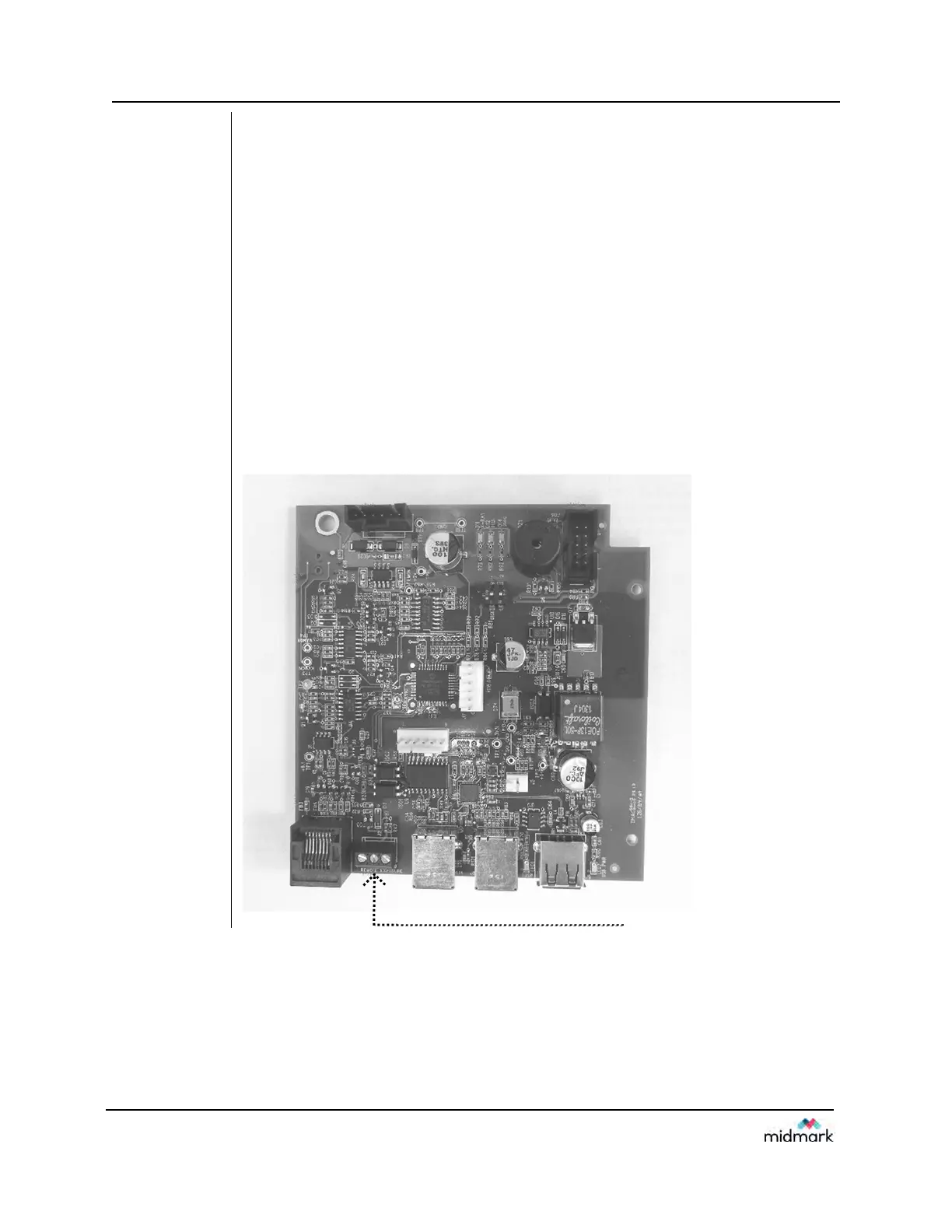
switches, although a jumper wire can be applied across the contacts of J3, shown
in Figure 64, on the Logic Board momentarily to simulate an exposure switch
closure.
2. If the Operator Display indicator sounds, but the Logic Board indicator does not
activate, observe LED D2 on the Power Supply Board, and listen for the relay
LS1 to activate on this same board (Figure 65). LED D2 should illuminate during
the exposure request. If not, inspect the condition of the ribbon cable between the
Power Supply and the Logic Boards. If the ribbon cable is acceptable, replace the
Logic Board.
Figure 64
Logic Board
30-08160
J2 Remote Exposure Switch Connecto



 To Next Page