6
B
Using switch labeled INC. / DEC.
Push switch up or down . Number
will increase or decrease accordingly.
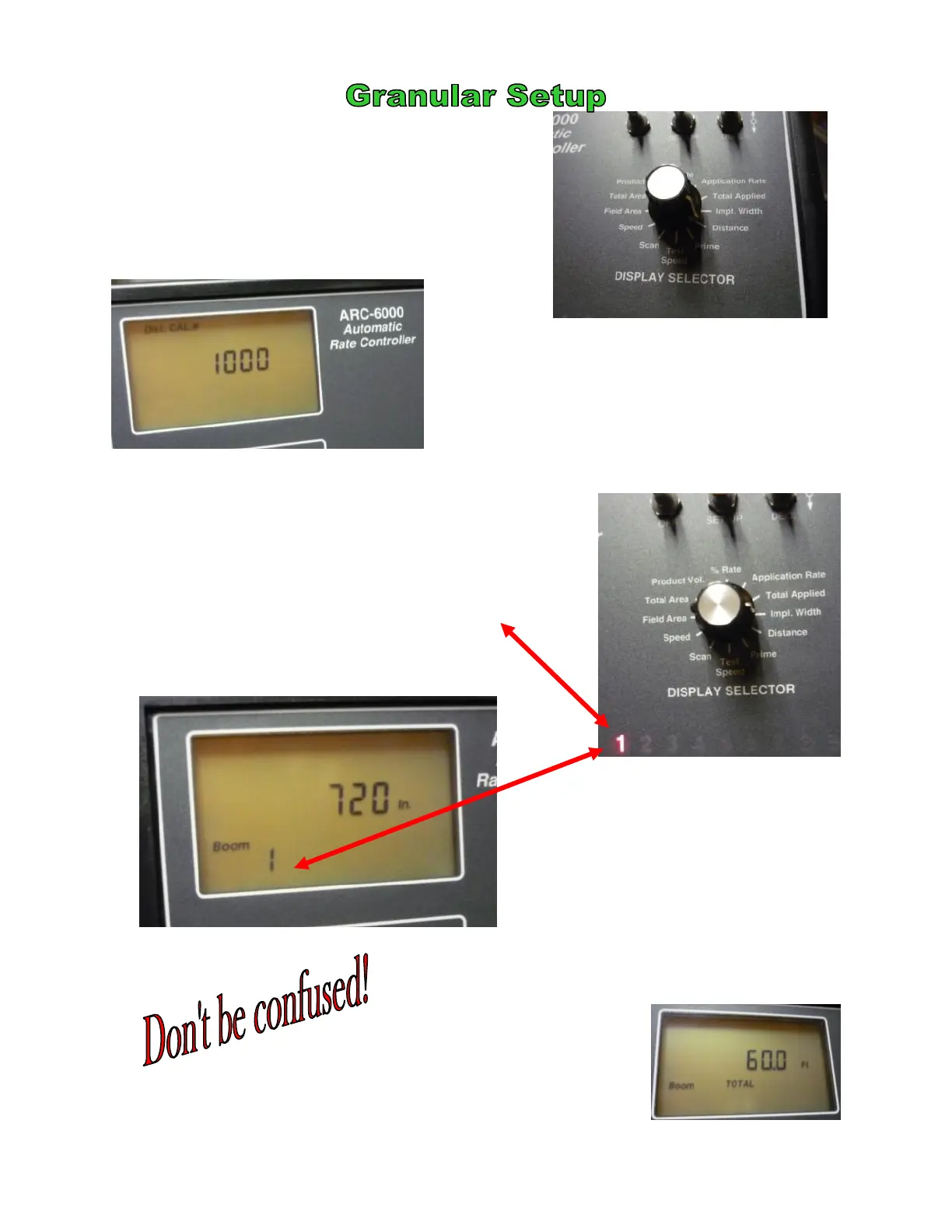
Twist Display Selector to Distance
This is a calibration number that must be
checked. The radar constant will vary with the
type of radar.
Mid-Tech Compact Radar start at 780
DickeyJohn Radar start at 1000
C
Twist Display Selector to Implement Width
Using switch labeled INC. / DEC.
Push switch up or down . Number
will increase or decrease accordingly.
The number one should light red.
This is your dry swath.
Numbers 2—9 should have a ZERO value.
1
your swath is entered in INCHES.
50 ft swath = 600 in
60 ft swath = 720 in
80 ft swath = 960 in
When you are in the OPERATE mode,
your Implement Width (swath) will be
shown in FEET!
A minimum of 400 ft should be driven to calibrate this number.
©2011 Newton Crouch Inc. This information is the property of Newton Crouch Inc. and is loaned confidentially to our customer for his sole use. It must not be used in any way
detrimental to our interest or shared with outside parties. Technical Tips/ ARC6000 Programming—Dry Rev 2.2.2011


 To Next Page
 Loading...