7
D
Using switch labeled INC. / DEC. Push
switch up or down . Number will increase
or decrease accordingly.
Twist Display Selector to Total Applied
The spreader constant number must be
checked. The gate height must match the
constant chosen.
Using conveyor width & type plus encoder
type NCI has a chart to obtain this number.
E
Twist Display Selector to Application Rate
Using switch labeled INC. / DEC. Push switch up or
down . Number will increase or decrease accordingly.
Product density should be measured & entered
with each load.
NCI sells a density scale
(SM-DS-50895)that will
give you the correct
number for your load.
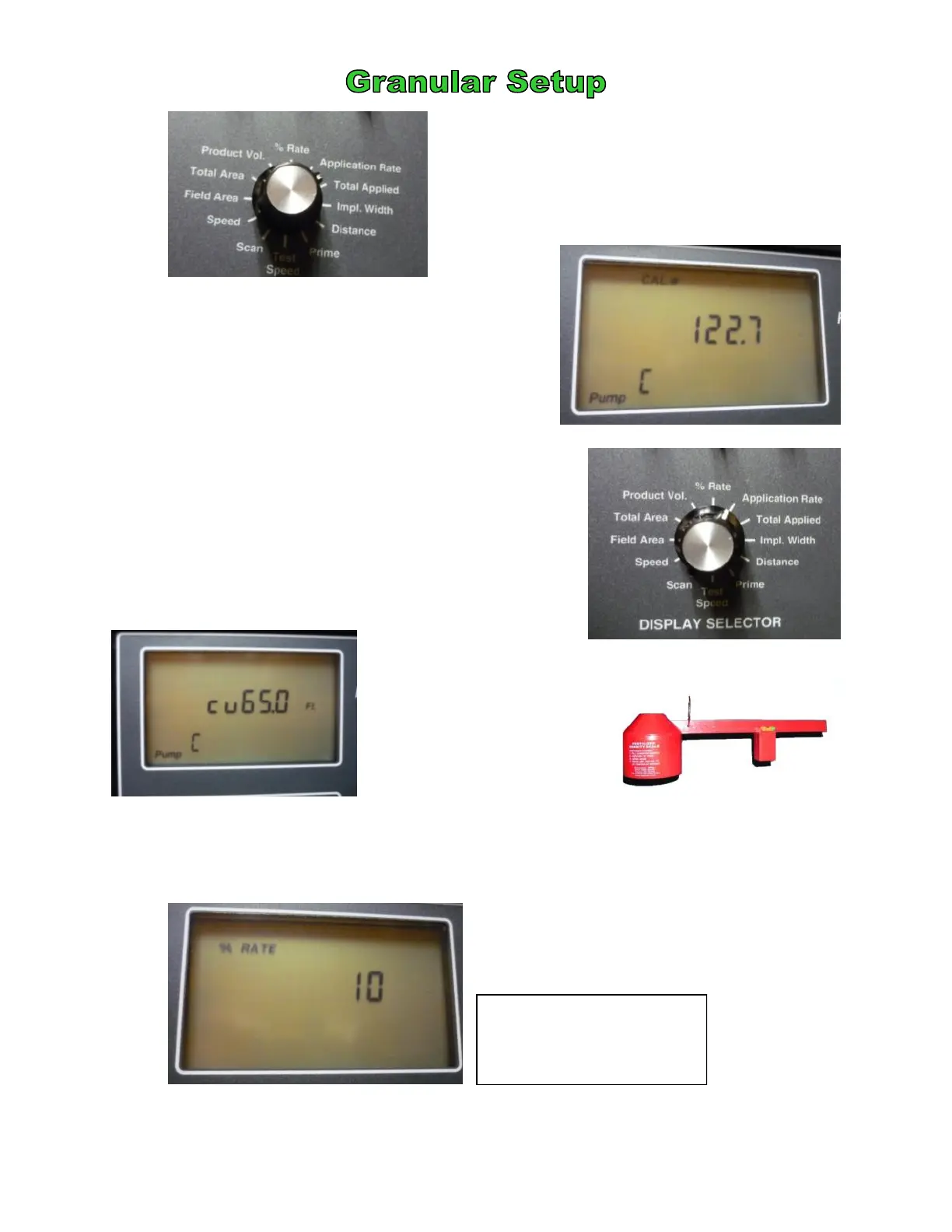
This is the amount of deviation from your
desired application rate that you allow. It
changes in increments of 10.
Usually, it is not desirable to have your
spread rate deviate substantially.
F
Twist Display Selector to % Rate
This is your product density entered in lbs/cu ft.
Incorrect product density will cause your application rate to be incorrect
ALWAYS return to 100% in the Operate Mode or your entire job will be incorrect!!
©2011 Newton Crouch Inc. This information is the property of Newton Crouch Inc. and is loaned confidentially to our customer for his sole use. It must not be used in any way
detrimental to our interest or shared with outside parties. Technical Tips/ ARC6000 Programming—Dry Rev 2.2.2011
This setting allows for
110% I—the desired rate
plus 10%


 To Next Page
 Loading...