8
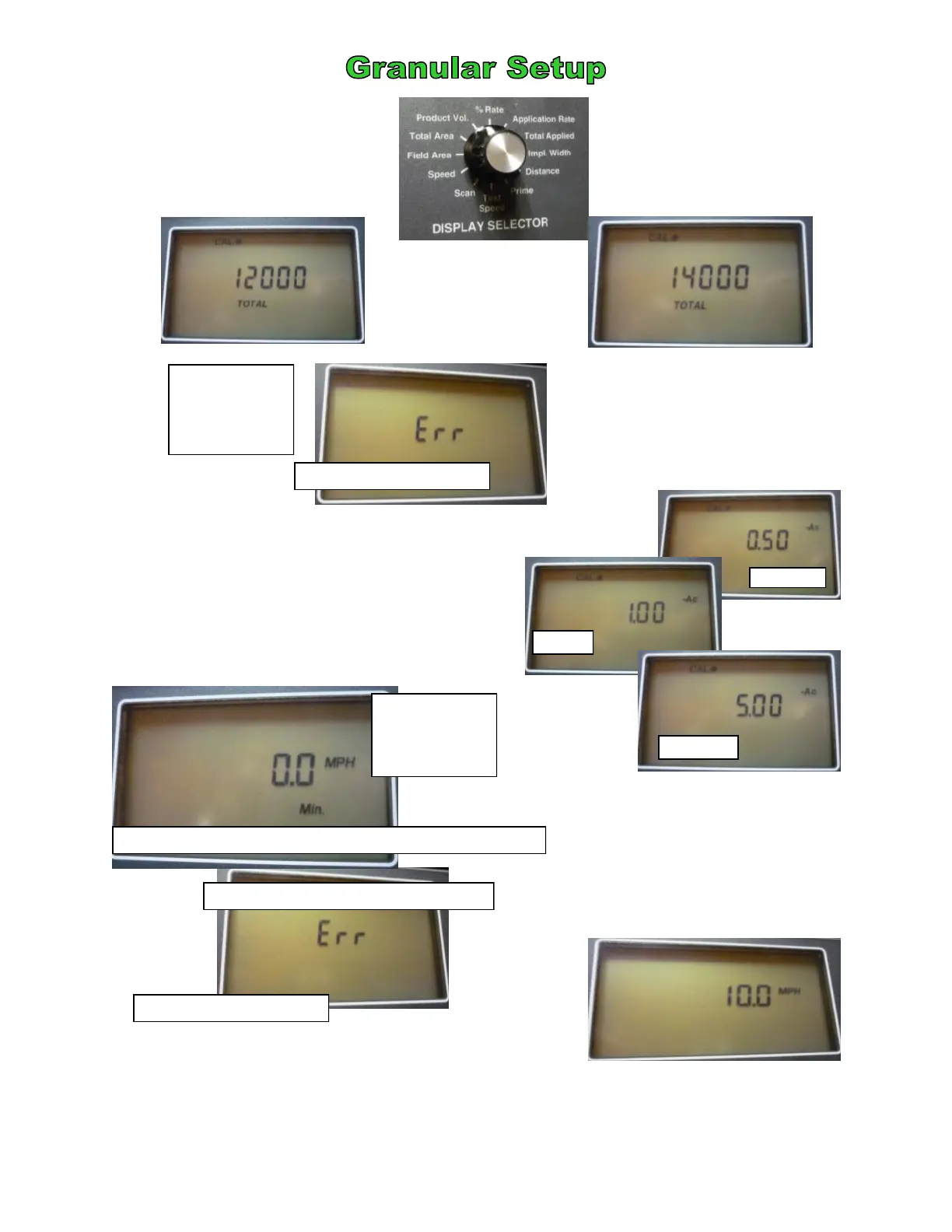
This is the amount of product
in your hopper. It is entered
as a constant in pounds.
G
H
I
K
L
Twist Display Selector to
Product Volume
Twist Display Selector to Field Area
Twist Display Selector to
Test Speed
This is commonly used for testing only, however, it can
be used for stationary unloading.of the hopper.
J
NCI 10 ft body holds
approximately 12000
Twist Display Selector to Scan
Display will show Err
This number is discretionary. It will
cause the console to sound an audible
and visible notification whenever that
threshold is passed. It is usually 1 acre
Twist Display
Selector to
Total Area
Display will show Err
This number is a cumulative total
of all jobs you have spread since
you last cleared the console. It
will show Err in Set Up mode.
NCI 12 ft body holds
approximately 14000
Twist Display
Selector to
Speed
This is the Ground Speed Override. Set it to Zero
1/2 acre
1 acre
5 acres
This is a cycle through
some of the major
functions.
©2011 Newton Crouch Inc. This information is the property of Newton Crouch Inc. and is loaned confidentially to our customer for his sole use. It must not be used in any way
detrimental to our interest or shared with outside parties. Technical Tips/ ARC6000 Programming—Dry Rev 2.2.2011


 To Next Page
 Loading...