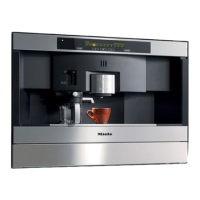
It is easy to customise your machine to suit your exact
requirements. The following settings are available:
Language: Czech, Danish, German, English, Spanish,
French, Italian, Hungarian, Dutch, Norwegian, Polish,
Portuguese, Finnish, Swedish, Turkish, Greek and Russian
Time of day: You can set either a 24 hour or 12 hour clock
and choose to have the Time of day display on or off
Timer: You can activate the Timer and also adjust the
settings. The following options are available in the "Set" menu:
–
Switch on at:The machine can be set to switch on at a
specific time of day.
–
Switch off after: The machine can be set to switch off
after a pre-set time. A time of between 15 minutes to 9
hours can be set.
– Switch off at: The machine can be set to switch off at a
specific time of day.
Amount of coffee: You can set different amounts of coffee
for espresso, coffee and cappuccino.
Pre-brewing: Long, Normal, Without
Temperature: The temperature for espresso, coffee,
cappuccino and hot water can be set from minimum to
maximum.
Automatic rinsing: On, Off
Steam system: On, Off
Lighting: Automatic (On,Off), Dim (Upper, Lower)
Total no. of coffees: Number of coffees made to date
System lock: Can be activated, Cannot be activated
Water hardness: soft 1, medium 2, hard 3, very hard 4
User profile: Select, Create, (Change name, Delete,
Change (Do not change, When switched on, After each use))
Main menu: The different types of drink can be listed in the
order in which you wish them to appear in the display.
Display: Contrast, Brightness
Settings: Customising your machine
29



 To Next Page