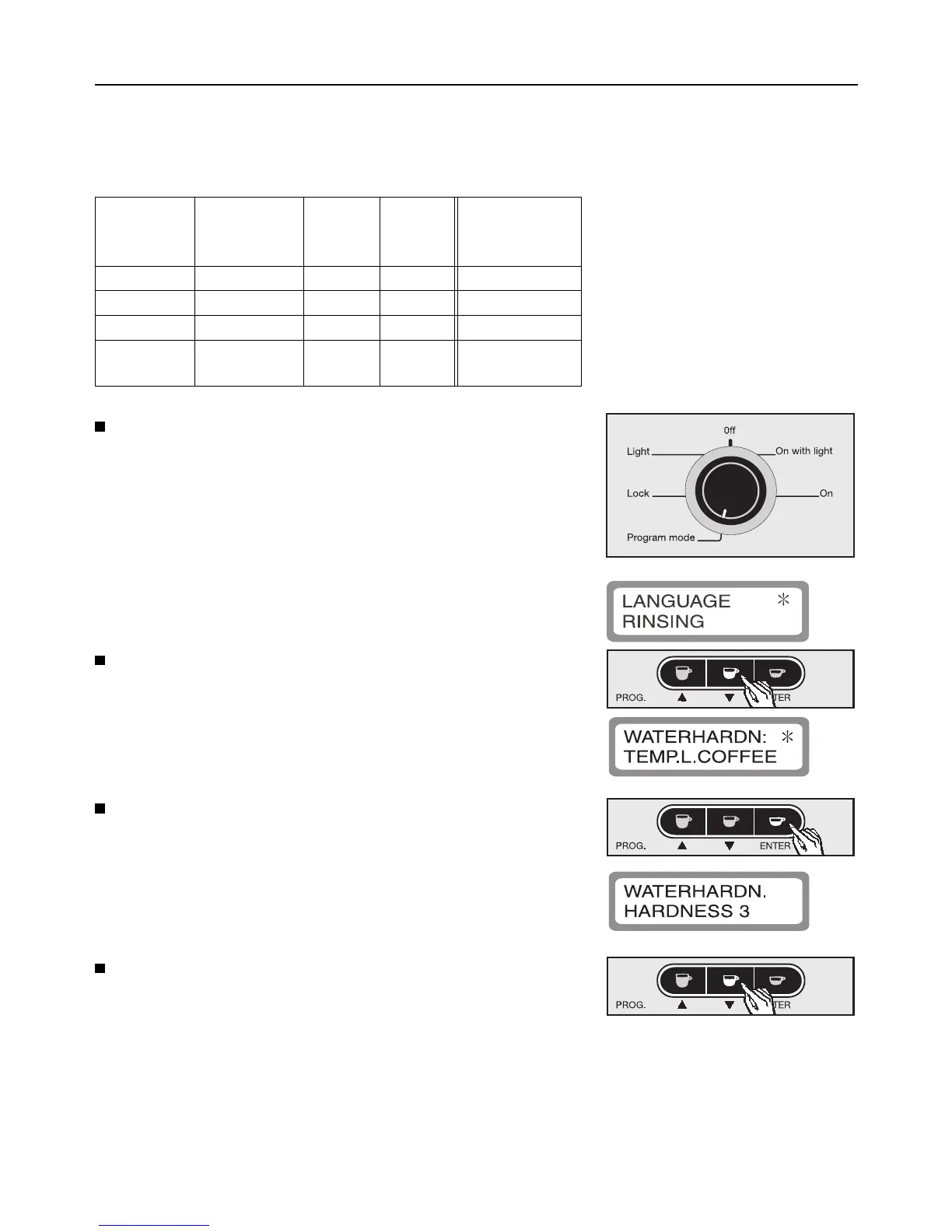
Use programming option “Water hardness” to pro-
gram the water hardness.
There are four programmable levels:
Level
(appliance)
Hardness
(tap water)
gr/gal ppm Water
through-flow
in liters
Hardness 1 1 (soft) 0 - 3 0 - 1.3 approx. 500
Hardness 2 1 (soft) 4 - 7 1.3 - 2.5 approx. 300
Hardness 3 2 (medium) 7 - 14 2.5 - 3.8 approx. 150
Hardness 4 3 (hard)
4 (very hard)
14 - 21
over 21
over 3.8 approx. 80
Turn the program selector counterclockwise to
the “Program mode”.
The appliance is now in programming mode and
will respond according to the symbols shown
under the buttons.
The following will appear in the display window:
Press the e button to highlight programming op-
tion “Water hardness” with an asterisk.
Press ENTER to confirm this programming option.
The sub-menu is shown in the display window as
follows:
Press the e button to set the water hardness level
(hardness 1 - hardness 4)
Programming the appliance
16



 To Next Page