Press ENTER to save this setting, or
turn the program selector to “0ff” to cancel if a
mistake has been made.
This will bring you out of the sub-menu.
Selecting the temperature for drinks
The appliance can be set at different tem-
peratures to suit varying coffee drinking
preferences.
Five temperature levels are available for each drink
option. Maximum is the highest temperature, mini-
mum the lowest.
Not all types of coffee can withstand high tempera-
tures. Some are too delicate and their foam will col-
lapse under high heat.
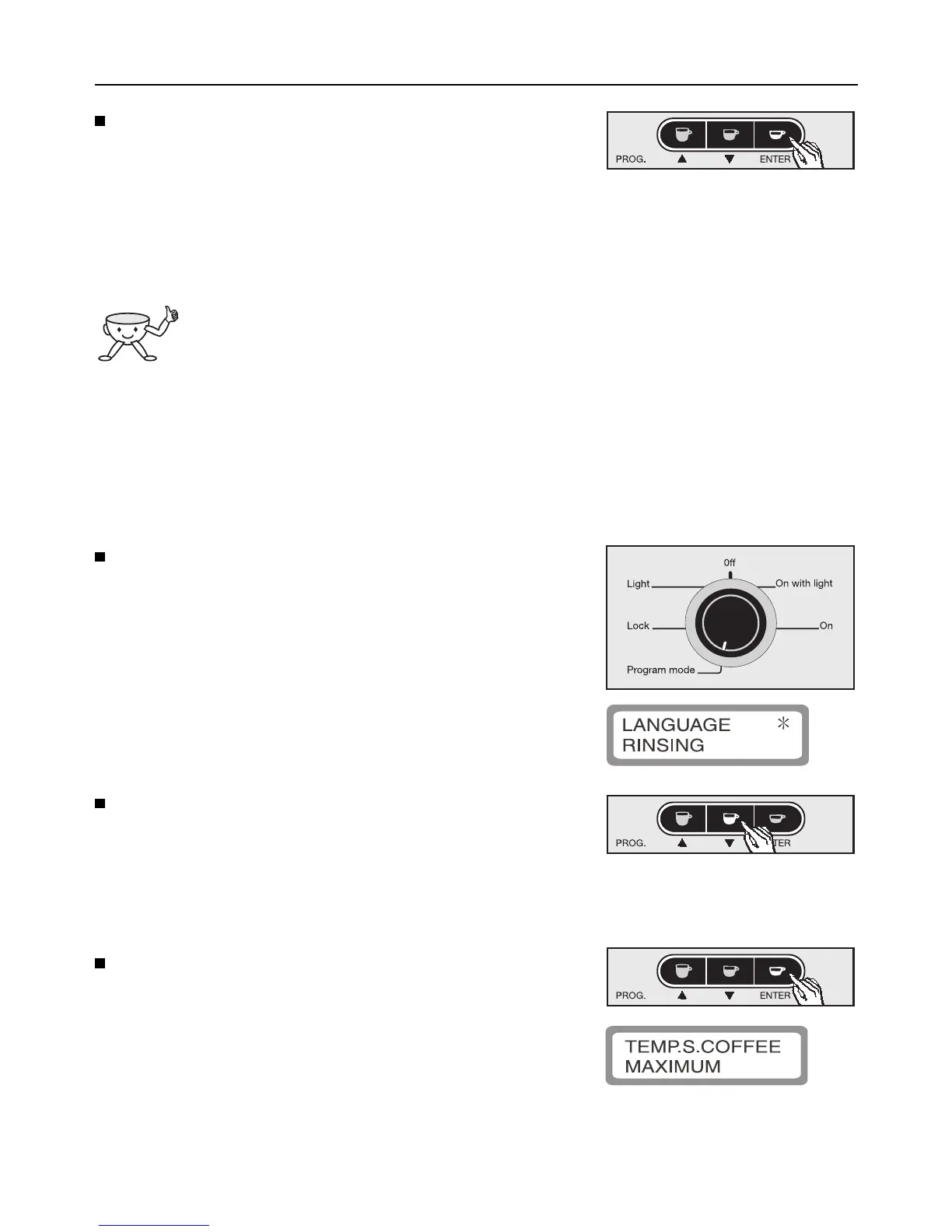
Turn the program selector counterclockwise to
“Program mode”.
The appliance is now in programming mode and
will respond according to the symbols shown
under the buttons.
The following will appear in the display window:
Press the e button to highlight programming op-
tion “Temp. long coffee”, “Temp. coffee” or
“Temp. short coffee” with an asterisk.
A different temperature can be programmed in for
each drink option.
Press ENTER to confirm the option.
Depending on the programming option selected,
the sub-menu is shown in the display window as
follows:
Programming the appliance
17



 To Next Page