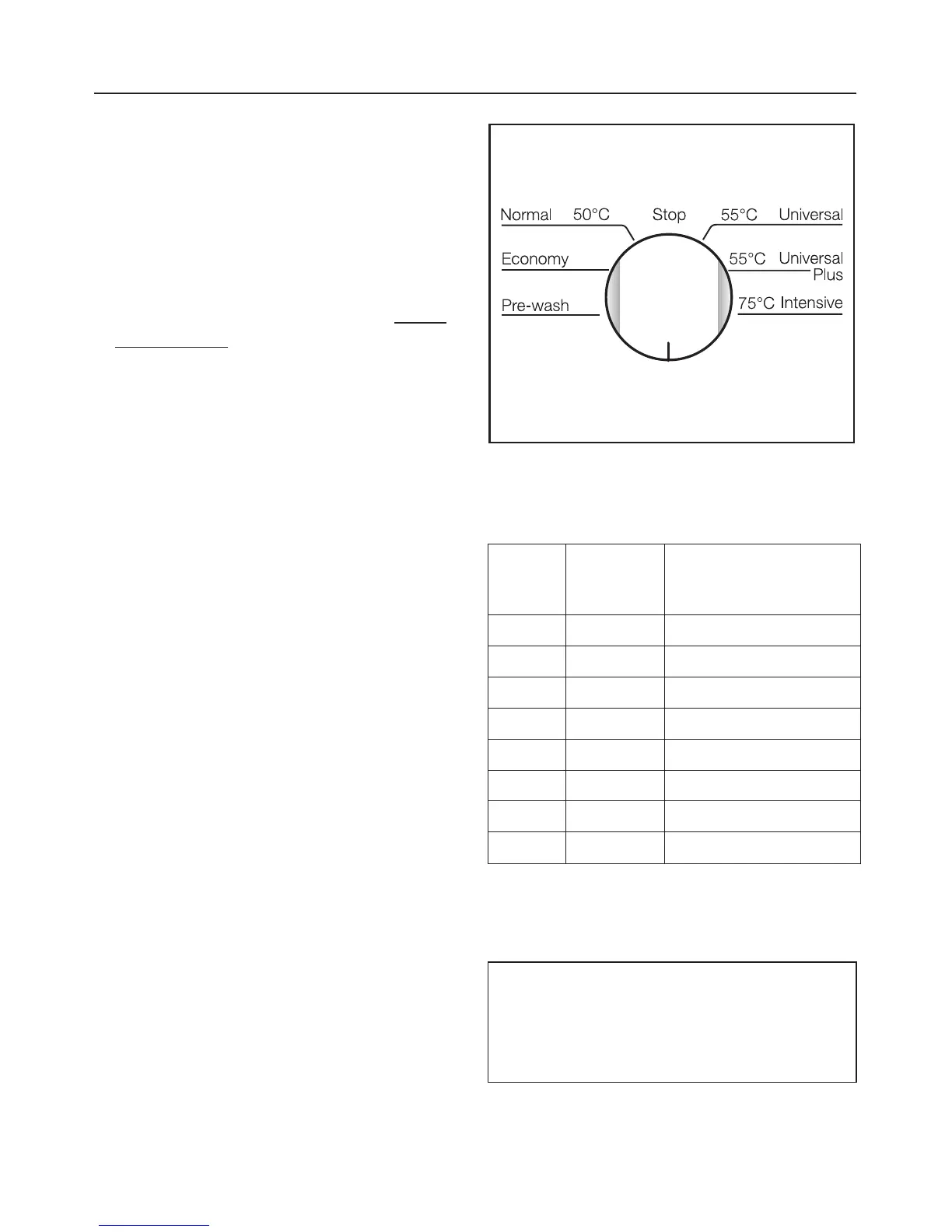
Programming the water hardness
level
^
Switch the dishwasher off using the
"On/Off" button.
^
Turn the programme selector to the
"Stop" position.
^
Press the "Start" button in and whilst
holding it in switch the dishwasher
on using the "On/Off" button. Release
the "Start" button within two seconds.
The "Salt" indicator light will flash.
Warning:
If a different indicator light comes on or
flashes, the process must be repeated.
Exception:
The "Rinse aid" indicator light will come
on if you have not yet added rinse aid
or if rinse aid needs replenishing.
^
Turn the programme selector to the
position that corresponds to your wa-
ter hardness level (see chart below).
°d
German
scale
mmol/l Programme selector
setting
1 - 4 0.2 - 0.7 "1 o’clock"position
5 - 7 0.9 - 1.3 "2 o’clock"position
8 - 10 1.4 - 1.8 "3 o’clock" position
11 - 13 2.0 - 2.3 "4 o’clock" position
14 - 16 2.5 - 2.9 "5 o’clock" position
17 - 22 3.1 - 4.0 "6 o’clock" position
23 - 35 4.1 - 6.3 "7 o’clock" position
36 - 70 6.5 -12.6 "8 o’clock" position
The dishwasher is set at the factory
for a hardness level of 2.5 -2.9 mmol/l
(14 -16 °d ).
Example:
For a water hardnesss of 3.5 mmol/l,
turn the programme selector to the
"6 o’clock" position.
Before using for the first time
14



 To Next Page