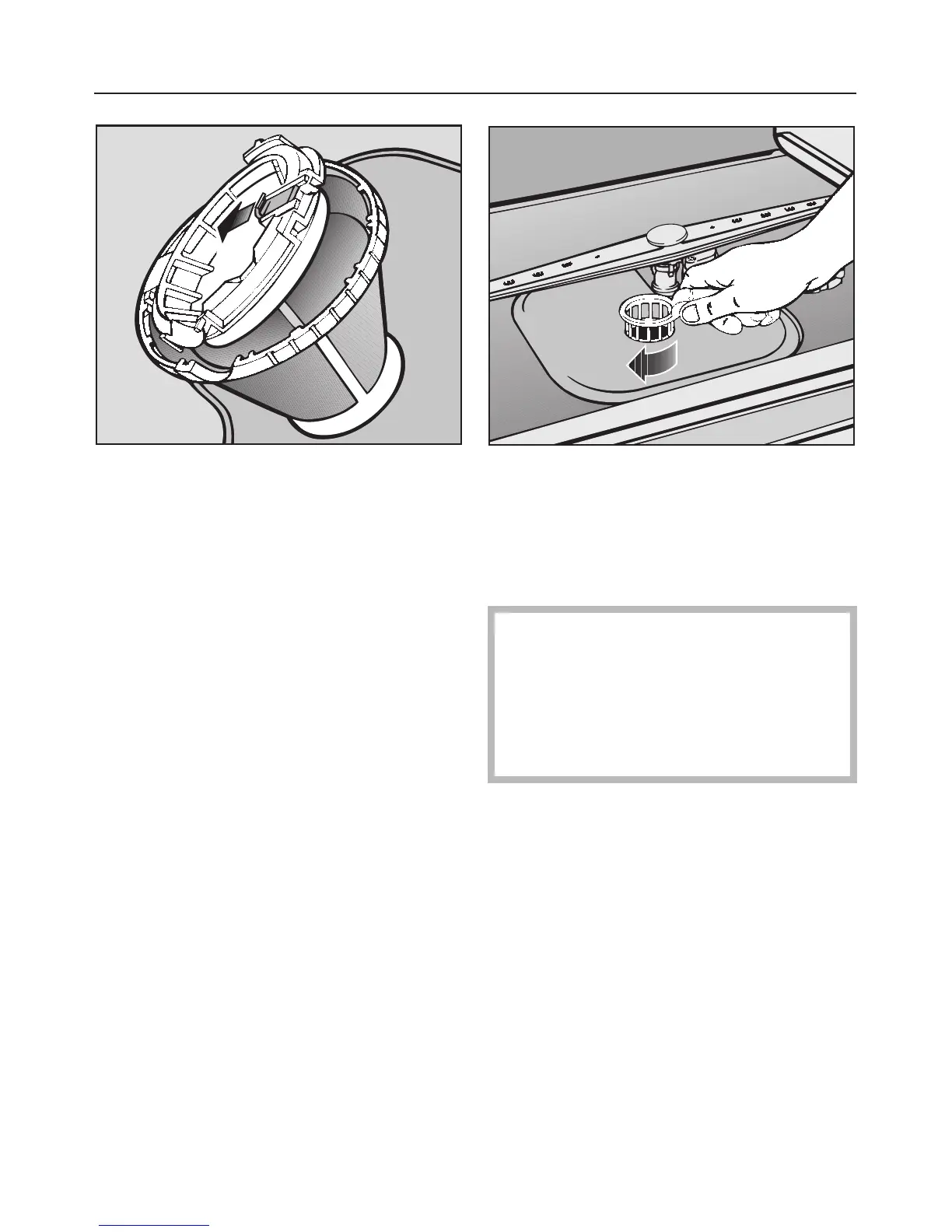
To clean the underside of the filter, the
flap must be opened:
^ Pull back the yellow clip to do this.
^ Rinse all parts under running water,
using a nylon brush if necessary.
^ Then close the flap so that the clip
engages. Important: After cleaning
make sure that the clip has properly
engaged.
^
Replace the filter combination so that
it lies flat in the base of the wash cab-
inet.
^ Secure the filter by turning the handle
in a clockwise direction.
,
Take care when you are fitting
the filter combination that it is se-
cured in position correctly. Other-
wise coarse soil could get into the
circulation system and cause a
blockage.
"Check Filter" indicator light
The "Check Filter" indicator light comes
on after every 40 programme cycles. It
serves as a reminder to check the filters
in the wash cabinet.
Check the filter combination whenever
the "Check Filter" indicator light comes
on, and clean if necessary.
The "Check Filter" indicator light will
also go out when the dishwasher is
switched off.
Cleaning and care
42



 To Next Page