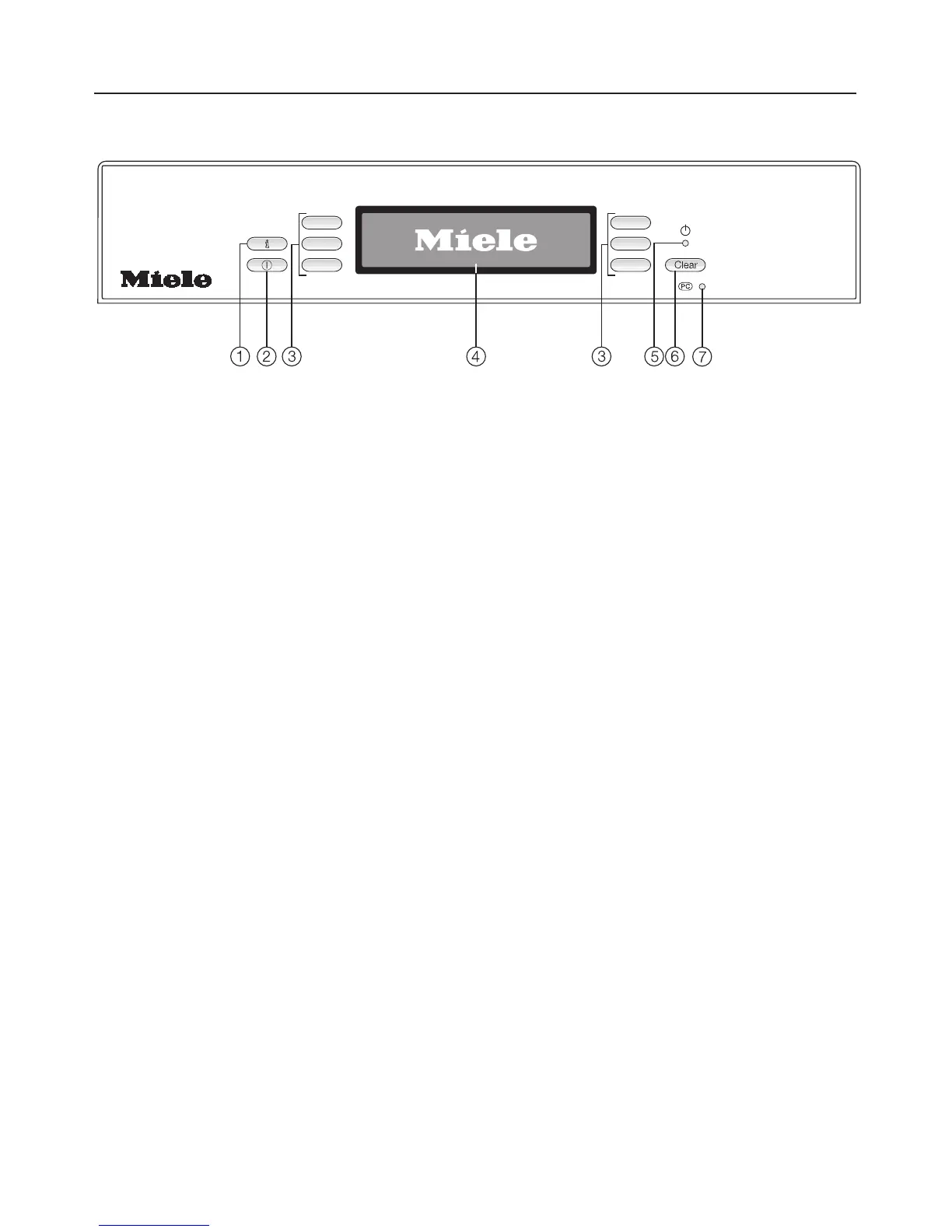
Control panel
a K (Information) touch control
To display more info about the
displayed menu
b s (On/Off) touch control
To turn the dishwasher on and off
c Selection touch controls
To select a menu point displayed
next to the touch control.
To change the displayed value (+/-).
To browse between menus.
d Display
See the following pages for more
information
e Standby indicator
The indicator lights when the
dishwasher is turned on but the
display is turned off.
f + C (Clear) touch control
To switch back to the previous menu
level or to delete a selected setting.
g Technical Service interface
Allows a service technician to check
and update the machine when
applicable.
Guide to the dishwasher
8



 To Next Page