Need help?
Do you have a question about the Miele M 7140 TC and is the answer not in the manual?
Specifies the intended use and limitations of the microwave oven for domestic purposes.
Details crucial safety measures and precautions for children around the appliance.
Covers essential safety aspects related to the appliance's electrical components and integrity.
Provides instructions for proper usage to prevent hazards like fire and damage.
Emphasizes using only genuine Miele accessories to maintain safety and warranty.
Instruction to let the appliance acclimatize to room temperature before operation.
Highlights risks from packaging material and damaged appliances before first use.
Provides precise measurements required for the correct installation of the appliance.
Illustrates installation procedures for both tall and base kitchen units.
Details the electrical connection requirements specifically for tall unit installations.
Outlines the electrical connection specifications for base unit installations.
Step-by-step guide for physically installing the microwave oven into its designated niche.
Explains safe practices for connecting the appliance to the mains electricity supply.
Information regarding the recycling and environmentally conscious disposal of packaging materials.
Guidance on the responsible and legal disposal of the microwave oven at its end of life.
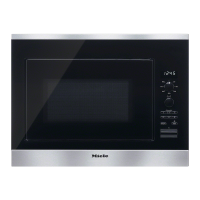
Identifies the main parts of the appliance: control panel, turntable, and door.
Details the On/Off button, display, and sensor controls located above the display.
Explains the functions of the sensor controls situated beneath the display.
Provides meanings for various symbols that appear on the appliance's display screen.
Guide on selecting menu options, changing values, and confirming selections.
Instructions on how to interrupt or cancel an ongoing cooking programme.
Explains the conversion of electrical energy into microwaves and their distribution.
Lists advantages such as speed, nutrient retention, and improved food texture.
Describes the basic mode for defrosting, reheating, and cooking with manual settings.
Introduces categories for automated cooking: Cook, Defrost, Reheat, and Popcorn.
Discusses how material and shape impact microwave heating and safety.
Warns against using metal containers or items with metallic trim due to sparking risk.
Details suitable and unsuitable types of glass, ceramic, and porcelain containers.
Information on stoneware, unsuitability of wood, and guidelines for microwave-safe plastics.
Provides a simple test to determine if a container is suitable for microwave use.
Explains the function and correct usage of heat-retaining covers during microwave cooking.
Guide to selecting the desired language for the appliance interface.
Instructions for choosing the appropriate country for regional settings.
Steps for configuring the time, clock display options, and energy saving features.
Procedure for changing the time of day after the initial setup is complete.
Configuration options for language, country, and time display preferences.
Adjustments for buzzer volume, display brightness, and measurement units.
Summary of settings for Keeping Warm, Quick MW, Popcorn, Query Food, and Safety.
Detailed steps for setting the appliance's language and country.
Options for time display modes (On, Off, Night dimming) and clock format.
Customizing buzzer volume, tones, and keypad activation sounds.
Adjusting display brightness and selecting units for weight measurement.
Configuring Keep Warm, Quick MW function, and Popcorn programme settings.
Explains 'Query food' prompt and managing system and sensor locks for safety.
Information on software version, demo mode, and resetting to factory defaults.
Guidelines for opening, closing the door, and safety risks associated with it.
Correct placement of dishes and the function of the turntable for even cooking.
Steps to select power, set duration, and initiate a cooking programme.
Procedures for pausing, resuming, or cancelling an ongoing cooking programme.
How to adjust power level or duration while a programme is running.
Information on audible signals and the automatic Keeping Warm function.
Setting automatic start and end times for cooking cycles.
Using the Quick MW button for immediate, high-power cooking for one minute.
Changing and saving preferred time and power level settings for programmes.
Activating and deactivating the system lock to prevent accidental operation or changes.
Setting and managing the minute minder for timing kitchen activities.
Using the minute minder concurrently with cooking programmes.
Overview of automatic programme types: Cook, Defrost, Reheat, and Popcorn.
Steps for selecting programmes, entering food weight, and managing timings.
Provides a recipe for cooking vegetables using an automatic programme.
Details ingredients and method for preparing 'Carrots in a chervil cream sauce'.
Offers a recipe for cooking potatoes via the automatic programme.
Lists ingredients and method for 'Golden curried potatoes'.
Instructions for cooking rice and preparing fish curry using automatic programmes.
Specifies microwave power levels suitable for reheating different food types.
Essential safety advice for reheating, including handling hot food and preventing boil-overs.
Advice on power levels, food preparation, and stirring for even cooking.
Warnings and procedures for safely cooking eggs with or without shells.
Guidance on removing hot dishes and allowing food to stand for heat distribution.
Warnings regarding refreezing thawed food and salmonella risk with poultry.
Specifies appropriate microwave power levels for defrosting various food items.
Steps for defrosting, preparing food, and subsequent reheating or cooking.
Examples for melting butter, dissolving gelatine, and proving yeast dough.
Examples for marshmallows, salad dressing oil, citrus fruits, and strawberry jam.
Details test foods, power levels, durations, and standing times for laboratory testing.
Crucial safety steps, including power disconnection and avoiding high-pressure cleaning.
Instructions for cleaning the oven cavity, including steam cleaning for tough residue.
Guidance on cleaning the appliance front and neutralizing interior odours.
Specific instructions for cleaning the turntable, roller ring, and oven floor.
How to clean the exterior front of the microwave, including air vents.
Advice on preventing scratches and a list of cleaning agents to avoid.
Troubleshooting steps for when a cooking programme does not initiate correctly.
Addresses problems like display not lighting up or turntable not turning smoothly.
Solutions for inadequate cooking/defrosting and potential function failures.
Troubleshooting strange noises, inaccurate time, and food cooling too quickly.
Diagnosing and resolving instances where the microwave oven switches off due to overheating.
Guidance on how to contact Miele for technical support and fault resolution.
Details on warranty coverage, activation process, and where to find more information.
 General
| Microwave Power | 1000 W |
|---|---|
| Grill Power | 1000 W |
| Control Type | Electronic |
| Dimensions (H x W x D) | 280 mm x 462 mm x 320 mm |
| Weight | 13.5 kg |
| Number of power levels | 5 |
| Colour | Stainless steel |
| Color | Stainless steel |
| Type | Microwave |
| Display type | LED |

 To Next Page