Control keys
f Stop / End
Press to stop a selected program or end an
already stopped program.
[ Block plus
The respective program block (e.g.
pre-drying) will be added to the program.
FC Functions
Press this key to temporarily select another
language.
m Delay start
Press this key to select a start time in the
display.
K Information
To show program information
ü Gather
Cycles of a program in progress can be
skipped or repeated.
A Back to the previous display
e/- Next or previous line
S Save
See programming manual
$ Program locked
If a program has a "locked" status it cannot
be stopped or ended with the Off-button
after one minute.
% Program unlocked
\ Operating data
DData transfer
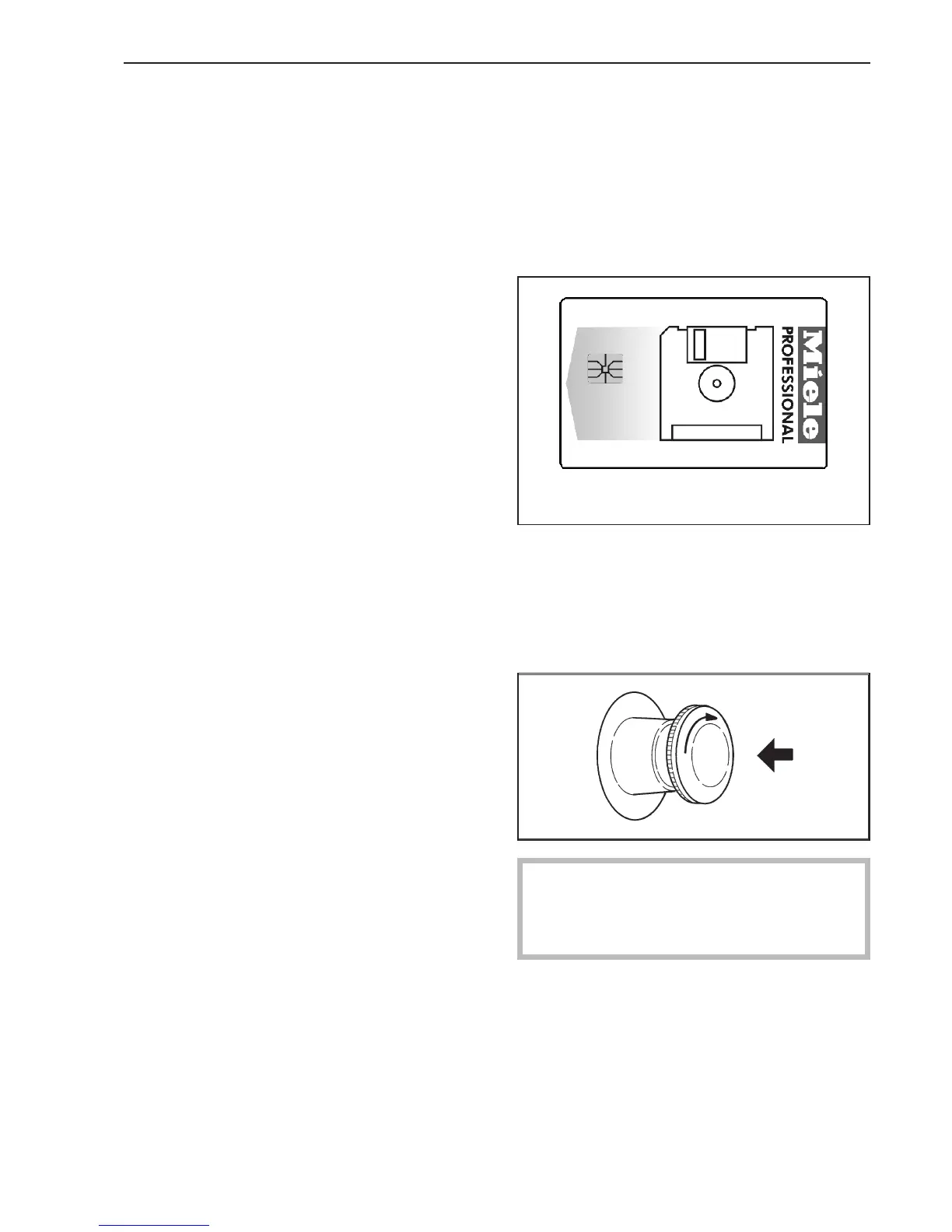
Operator card
No programs are saved on this card. To
transfer the data from the control to the card
and vice versa see the programming
manual.
30 programs with 6 blocks each can be
saved on the card.
The back of the card can be labeled.
Insert the card, arrow first.
Emergency Stop
Only use in an emergency.
Do not use this button to turn off the
machine during normal operation.
^
Press the red button to turn the machine
off. After clearing the danger turn the
button clockwise to unlock it.
^
Press h "Start" to continue the interrupted
program.
Guide to the tumble dryer
9



 To Next Page