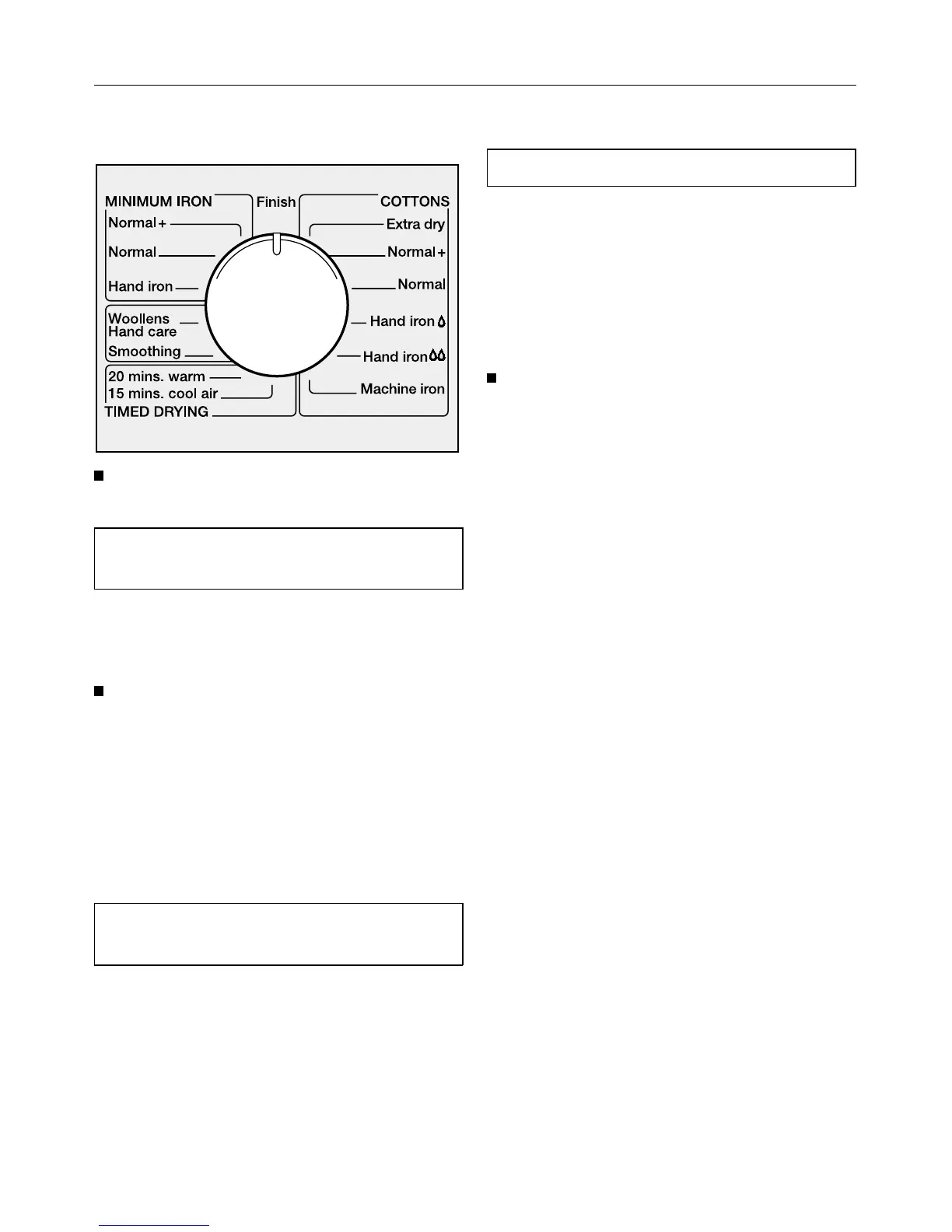
2Selecting a programme
Turn the programme selector to the
programme required.
See the “Programme chart” for a de-
scription of each programme.
3Selecting additional
option(s)
Additional options are switched on
or off by pressing the appropriate
buttons.
Indicator lights:
– on= additional option selected
– off= additional option not selected
Short
The programme running time is re-
duced.
– For drying fabrics that are not deli-
cate.
Low temperature
The drying temperature is reduced.
– For delicate fabrics (drying symbol
r), eg acrylic.
The programme running time is in-
creased.
4Starting a programme
Press the “START” button.
The drying stage reached display on
the right hand side of the facia panel
will indicate which drying stage the pro-
gramme has reached.
The memory function:
If the memory function has been acti-
vated, the machine will automatically
call up the additional options selected
for the last programme used. The indi-
cator lights will indicate which options
are selected.
For further details on the memory func-
tion, please see the section “Programm-
able functions”.
How to dry correctly
13



 To Next Page