Fine filter
Cleaning intervals
Only clean the fine filter if Clean
plinth filter appears in the display.
^
To clear the display: Press the OK
button.
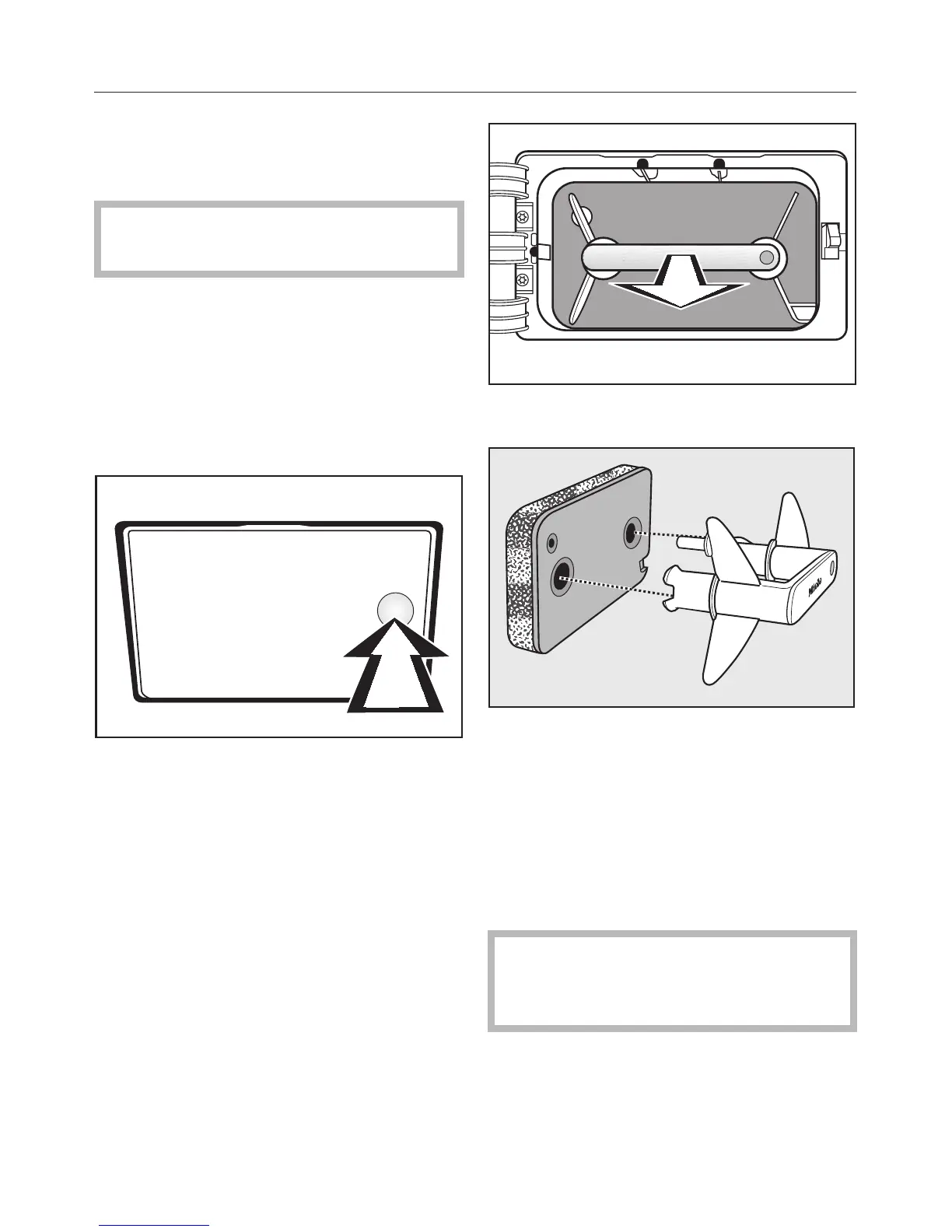
Removing the fine filter
^
Switch the tumble dryer off.
At the bottom left of the appliance:
^
Press the cover panel for the fine
filter.
The panel will open.
^
Pull the fine filter out by the handle.
^
Pull the handle out of the fine filter.
Cleaning the fine filter
^
Clean the fine filter thoroughly under
running water.
^
Then firmly squeeze the water out of
the fine filter.
,
The fine filter must not be
replaced in the dryer dripping wet.
This could cause a fault to occur.
^
Remove any fluff on the handle with a
damp cloth.
Cleaning and care
36





 To Next Page