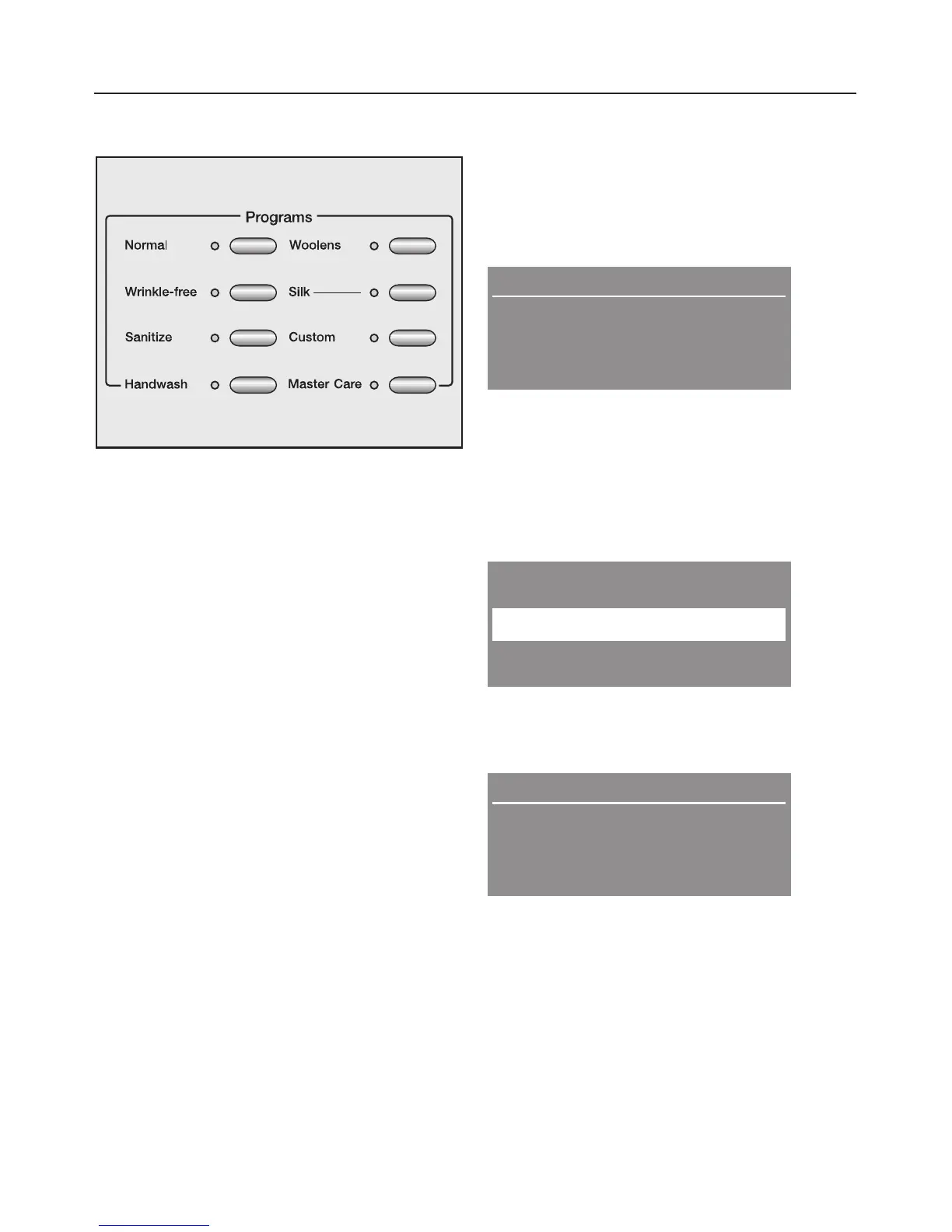
4. Select a program
^ Press the button of the desired
program. See the "Program guide" for
information about the programs.
The indicator of the selected program
lights.
5. Select a temperature and/or
spin speed
The pre-selected temperature and/or
spin speed can be adjusted if the
program allows so.
Duration: 1:02 h
y
z
Warm
High spin
^
By pressing the left menu button
"Warm", the temperature can be
adjusted. Pressing the "High spin"
buttton will adjust the spin speed.
When selecting "MasterCare" the
display shows a list.
MasterCare
Extra White
+
OK
^ With the "+" button additional
programs can be selected and
confirmed with the "OK" button.
Duration: 1:12 h
Extra White
Hot
Max spin
^
If desired and allowed by the
program, adjust the temperature and
spin speed with the menu buttons.
Using the washer
11



 To Next Page