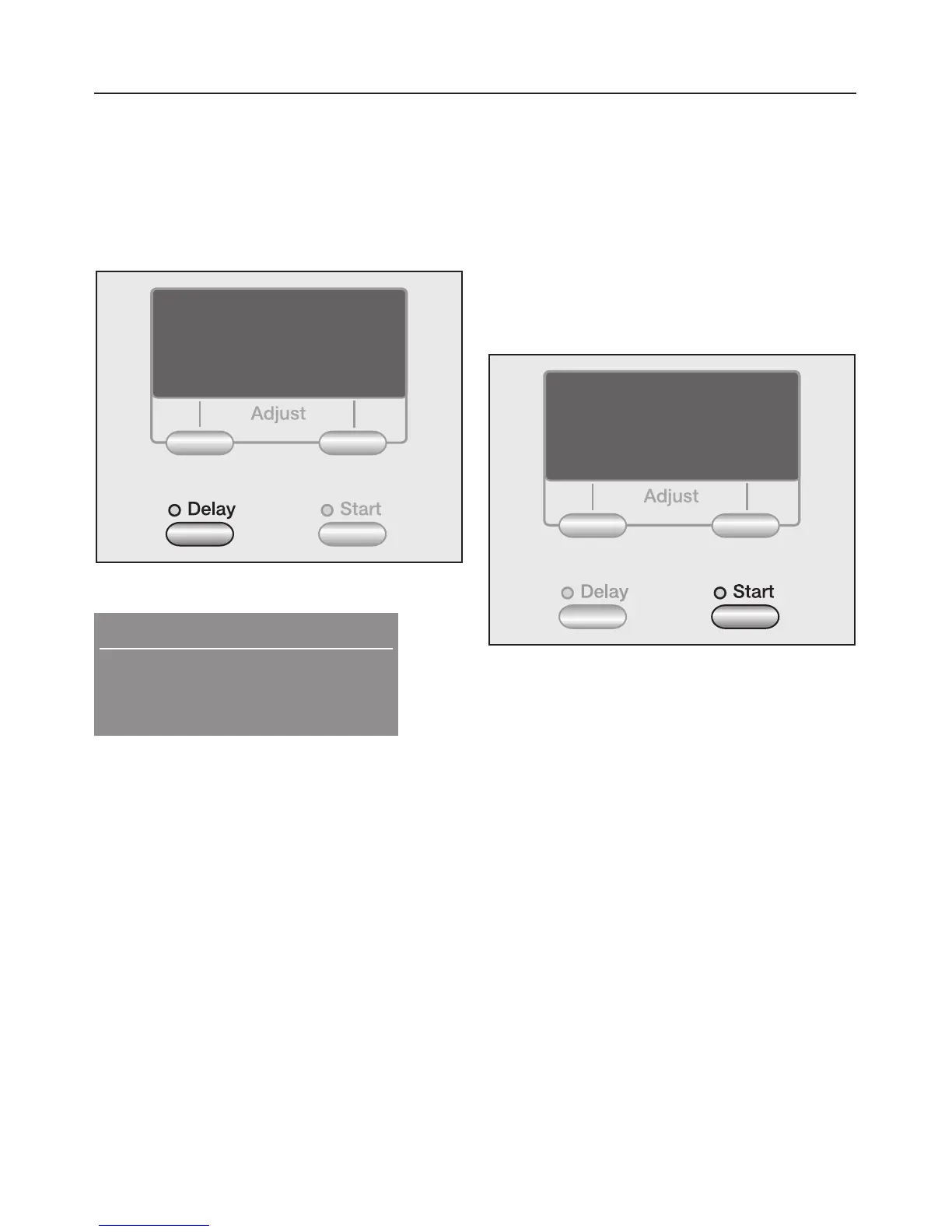
8. Select Delay Start
(if desired)
Delay start allows you to delay the start
of a program from 30 minutes up to a
maximum of 24 hours.
^ Press the "Delay" button.
Start in: 0:30 h
yz
Warm
High spin
^
With every touch of the "Delay"
button, the start is delayed longer.
Press and hold to speed up the
count.
–
For a delay less than 10 hours, the
delay time extends in 30 minute
increments.
–
For a delay time more than 10 hours,
the delay time extends in 1 hour
increments.
Adjust
The selected Delay Start time cannot
be changed.
Cancel
^
Press the "Cancel" button.
9. Start the program
^ Press the flashing "Start" button.
If the delay start is set, the remaining
times elapses in the display. Once the
delayed start time has elapsed or
immediately after the program start, the
approximate program running time is
displayed. The overall program time
may be shortened or lengthend.
Additionaly the sequence cycle is
displayed. The washer shows the
current program step.
The drum light turns off once the
program starts.
Using the washer
23



 To Next Page