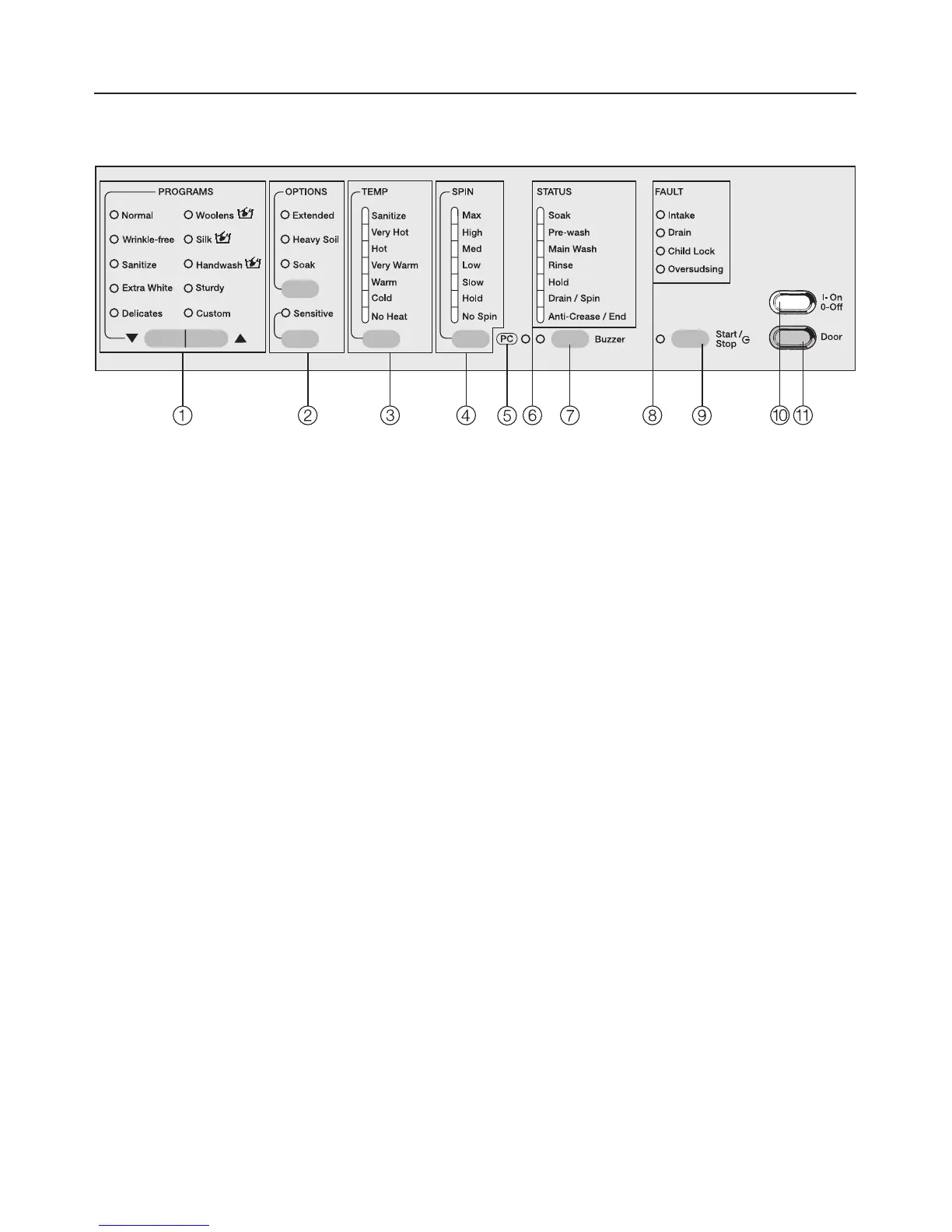
Control panel
a Program selection buttons e- with
indicators to select a program
b Wash options with indicators
are special features to enhance a
wash program.
c Temperature button with indicators
for selecting the desired wash
temperature.
d Spin speed button with indicators
for selecting the desired spin speed.
e Indicator PC
allows a service technician to check
and update the wash programs
f Program sequence display
Program sequence displayshows the
currect cycle of the wash program.
g Buzzer Button
h FAULT-indicators
i "Start/Stop" Button T
begins the wash program or
interrupts a program.
j "On/Off" button
turns the machine on and off.
k Door button
opens the drum door
Guide to the washer
5



 To Next Page