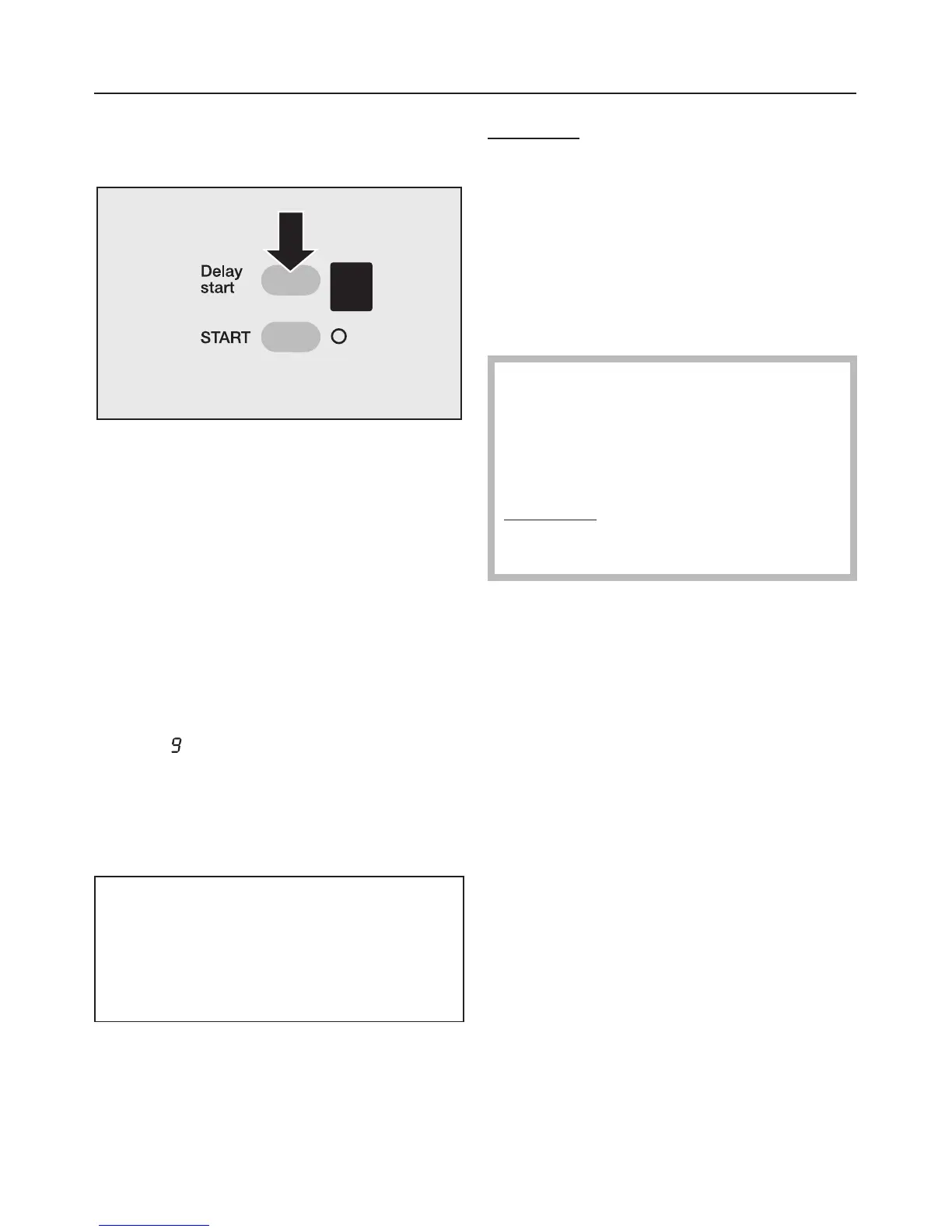
Delay start
I Select Delay start
^
Press the
Delay start
button
repeatedly until the required delay
start period shows up in the display
(from i to 9 hours).
Press the "START" button. The chosen
time will start to count down hour by
hour. The programme will then start
automatically.
To cancel "Delay start":
^ Press the
Delay start button once
when
is showing in the display, or
^
Switch the appliance off using the
I-ON/0-OFF
button.
Memory function
If an additional option(s) is selected
for a programme, and / or the spin
speed is altered, the machine stores
these changes in memory at the start
of a programme.
When that particular programme is
chosen again, the display will show the
additional option(s) and / or spin speed
which have been stored for that
programme in the memory.
Exception
: Delay start
J Start the programme
The START indicator lamp will flash as
soon as a programme can be started.
^
Press the START button.
After the programme has started the
START indicator lamp will light up
constantly.
The door cannot be opened if the
temperature is higher than 70°C. If
this is the case the
locked
indicator
light will flash when the
Door
button
is pressed.
Exception
: when the programmable
function "Opening the door at high
temperatures" has been activated.
At the end of a programme
When the drying programme has
finished the buzzer will sound (see
"Programmable functions") and the
Anti-crease / finish sequence indicator
lamp will come on.
^
Remove the laundry.
If you want to dry a further load:
^
First switch the machine off and then
on again with the
I-ON/0-OFF
button.
^
Proceed as described before in this
section.
After drying
For further information on drying see
section "After each washing or drying
programme".
DRYING
34



 To Next Page