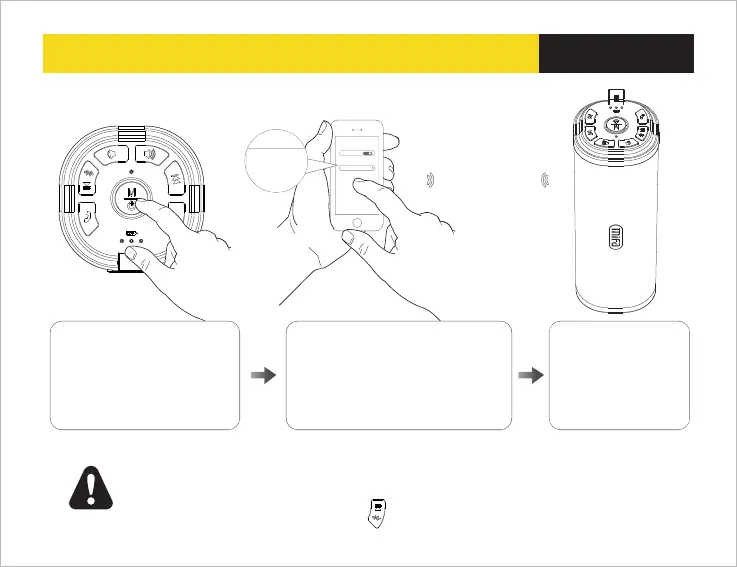
08 Pairing with Bluetooth devices
English
Bluet ooth
Blu etoot h
OFF
Dev ices
Mif a_F5
unp aired
Wireless range
up to 10m
When pairing is
complete ,,white
LED light remains
steadily on
Turn on the Bluetooth device , set it
to “discover ” the “Mifa-F5” ,then
locate the Bluetooth device list
,from the Bluetooth device list
select the device named “Mifa_F5”,
and then start to connect .
Power on the speaker ,after
“Dingdong” sound and
“Bluetooth enabled” ,blue
light flickering , allow pairing
a Bluetooth device.
Notes:
1, The default password is “0000”
2. The speaker will auto connect the last paired device when it powers on
3. If want to connect other devices , press to disconnect first ,and then the speaker
Is discoverable and ready to pair a new device


 To Next Page