EasyManua.ls Logo

Mifa K3 - Page 5

Mifa K3
10 pages
Print Icon
To Next Page IconTo Next Page
To Previous Page IconTo Previous Page
Loading...
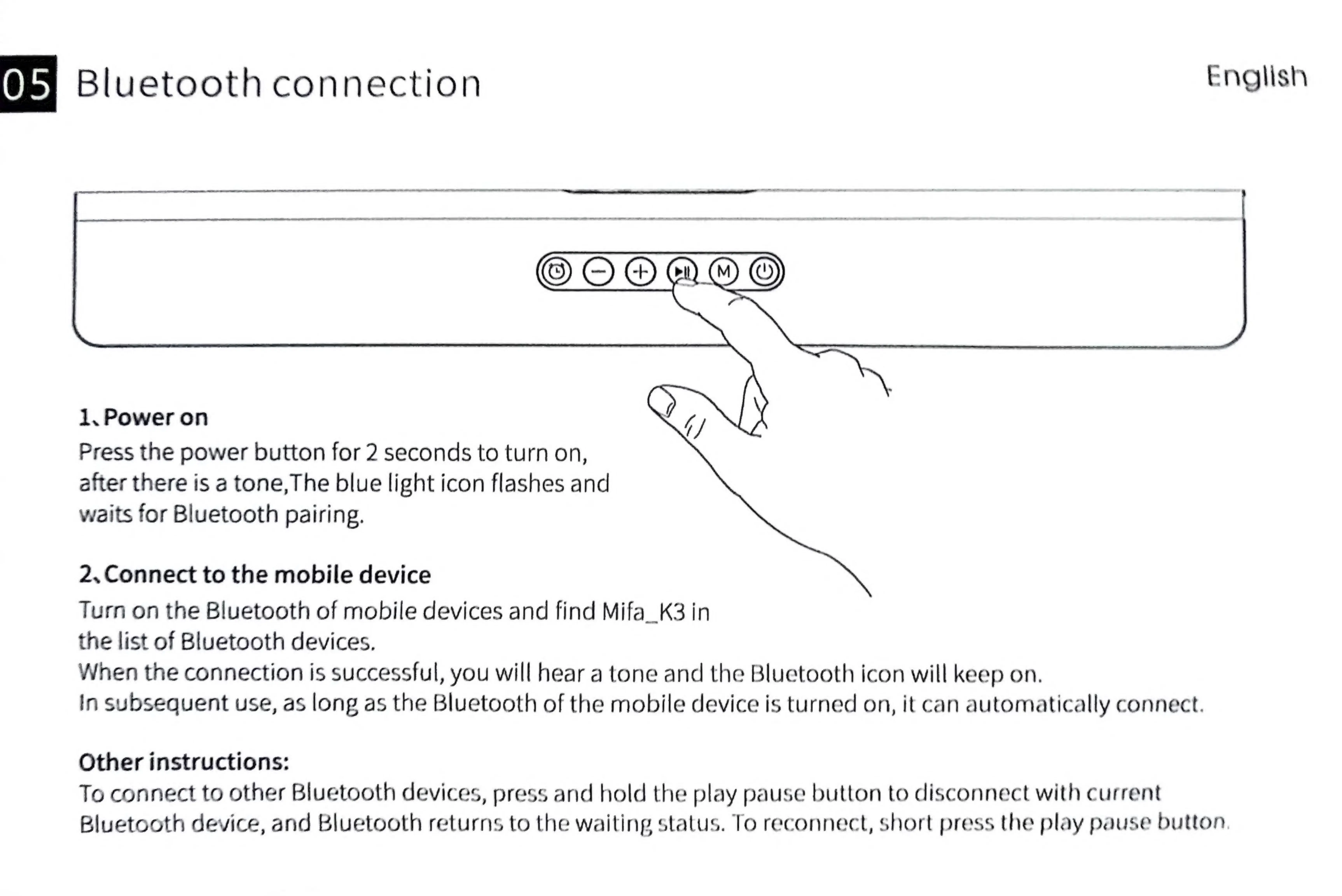
Bluetooth
connection
English
1,
Power
on
<7
[\
Press
the
power
button
for
2
seconds
to
turn
on,
after
there
is
a
tone,The
blue
light
icon
flashes
and
waits
for
Bluetooth
pairing.
2.
Connect
to
the
mobile
device
Turn
on
the
Bluetooth
of
mobile
devices
and
find
Mifa_K3
in
the
list
of
Bluetooth
devices.
When
the
connection
is
successful,
you
will
hear
a
tone
and
the
Bluetooth
icon
will
keep
on.
In
subsequent
use,
as
long
as
the
Bluetooth
of
the
mobile
device
is
turned
on,
it
can
automatically
connect.
Other
instructions:
To
connect
to
other
Bluetooth
devices,
press
and
hold
the
play
pause
button
to
disconnect
with
current
Bluetooth
device,
and
Bluetooth
returns
to
the
waiting
status.
To
reconnect,
short
press
the
play
pause
button