ENG
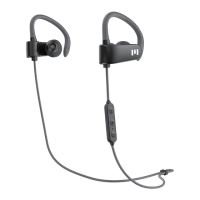
Pairing Your MIIEGO M1+ Bluetooth Earphones
1: Make sure your M1+s are charged and turned OFF.
2: Press and hold the middle button on the headset
for 7 seconds until the indicator light
and Blue alternatively (pairing mode).
flashes Red
3: Activate Bluetooth on your phone or other device
and search for Bluetooth devices and select
M1+ by MIIEGO.
lf asked for PIN press: 0000
Charging Your MIIEGO Earphones
When the Red light is on, the earphones are
charging. When the Blue light is on, the earphones
are fully charged. Charging time is 2-3 hours.
Next time charging
When you hear a warning tone of "beep" every 180
seconds and the Red light blinks, the battery status
is low and needs charging.
¾ƵƙŦŃŦķäŲƵƙtUU1I1óƙƖľŲŦĞơŦóŦėȅ
ON: Press the > Button for 3 seconds until the
indicator light flashes Blue.
OFF: Press the > Button until the indicator light
flashes Red.
For best sound and signal reception place
mobile device on left side of your body
1


 To Next Page